34
PREPARATIONS
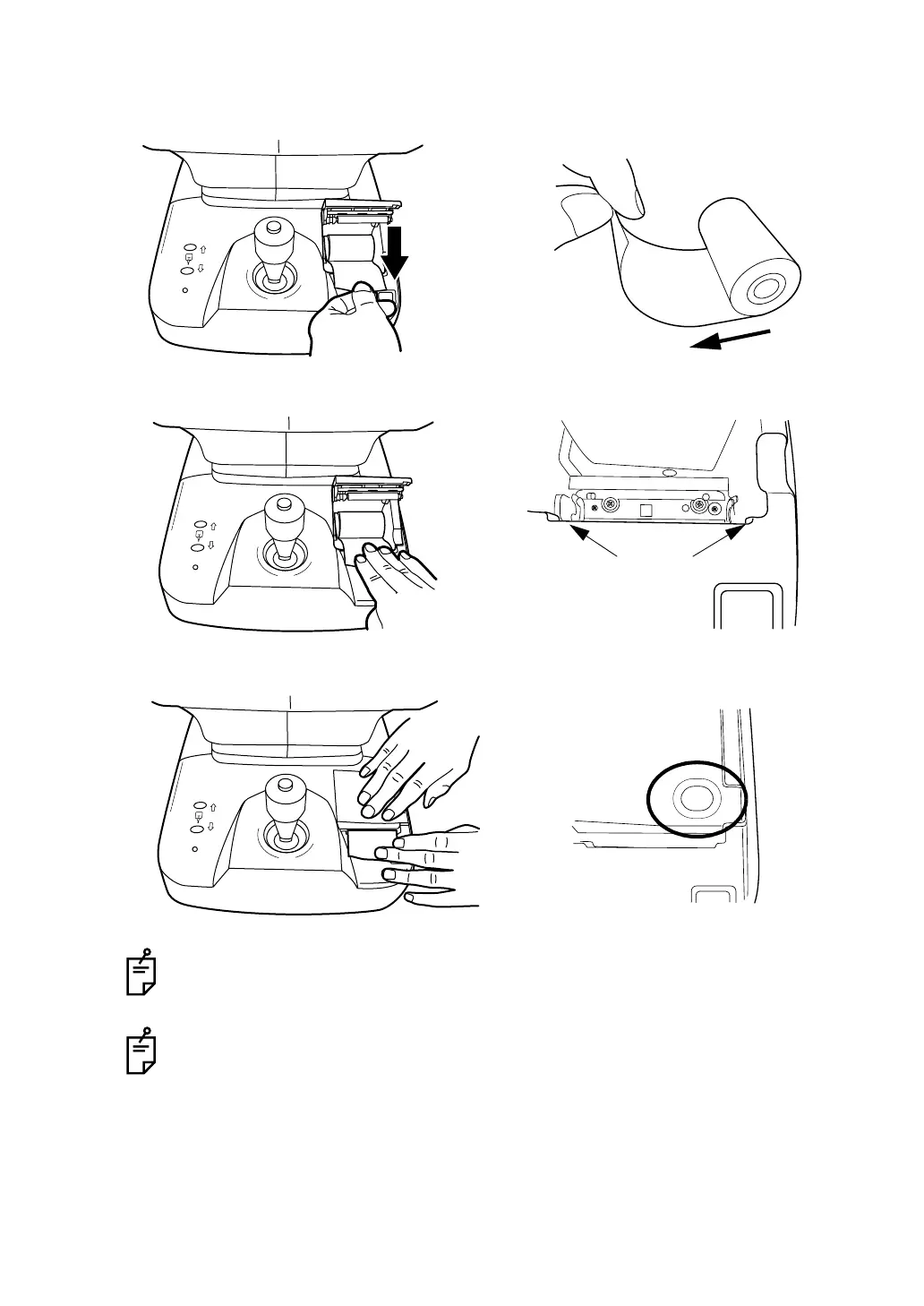
2 Set the paper into the shaft support; pay attention to the roll direction of paper. Pull the
paper 2 to 3cm forward.
3 Pull the paper along the paper guide and draw it out straightly from the cover.
4 Close the printer cover with the paper drawn out.
Use the recommended 58mm wide printer paper
TF50KS-E2C (Nippon Paper)
Using another paper may cause a printing noise or print errors.
Please close the printer cover until it clicks.
The message "CLOSE PRINTER COVER Push it from the top." is displayed on
the monitor screen if the printer cover is not properly closed.
Roll direction
Roll direction
Paper guide



 To Next Page