34
PREPARATIONS
PRINTER PAPER SETTING
• For printing paper, use the following paper specified by TOPCON.
Product No.: TP50KJ-R (manufactured by Nippon Paper Industries Co., Ltd.)
(Paper Width: 58mm, Roll Outer Diameter: Φ48mm or less)
When ordering any consumable, contact our agent where you purchased the product, or our par-
ticular department as indicated in this manual with the Item Name, Item Code and Quantity.
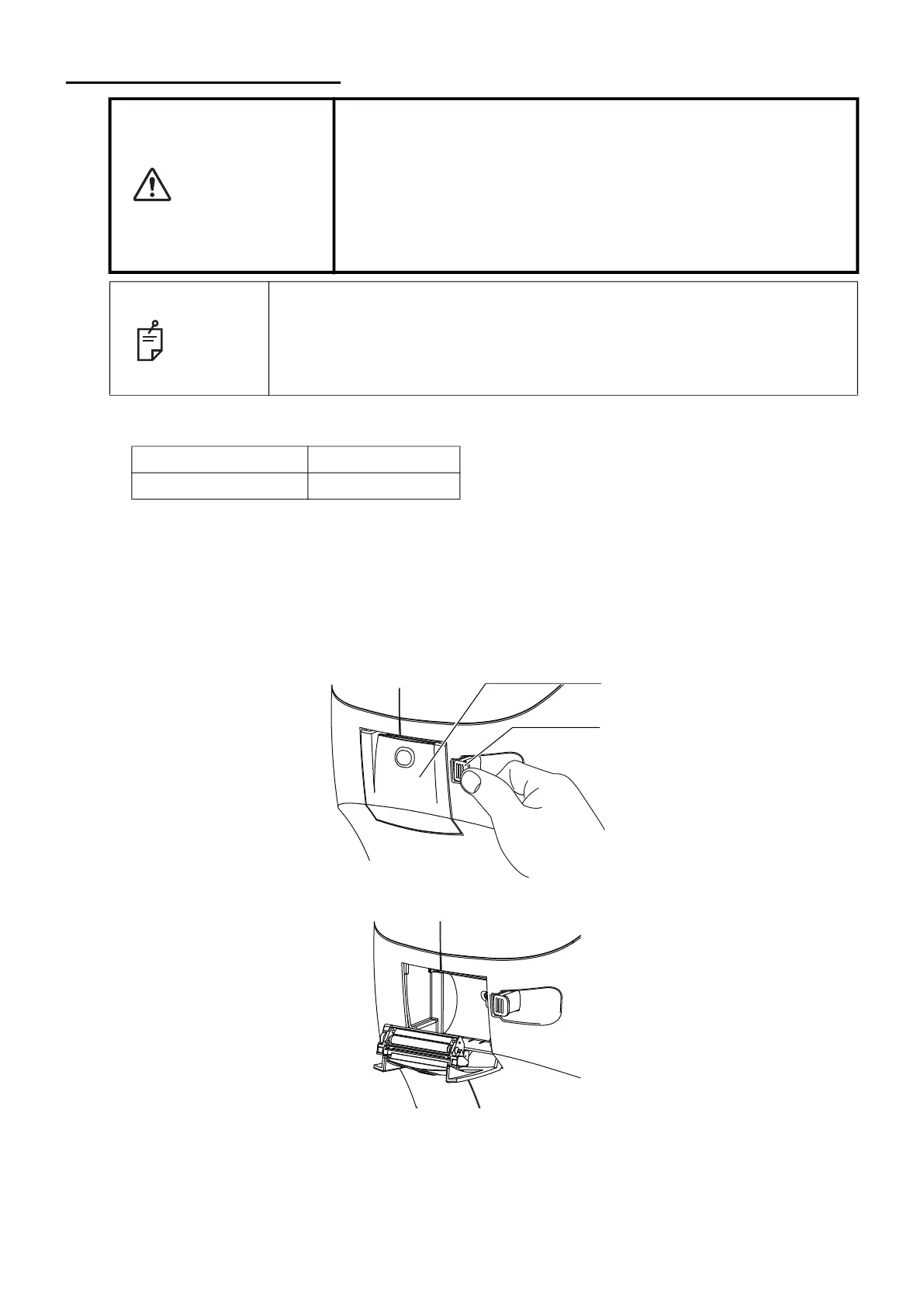
1 Press the printer cover open button to open the printer cover.
2 Open the printer cover to the limit.
CAUTION
• To avoid injury to the operator, do not open or close the printer
cover while the built-in printer is operating.
• To avoid potential injury in case of malfunction, including a paper
jam, be sure to shut off the power before attempting to repair the
built-in printer.
• To avoid potential injury caused by the edges and metal parts of
the built-in printer, do not touch the built-in printer body while the
printer is in operation or when replacing the printer paper.
NOTE
• The paper has a front side and a back side. If the paper is loaded on the
opposite side, it will not print.
• Be sure to use the specified printer paper. If you use the paper other than
the specified, the printer may be broken or the instrument may not be able
to use.
Item name Product code
Printer paper 448004001
Printer cover
Printer cover open button



 To Next Page