60
BASIC OPERATIONS
BASIC OPERATIONS
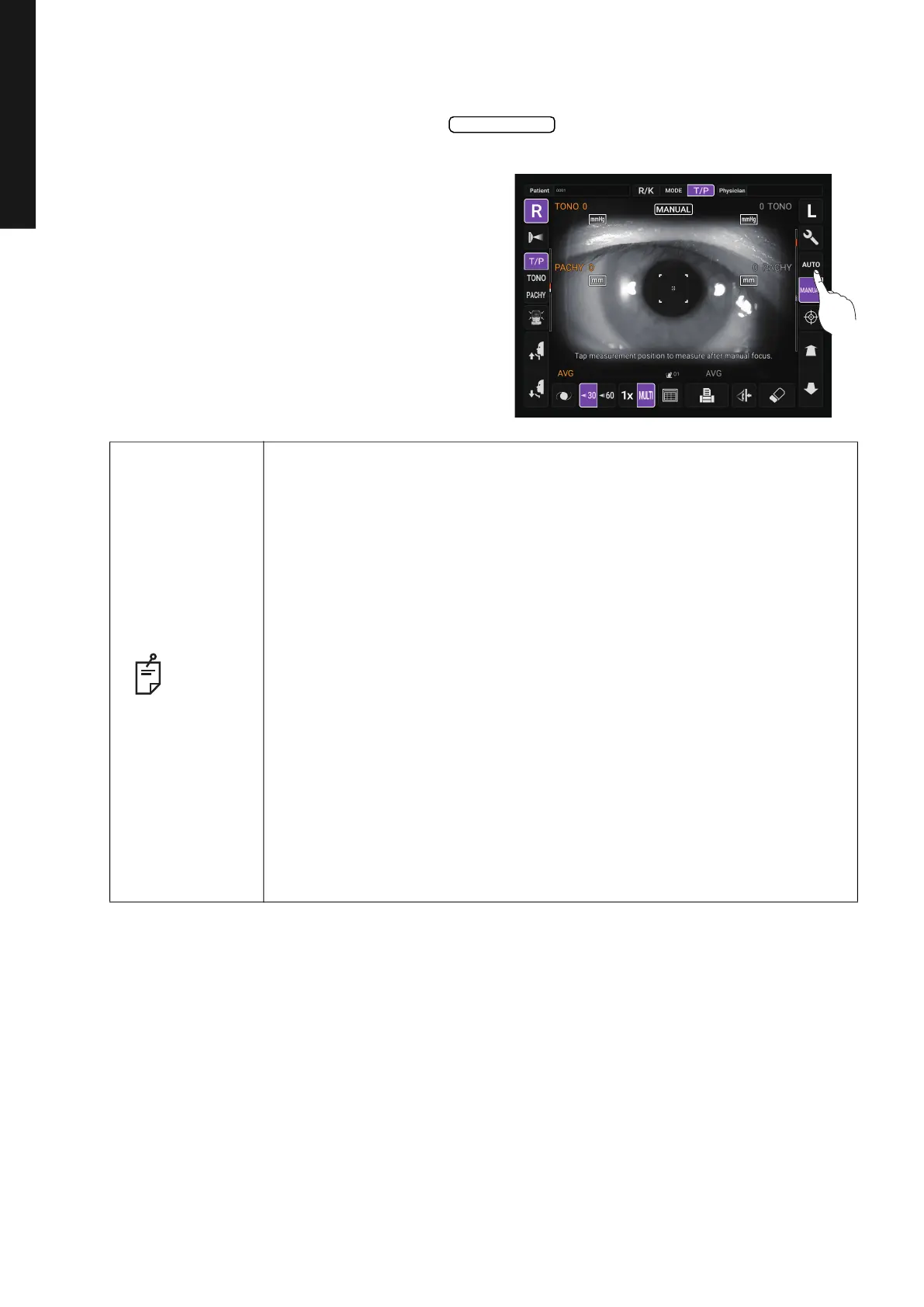
MEASUREMENT IN REF/KRTTONO/PACHY CONTINUOUS MEASUREMENT MODE
SETTING THE AUTO MODE IN TONO/PACHY
1 Check the Measurement screen. If the button is “AUTO”, the mode is Auto
mode.
2 If “MANUAL” (Manual mode) is displayed,
tap it and change to the Auto mode.
NOTE
• When “IOP adjustment” is enabled, the corrected intraocular pressure
value using the central corneal thickness base value and the adjustment
coefficient is displayed on the Tono measurement data screen (when
TONO and PACHY are measured).
• The central corneal thickness base value and adjustment coefficient can
be set from “
Function(T/P)1” on the “Setup screen”. (See page 107)
• The provided corrected intraocular pressure value is a calculation results
using the following formula and preset value:
Corrected formula ADJ.IOP=MES.IOP-(MES.CCT-A)×B
ADJ.IOP: Corrected IOP
MES.IOP: Intraocular pressure measurement
MES.CCT: Central corneal thickness (CCT) measured
A: Central corneal thickness (CCT) baseline
B: Correction factor
Parameters A and B can be set arbitrarily, but the initial value is
Central corneal thickness (CCT) Baseline A:545 (μm),
Correction factor B:0.050 (mmHg/μm)
It is established.
*The above correction formula has been published in the following literature:
Herndon L, “Rethinking pachymetry and intraocular pressure,”,
Rev Ophthalmol, 2002; July; 88-90
Auto/Manual



 To Next Page