89
OPTIONAL OPERATIONS
OPERATING THE CONTROL LEVER
OPERATING THE CONTROL LEVER
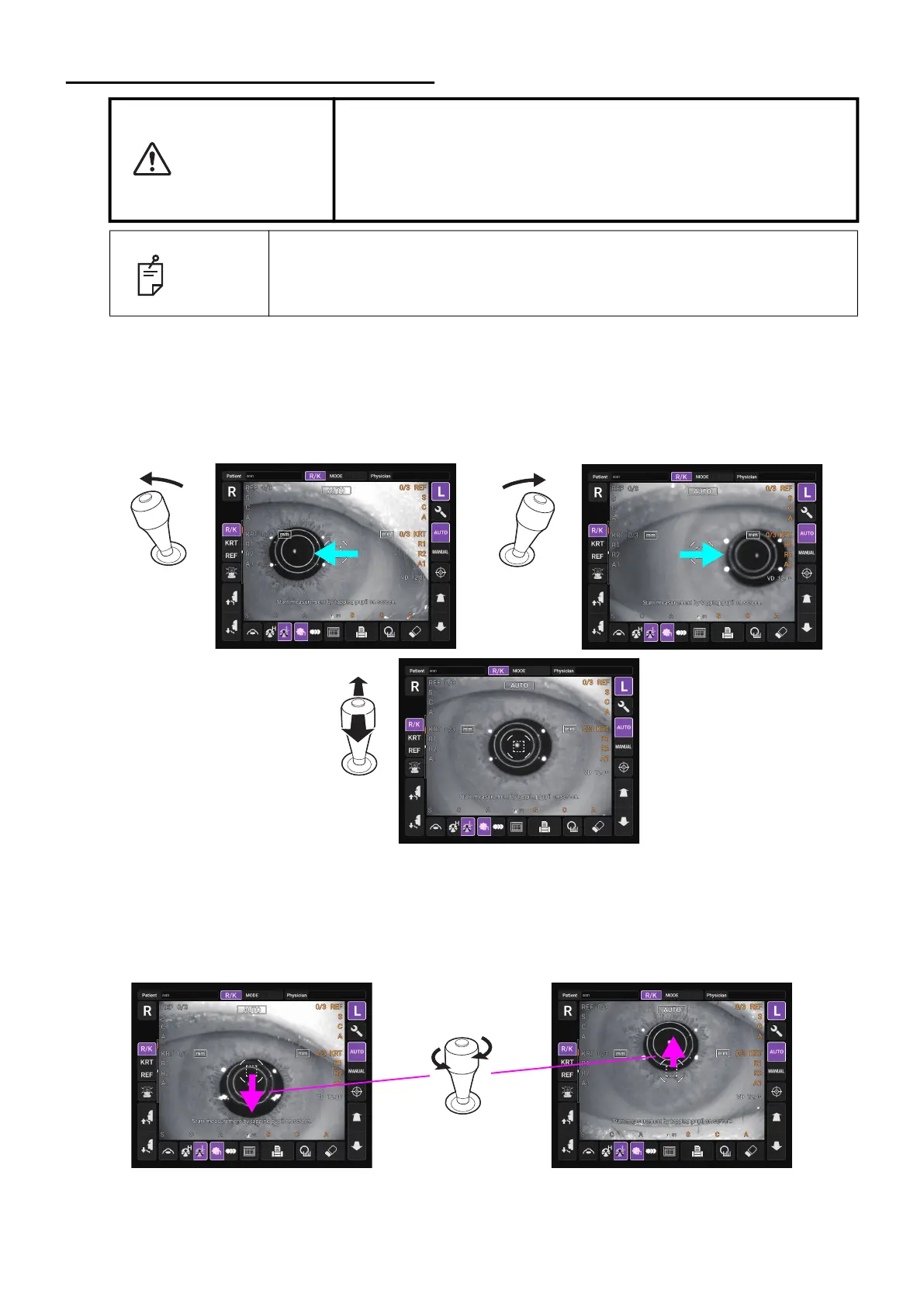
The control lever can perform the following operations:
1 Back-forth and right-left movements
When the control lever is inclined in any direction, the main body moves in the tilted direction.
2 Vertical movement
When the control lever is rotated, the main body moves up and down. Turning the lever clock-
wise will raise the main body and turning counterclockwise lowers it.
CAUTION
When switching the left and right eyes by the control lever, be sure
to return the measuring head to the backward side by tilting the
control lever to the backward before moving the measuring head to
the left or right.
It causes injury by hitting the patient's eyes or nose.
NOTE
When using the control lever, please set the control panel in the location of
the opposition to a patient. (The location that the center of the control panel
is right above the control lever.)
The focus on the screen can be adjusted by tilting control lever backward and forward.



 To Next Page