16
COMPONENTS
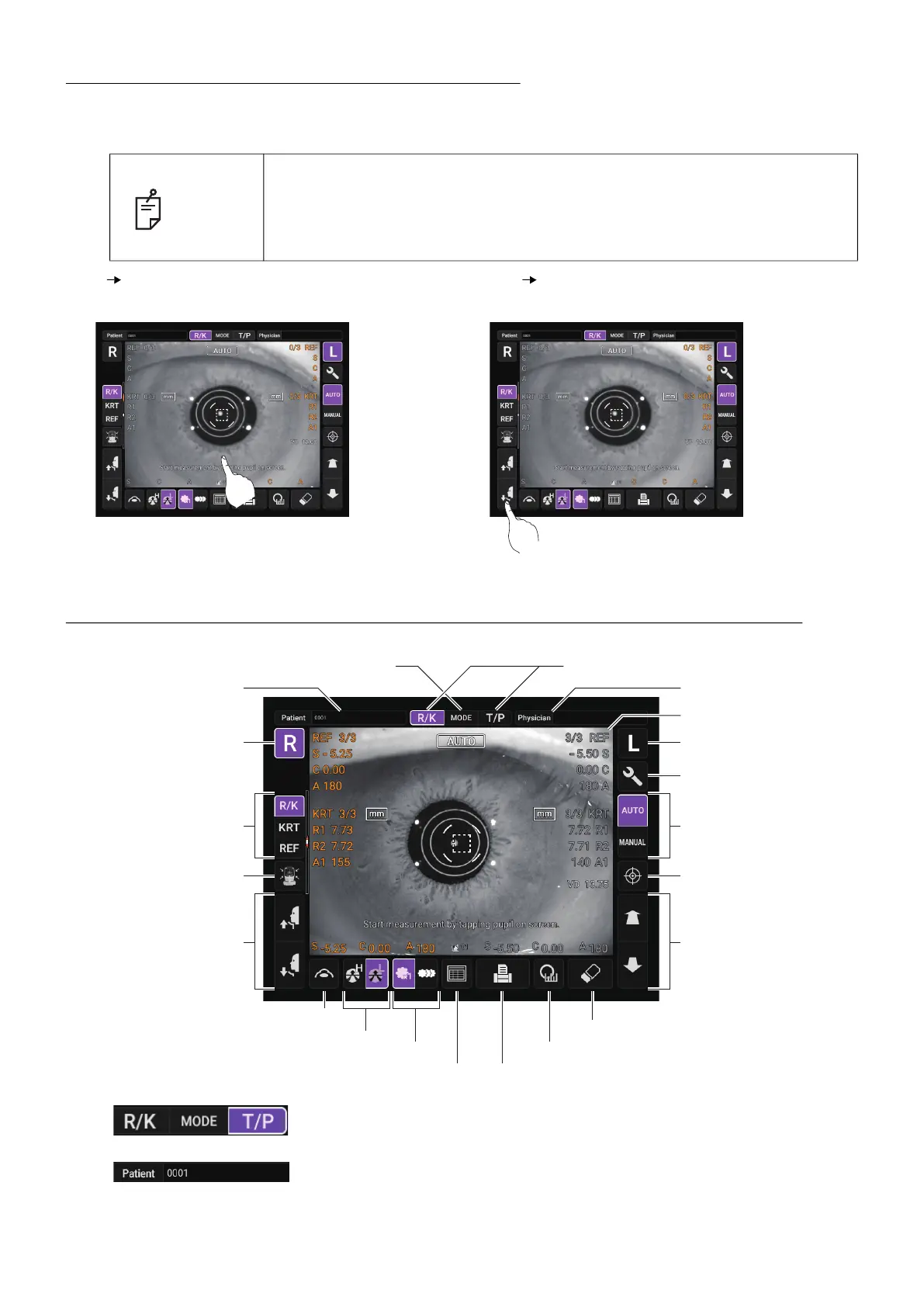
OPERATION METHOD OF CONTROL PANEL
The control panel is designed as a touch panel for performing various operations and settings.
It displays images and shows information, including set conditions and measurement results.
CONTROL PANEL COMPONENTS (IN REF/KRT MEASUREMENT MODE)
MEASUREMENT SCREEN
Mode display/Mode switching
......Switch the mode to R/K measurement or T/P measurement.
Patien ID input button
......Displays the software keyboard. Enter the ID, name, etc.
NOTE
• Operate the control panel by your fingers or the accessory stylus pen. Do
not use any sharp tool such as a ball point pen. The touch panel may be
damaged to cause an incorrect.operation.
• Do not touch two points on a control panel simultaneously.
Tap To select any relevant item.
Touch the screen softly with a finger.
Continue to press Used for continuous moving.
(Moving of chinrest and measuring head)
Continue to touch the screen softly with a finger.
Start button
MODE button
Up/down button for
chinrest
R button L button
Physician ID input button
Auto/Manual button
End button
Measuring head
forward/backward button
Print out button (Alignment stop button)
All clear button
Setting menu button
Cataract button
Target image buttonFog button
Fixation target button
Mode display/Mode switching
All data button
R/K measurement mode
selection button
Patient ID input button
Display



 To Next Page