53
BASIC OPERATIONS
BASIC OPERATIONS
PREPARATION BEFORE MEASUREMENT
SETTING THE SAFETY STOPPER
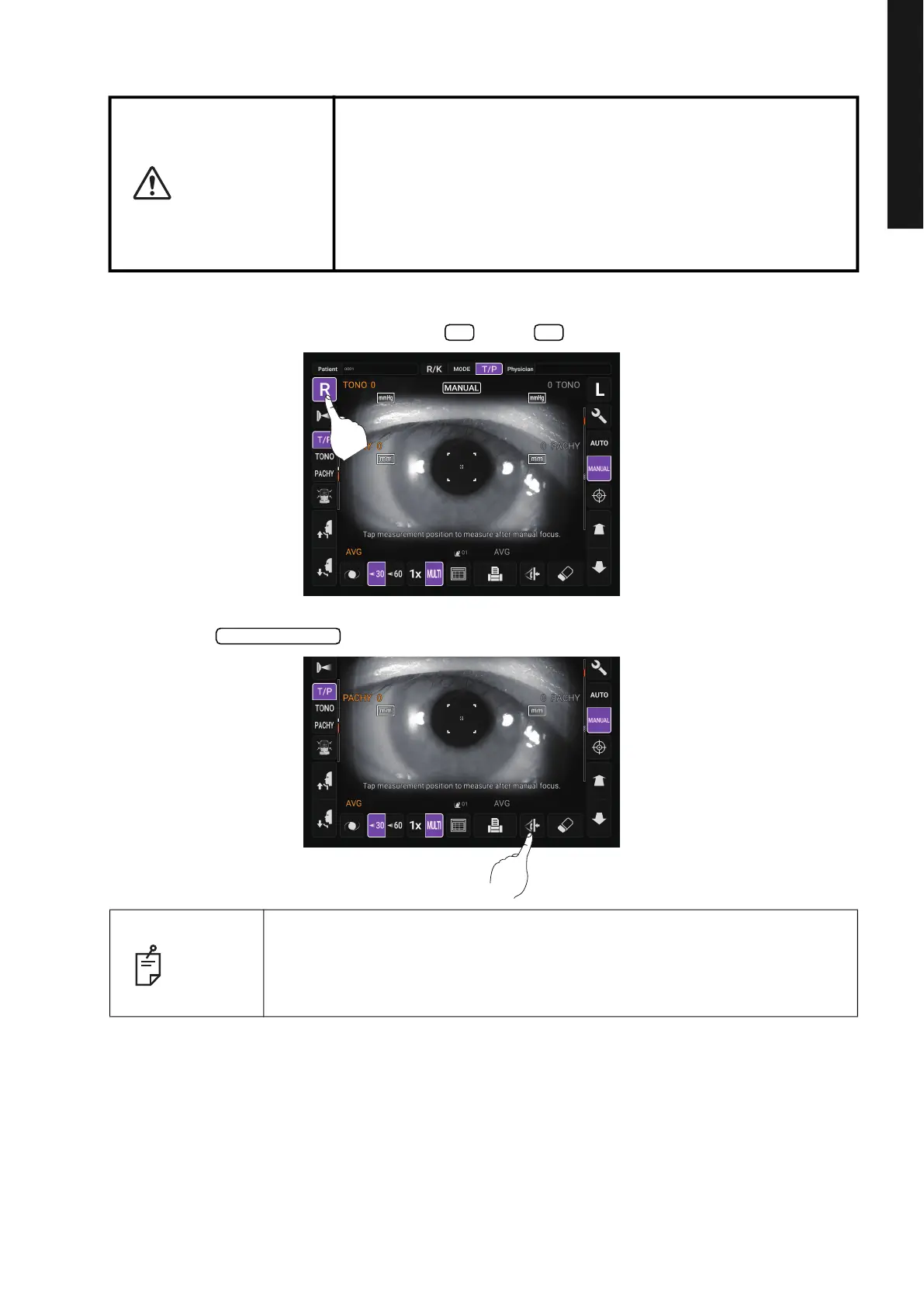
1 Select the right/left eye by tapping the button/ button.
2 Tap the button on the control panel.
CAUTION
• Before measuring, set the safety stopper to prevent the intraocu
-
lar pressure measuring window from hitting the patient's eye.
Set it respectively for the right and left eyes.
• Set the safety stop from the side of the instrument.
Setting operations from other positions, it is not easy to check
positions of the eye and intraocular pressure measuring window,
may cause injury by touching intraocular pressure measuring
window to a patient.
NOTE
Set the safety stopper respectively for the right/left eye.
If measurement is performed by setting the safety stopper only for one eye,
or without setting the safety stopper at all, the intraocular pressure
measuring window might hit the patient's eye.
R L
Safety Stopper



 To Next Page