49
BASIC OPERATIONS
BASIC OPERATIONS
PREPARATION BEFORE MEASUREMENT
SETTING THE PATIENT ID (USING MWL)
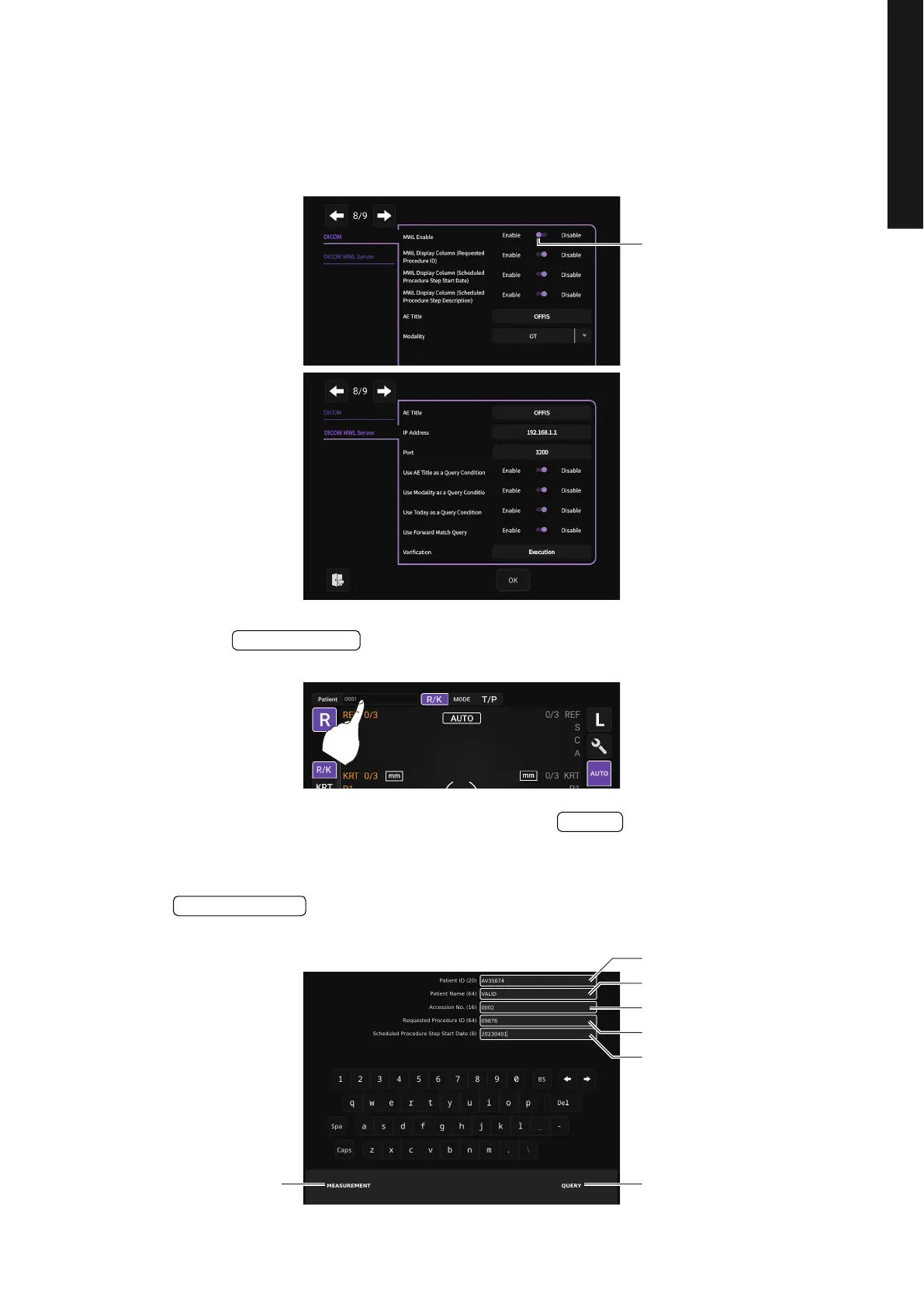
1 DICOM settings
Make the necessary settings in advance.
See “LIST OF SETUP ITEMS” for details on various settings. (see page 103)
2 Press the button on the control panel.
3 Enter the necessary search conditions and press the button.
It is also possible to set the Patient ID without running a query.
If you do not want to execute the QUERY, enter it in the Patient ID field and press the
button. The Patient ID field on the measurement screen is updated to
the ID you set.
Enable MWL usage
Patient ID Enter
QUERY
MEASUREMENT
QUERY ButtonMEASUREMENT Button
Accession No.
Patient ID
Patient Name
Requested Procedure ID
Scheduled Procedure Step
Start Date



 To Next Page