43
BASIC OPERATIONS
BASIC OPERATIONS
PREPARATION BEFORE MEASUREMENT
SELECTING THE MEASUREMENT MODE
This instrument has R/K measurement and T/P measurement, each of which has the following mea
-
surement modes.
• R/K: REF/KRT measurement mode
REF (Measurement of Spherical refractive power, Astigmatic refractive power
and Direction of astigmatic axis), and KRT (Measurement of Cornea curvature
radius, Direction of corneal principal meridian and Corneal refractive power)
• T/P: TONO/PACHY measurement mode
TONO (Intraocular pressure measurement) and PACHY (Cornea thickness
measurement)
For R/K, continuous measurement of REF and KRT or separate measurement of REF and KRT, and
for T/P, continuous measurement of TONO and PACHY or separate measurement of TONO and
PACHY can be set for each of the left and right eyes.
Before shipment, the default setting is REF/KRTTONO/PACHY for continuous measurement of
both eyes by single eye.
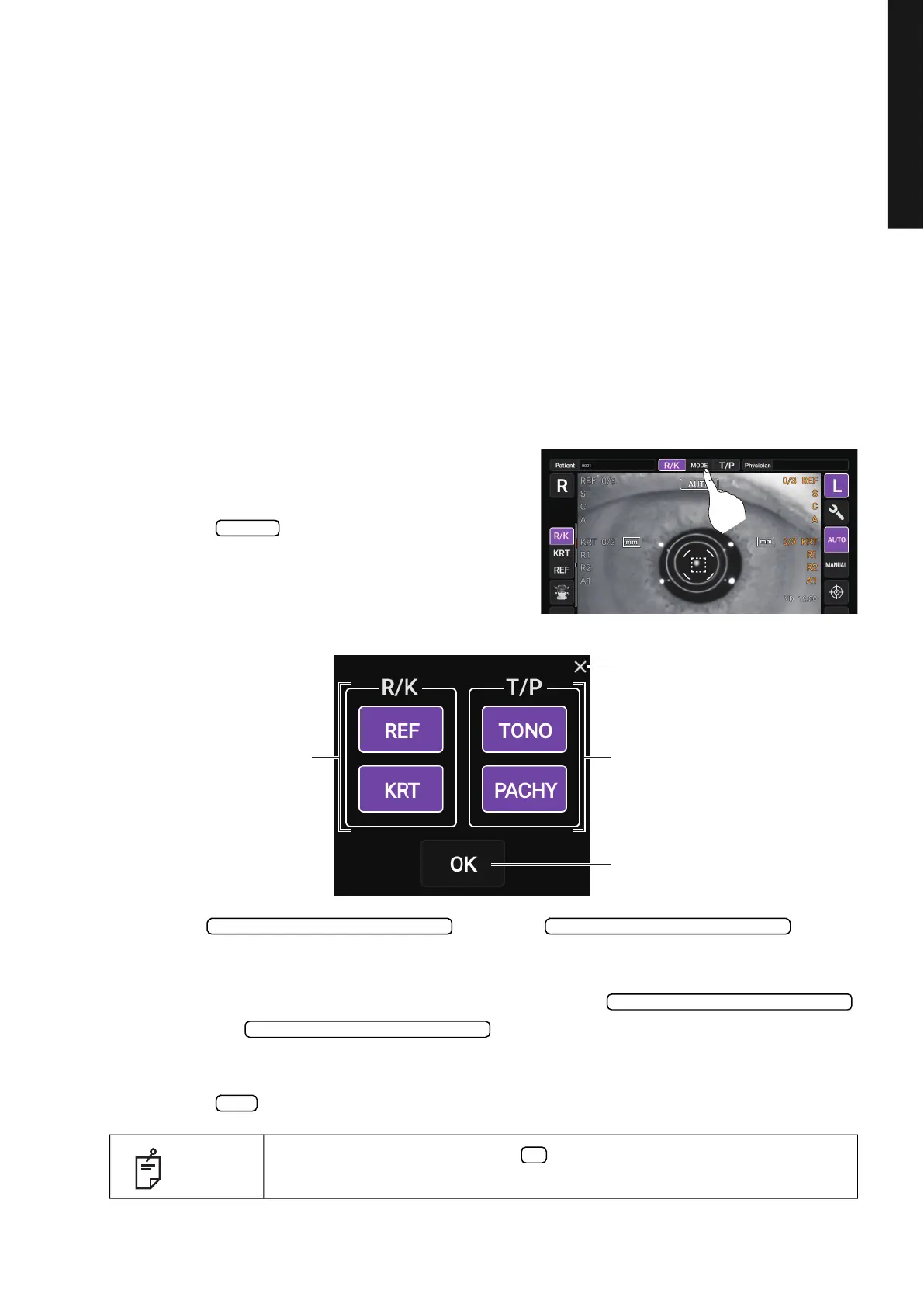
1 Check the Measurement screen.
2 Tap the button on the control panel.
Displays the measurement mode selection screen.
• The button and button
displayed in purple are the measurement items to be performed. By tapping, you can select
or cancel the measurement item to be performed.
• For example, if you want to measure only the REF, tap the
button or button so that only the measurement items you
want to perform are purple.
3 Tap the button to confirm the setting.
NOTE
In case no mode is changed, tap button to close the measurement mode
selection screen.
MODE
R/K measurement mode selection button T/P measurement mode selection button
OK button
X button
R/K measurement mode selection T/P measurement mode selection
R/K measurement mode selection
T/P measurement mode selection
OK
X



 To Next Page