47
BASIC OPERATIONS
BASIC OPERATIONS
PREPARATION BEFORE MEASUREMENT
SETTING THE PATIENT ID
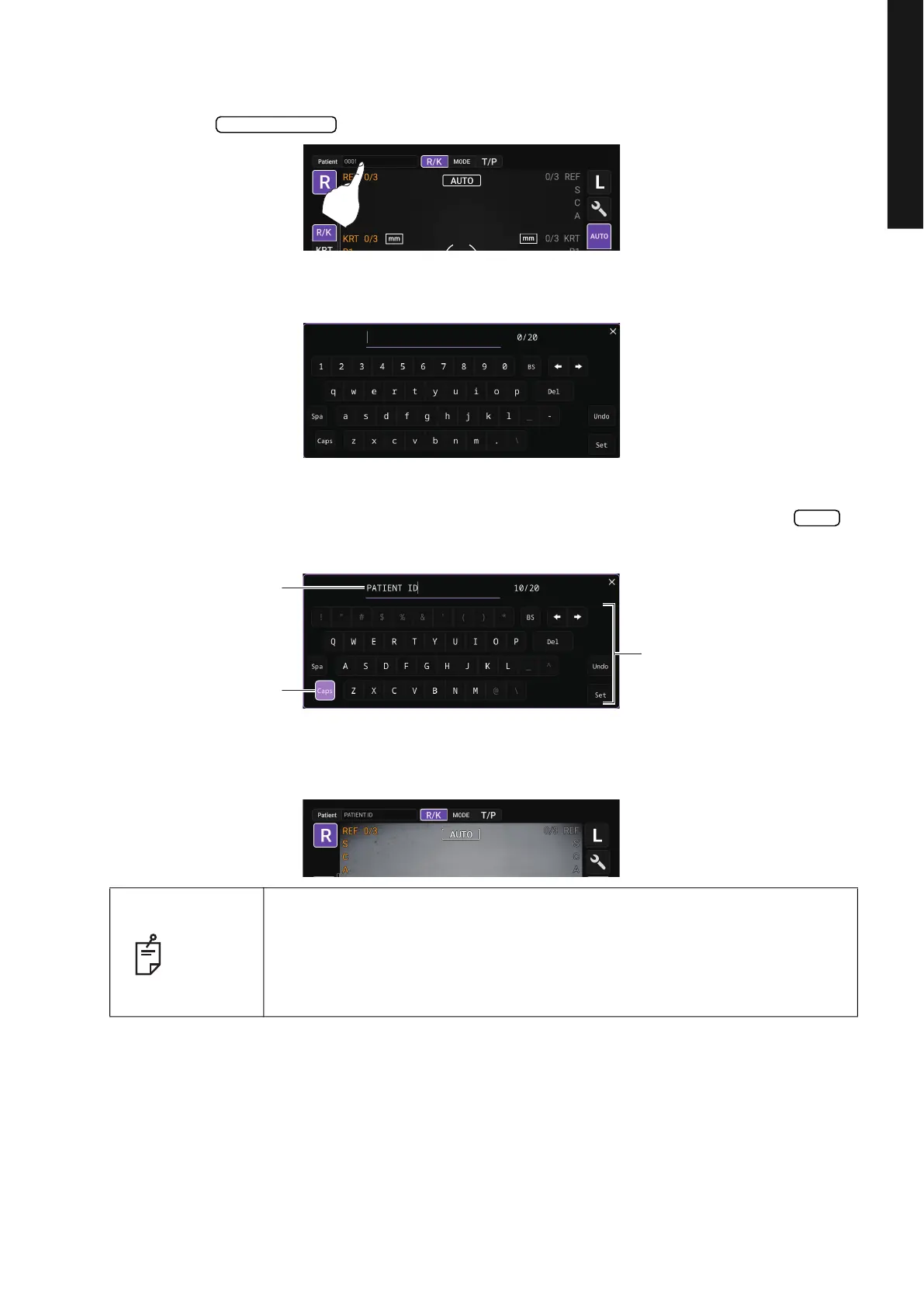
1 Tap the button on the control panel.
2 Tap the button and the patient ID input screen will pop up.
3 Press the Patient ID input window and enter the Patient ID using the input buttons. Press the
button after entering the ID to complete the entry.
4 Return to the Measurement screen, and confirm that the patient ID is updated.
NOTE
If an ID is read using the barcode reader while the patient ID input screen is
displayed, the patient ID input screen closes automatically after the reading
is completed, and the Measurement screen appears. Reading the Patient ID
using a barcode reader without displaying the patient ID input screen will
automatically fill the Patient ID field.
Patient ID input
Set
Patient ID input window
Capital lock key
Input button



 To Next Page