19
COMPONENTS
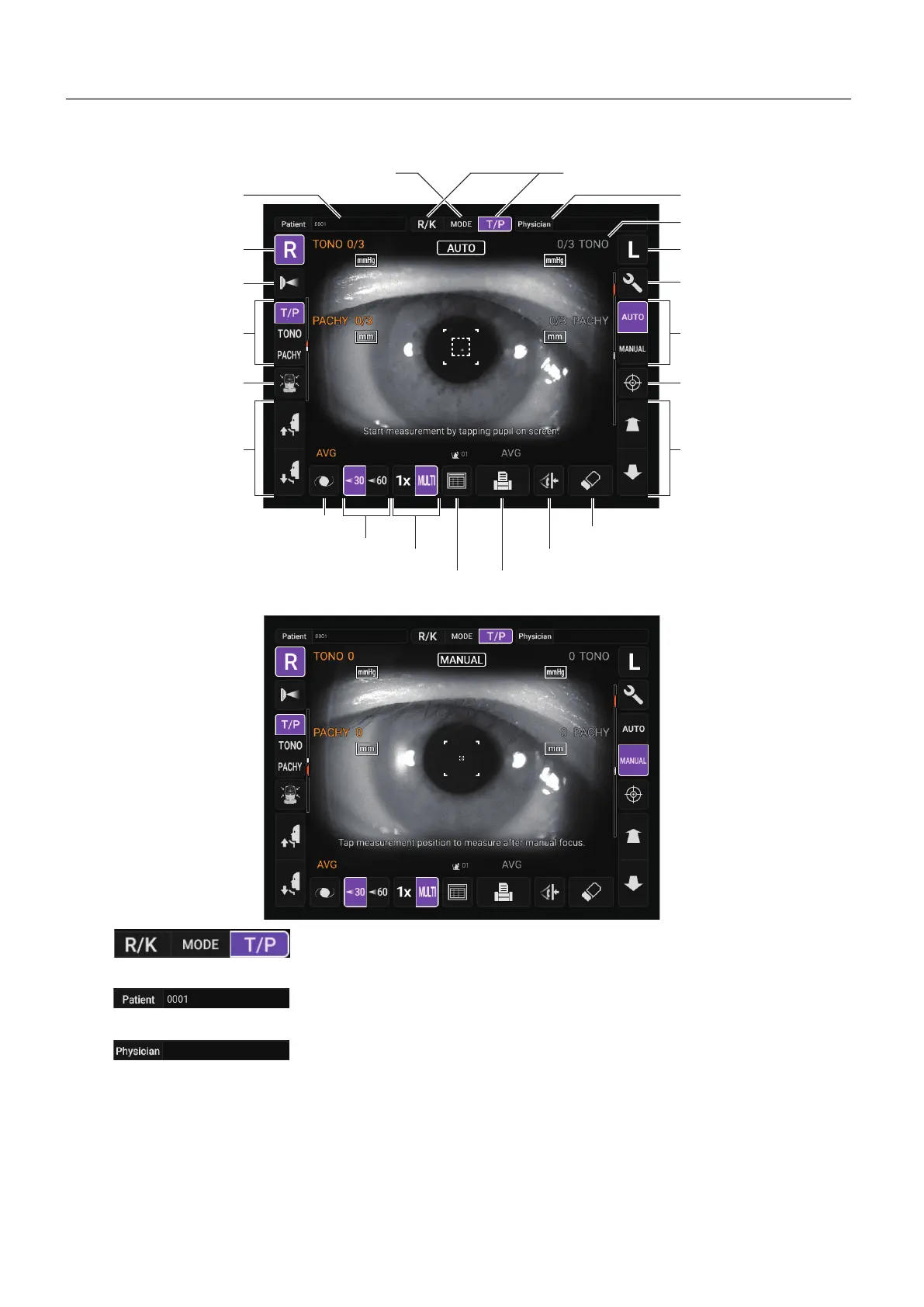
CONTROL PANEL COMPONENTS (IN TONO/PACHY MEASUREMENT MODE)
MEASUREMENT SCREEN
AUTO MODE
MANUAL MODE
Mode display/Mode switching
......Switch the mode to R/K measurement or T/P measurement.
Patien ID input button
......Displays the software keyboard. Enter the ID, name, etc.
Physician ID input button
......Displays the software keyboard. Enter the ID, name, etc.
Displayed when “Physician ID” and “Use Physician ID” are
set to ON on the Setup screen.
MODE button
R button
L button
Physician ID input button
Safety stopper button
Up/down button for
chinrest
End button
Air check button
Setting menu button
IOL button
30/60 button
Mode display/Mode switching
Start button
Auto/Manual button
Measuring head
forward/backward button
Print button (Alignment stop button)
All clear button
All data button
T/P measurement mode
selection button
Patient ID input button
Meas. Count change button
Display



 To Next Page