41
BASIC OPERATIONS
BASIC OPERATIONS
PREPARATION BEFORE MEASUREMENT
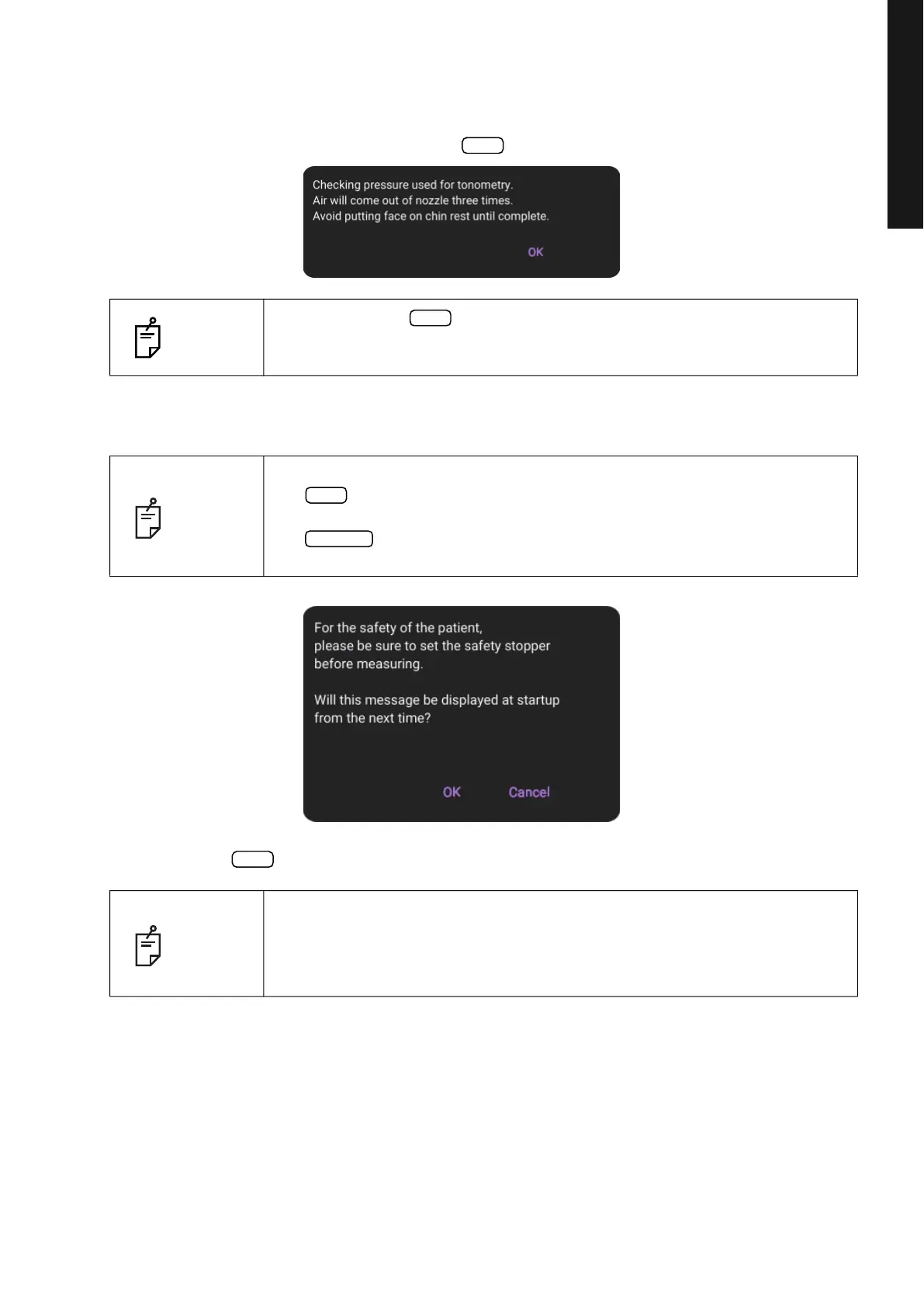
5 The title screen and Measurement screen are displayed and the confirmation message of set-
ting of safety stopper is displayed in a few seconds.
Check the displayed contents and press button.
6 A confirmation message for the safety stopper setting is displayed.
7 Press the button or Cancel button to return to the Measurement screen.
NOTE
• When pressing button, air automatically come out from the mea
-
surement nozzle and the check is performed.
• The check is performed three times in a row.
NOTE
• Refer to page 53 for SETTING THE SAFETY STOPPER.
• If button is tapped, the confirmation message of setting of safety
stopper is displayed upon power ON at next time, too.
• If button is tapped, the confirmation message of setting of safety
stopper is not displayed upon power ON from next time.
NOTE
BRIGHTNESS ADJUSTMENT OF CONTROL PANEL
• The control panel is optimally adjusted when shipped.
• For control panel brightness adjustment, see “Display Brightness” of “Sys-
tem1” on the Setup screen (page 103).
OK
OK
OK
Cancel
OK



 To Next Page