91
OPTIONAL OPERATIONS
ALIGNMENT AND MEASUREMENT
1 Select the right/left eye by tapping the button/ button or operating the control lever.
2 Align the pupil display to the center of the screen.
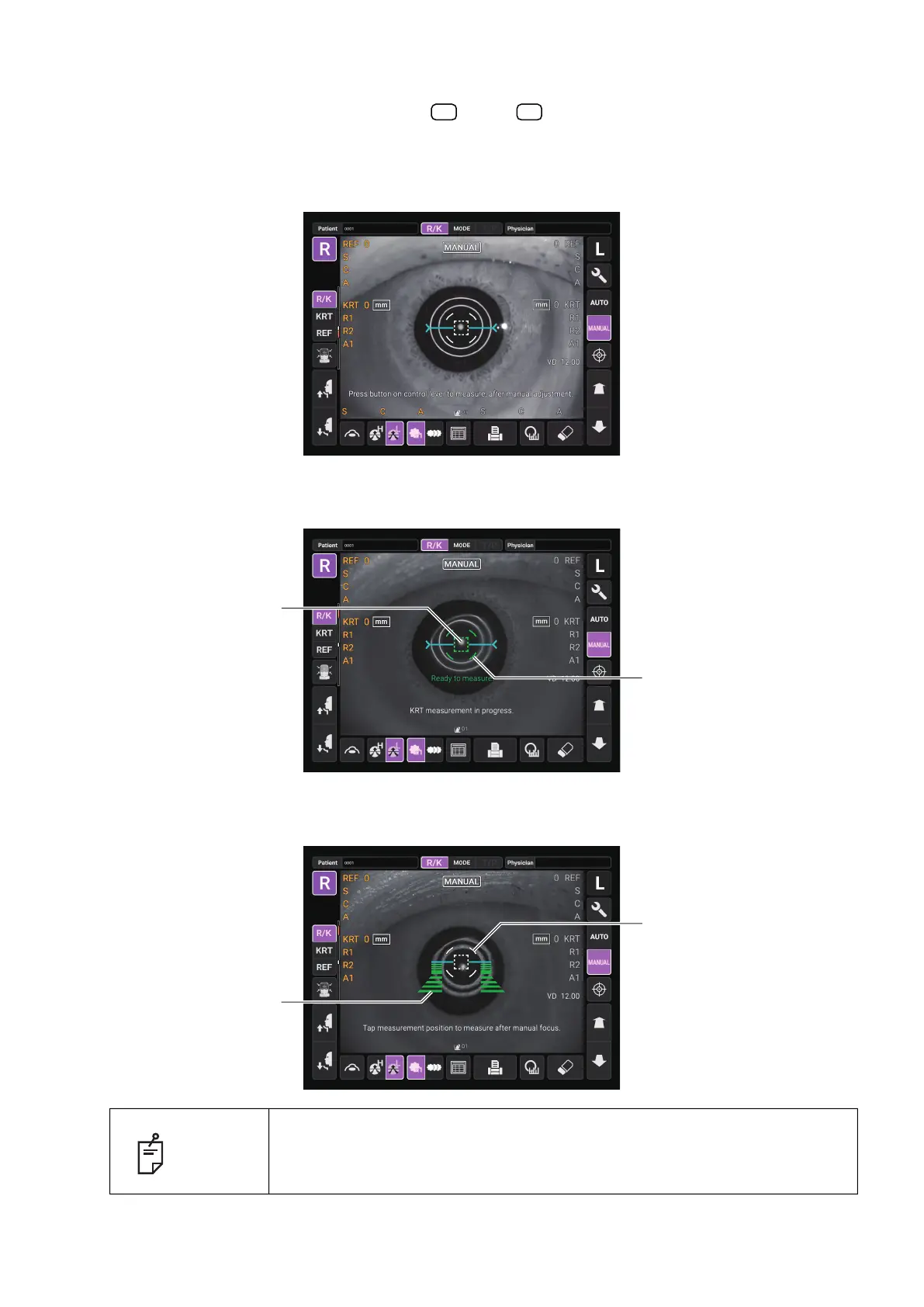
Use the control lever to align the center of the pupil within the alignment mark. At this time, tell
the patient to look at red-roof house.
3 While watching the anterior image, focus on the patient's eye by tilting control lever back and
forth. The alignment dot is reflected off-focus on the cornea.
4 When the alignment dot reaches within alignment mark, Z alignment bars appear on the control
panel screen.
NOTE
Do not allow the eyelash and eyelid to cover the outer alignment mark to
ensure stable measurement. Otherwise, correct measurement values may
not be obtained.
R L
Alignment mark
Alignment dot
Outer alignment mark
Z alignment bars



 To Next Page