74
OPTIONAL OPERATIONS
MANUAL MODE IN REF/KRT
SETTING MANUAL MODE
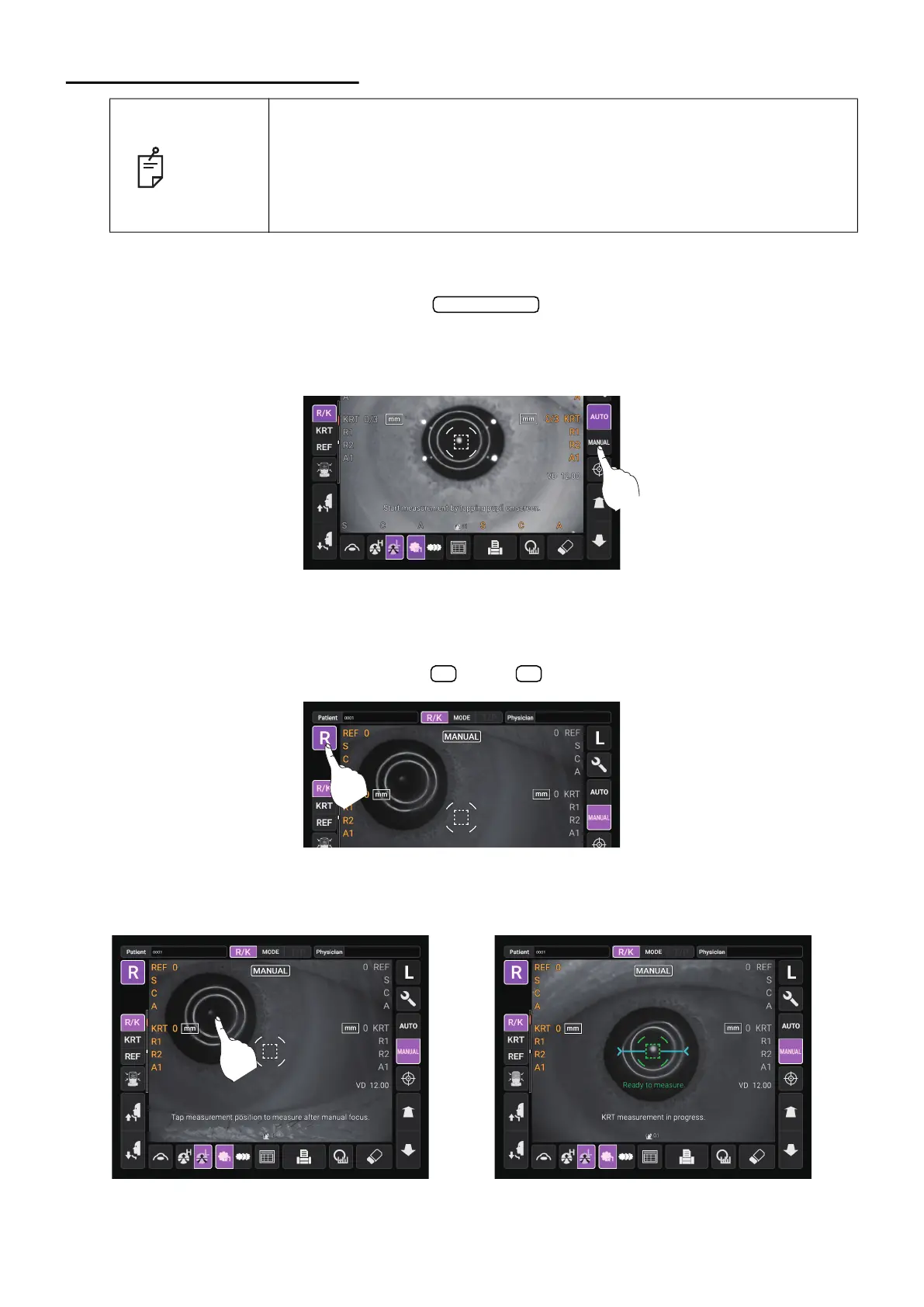
1 Check the Measurement screen. If the button is “MANUAL”, the mode is Manual
mode.
2 If “AUTO” (Auto mode) is displayed, tap it and change to “MANUAL”.
ALIGNMENT AND MEASUREMENT
Alignment is operated on the control panel.
1 Select the right/left eye by tapping the button/ button.
2 When the pupil is displayed, tap the display around the pupil. The measuring head moves to the
position where the pupil image and the alignment dot are at the center of the screen. Then tell
the patient to look at red-roof house.
NOTE
• Adjust the height of the instrument table so that the patient can sit com-
fortably. Otherwise, correct measurement values may not be obtained.
• If the instrument is moved before measurement values are displayed, it
may cause incorrect measurement results.
• Be careful not to get the finger or hand of the operator who is opening the
eyelids caught in the device.
Auto/Manual
R L



 To Next Page