73
OPTIONAL OPERATIONS
OPTIONAL OPERATIONS
DISPLAYING THE PATIENT ID (PATIENT No.) OR OPERATOR ID
Up to 20 characters of “Patient ID” or “Operator ID” managed by hospitals can be registered and
displayed on the control panel or printer output.
If no patient ID is inputted, the patient No. of each patient is allocated automatically.
When “Required Patient ID” is set to ON, the message “MANDATORY field missing: Patient ID.
(E09201)” appears at the time of data output. This prevents the entry of the patient ID from being
forgotten.
When “Required Physician ID” is set to ON, the message “MANDATORY field missing: Physician
ID. (E09202)” appears at the time of data output. This prevents the entry of the physician ID from
being forgotten.
Setting “Fixed Physician ID” to ON enables you to always use the ID entered in “Input Fixed Phy.
ID”. If the same physician is using the instrument at all times, this saves the physician from having to
enter the physician ID at every startup.
1 Tap button.
2 Tap keyboard on the screen and enter characters. Tap button and fix the input value.
ONE TOUCH OPERATION FOR MODE CHANGE
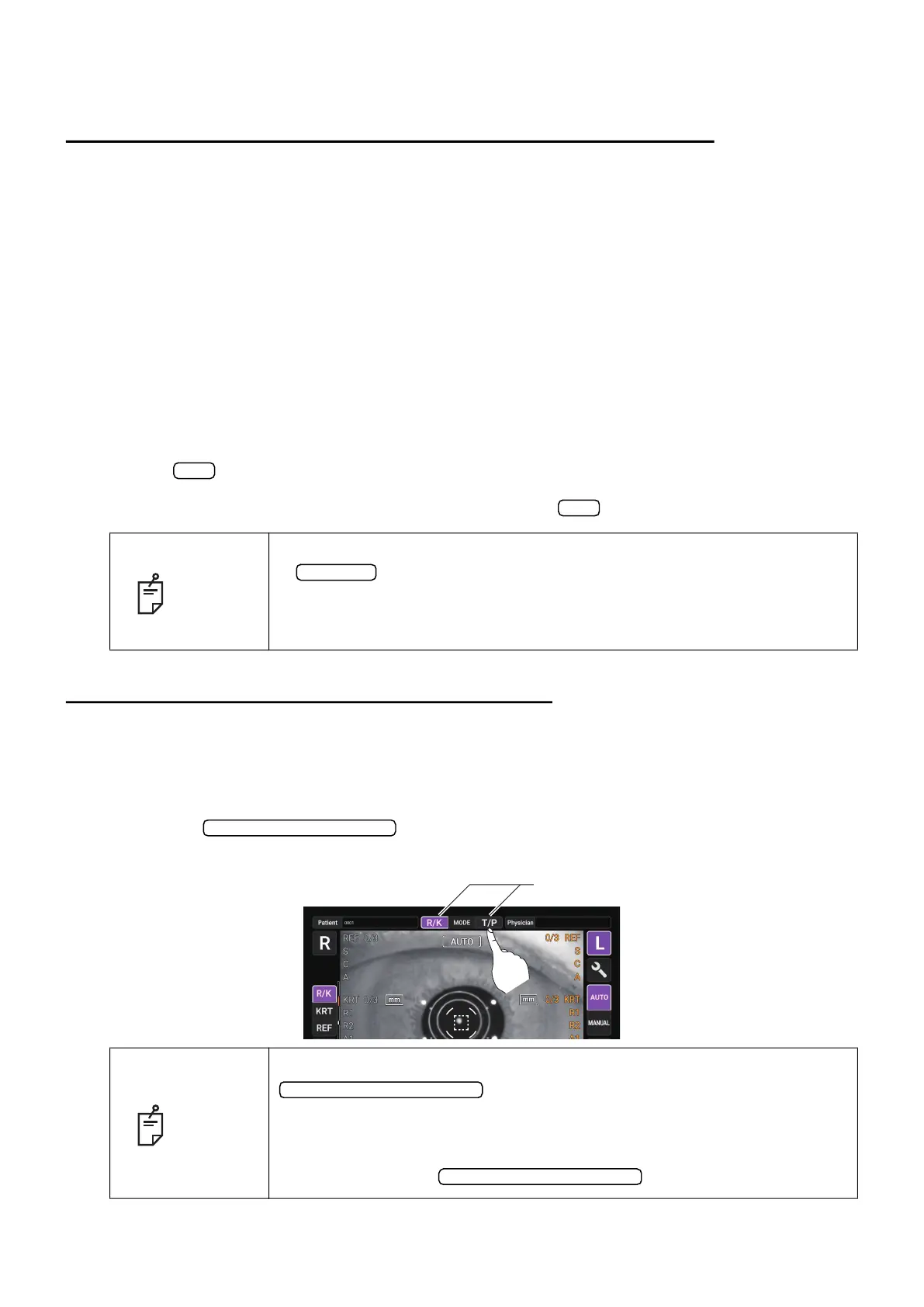
REF/KRT measurement mode and TONO/PACHY measurement mode can be changed by one
touch operation.
1 Check the Measurement screen.
2 Tap the button to change to REF/KRT measurement mode or TONO/
PACHY measurement mode.
NOTE
• Patient ID is reset when measurement values are printed or if the
button is tapped.
• Patient No. reset condition can be selected such that the patient No. is
reset upon power on or not, at “Patient No. reset” in the “System 1” on the
setup screen. (See page
103)
NOTE
If you measured TONO/PACHY measurement first by tapping the
button to select TONO/PACHY measurement
mode under REF/KRT TONO/PACHY continuous measurement mode,
REF/KRT measurement is not performed continuously.
After TONO/PACHY measurement, change to REF/KRT measurement
mode by tapping the
button again.
ID
OK
All clear
Mode display/Mode change
Mode display/Mode change
Mode display/Mode change
Mode display/Mode change



 To Next Page