4-18 TM-500 User’s Guide
Taper Setup D292144.7.fm
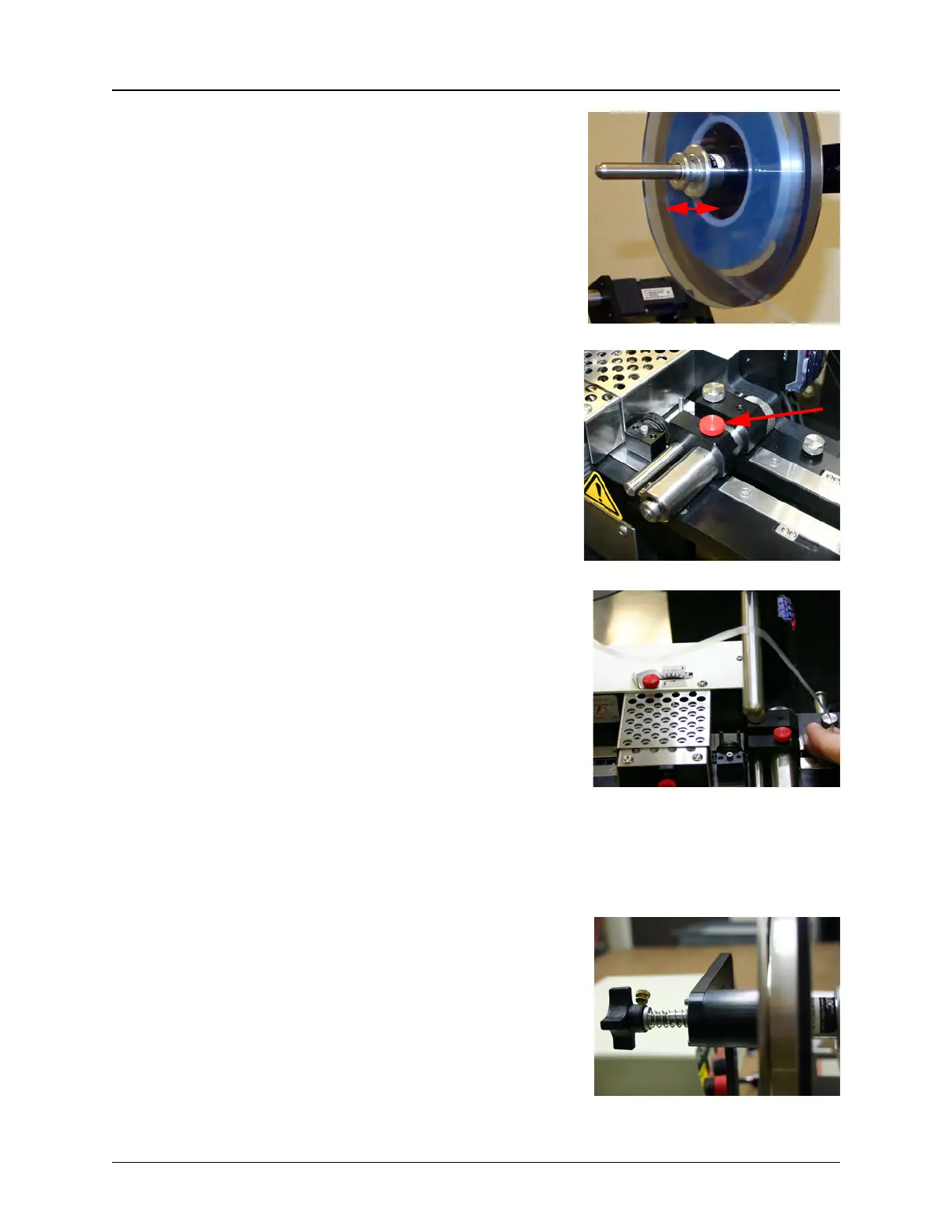
Note: To remove the reel lock mechanism
from the cover tape support arm, simply
pull the two metal disks apart and slide the
reel lock off the spindle.
3. Check that the cover tape guide width is
adjusted correctly for the cover tape that will
be used. Pull the cover tape down and
compare it to the current setting.
If the guide is set too wide or too narrow,
loosen the red knob set screw and pull or
push the guide in and out until it matches
the width of the cover tape with only a slight
amount of extra room.
4. If the cover tape is PSA, attach it to the
carrier tape using the adhesive on the
underside of the tape.
If the cover tape is Heat Seal, use blue
Permacel tape to attach the cover tape to
the carrier tape just ahead of the cover tape
guide.
5. Thread both the carrier tape and cover tape
through the cover tape guide sealer
assembly.
Note: A sharp instrument, such as a pair of tweezers may aid in guiding the cover
tape into the sealer.
6. Adjust the Cover Tape tension, turning the
Tension Adjustment Knob on the back of the
Cover Tape Arm clockwise (in) to increase ten-
sion. The goal is to tighten the cover tape so
there is not excess freedom in the tape when it
is advanced.
Step 5:
Setup
Output
COVER
TA PE



 To Next Page