1-8 TM-500 User’s Guide
Assembling the TM-500 D292144.4.fm
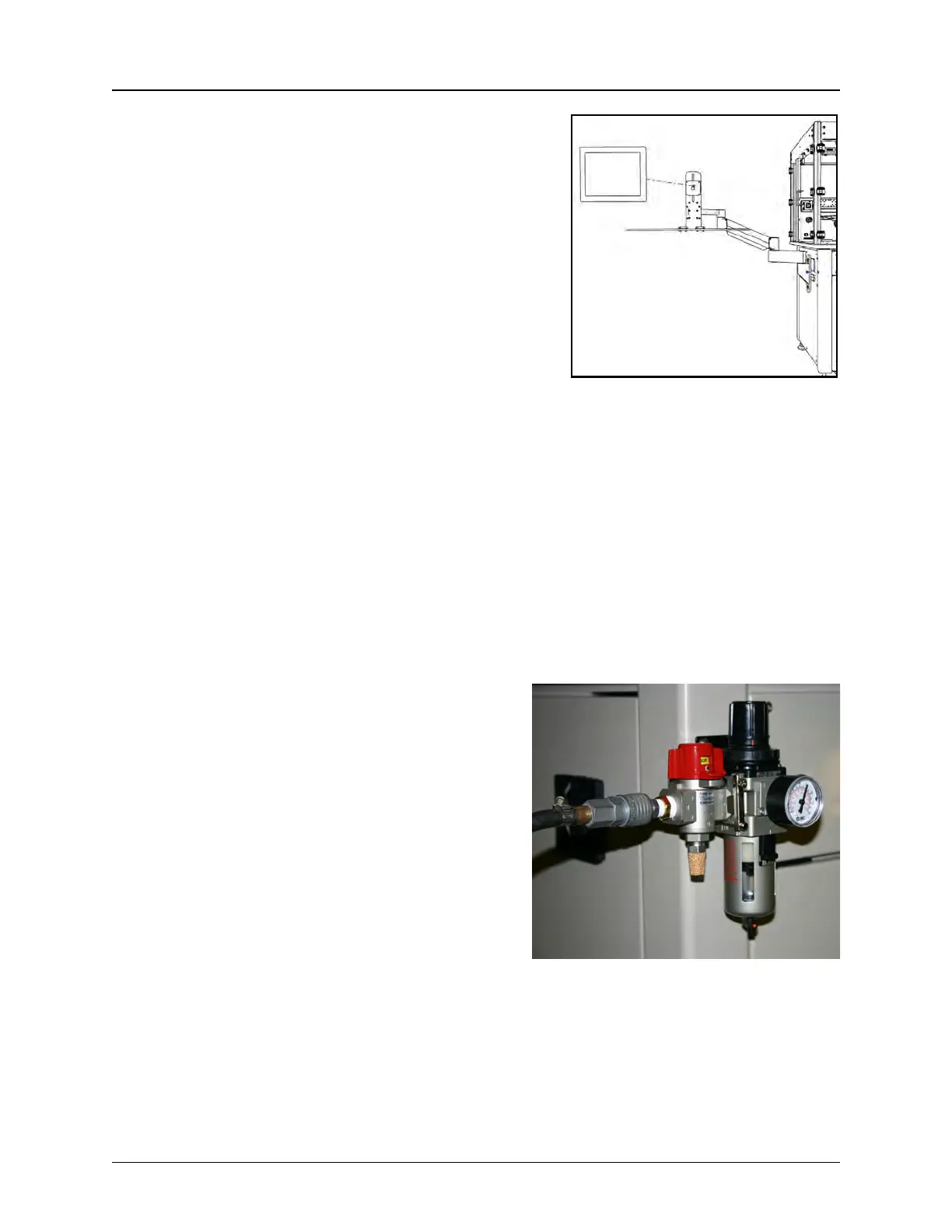
7. Setting up the Monitor Arm.
a. Attach the Monitor Arm to the to the front
right corner of the machine using the pro-
vided bolts.
b. Attach the Keyboard/Mouse Tray to the
Monitor Arm.
c. Place the Monitor on the Monitor Arm.
d. Place the keyboard and mouse on the
Monitor Arm Tray. Open the wire guide on
the Monitor Arm and thread the cords down
through the guide.
8. Install Input and Optional Modules.
If the selected Input Module or an optional Inspection Module or Electrical Testing Module
was un-installed for shipping, follow the module installation instructions at the end of this
section to install.
9. Connect the Air Supply.
a. Attach the air supply line to the air
regulator, then connect it to the air sup-
ply.
b. Set the regulator to 100 psi, if nec-
essary. It can be adjusted by lifting the
adjustment knob and turning it. Once it
reads 100 psi, push the knob back in to
lock it into place
NOTE: It is recommended that the air
hose be routed overhead or under-
ground. If it must be routed over the
floor, cover the hose with rubber ramps.
NOTE: There is a separate air regulator
for the Ionizing Fan. This is located
inside the back enclosure cabinet. The
maximum psi for the Ionizing Fan regu-
lator is 40 psi.



 To Next Page