D292144.6.fm The Setup Screens
Chapter 3: Human Machine Interface 3-25
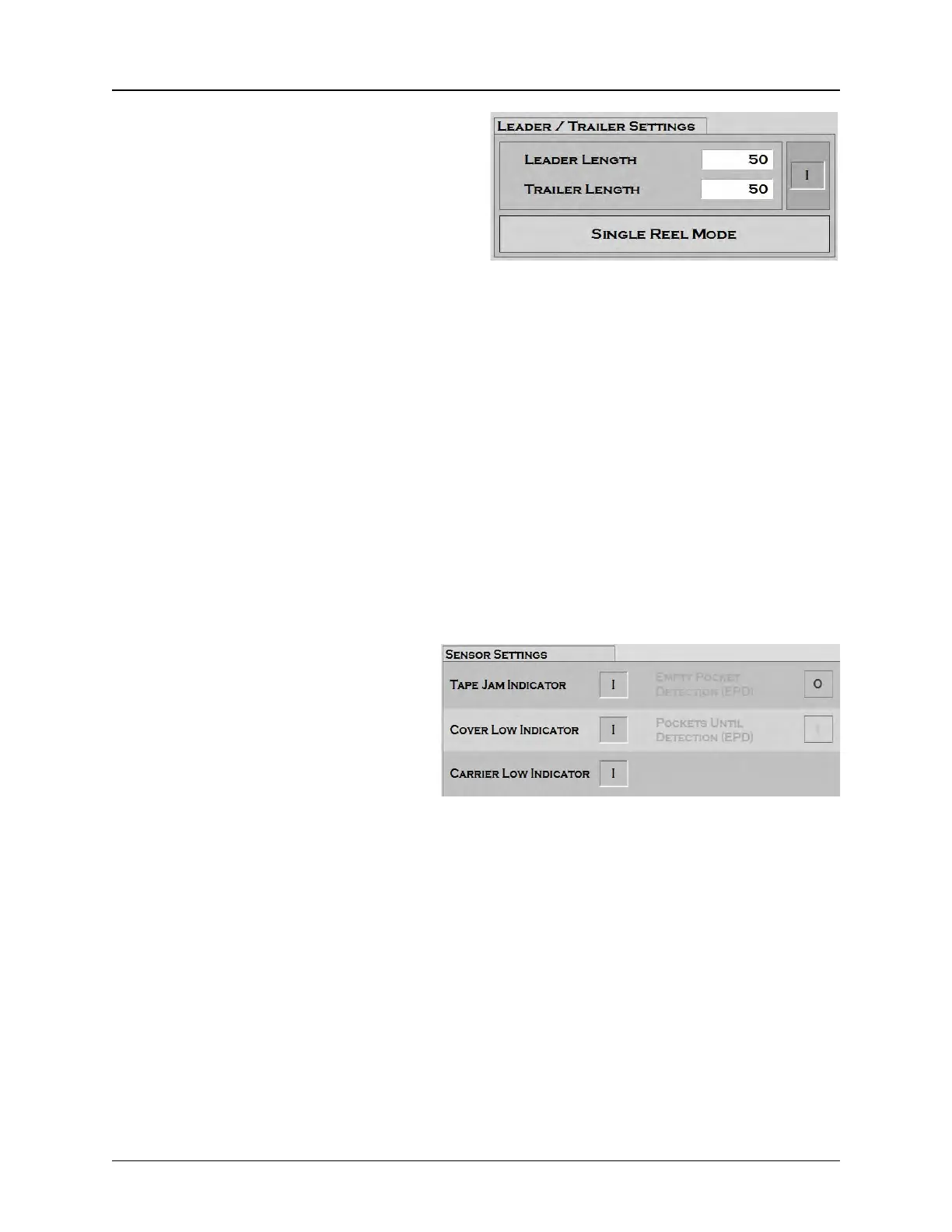
4. Leader/Trailer Settings
Enter the desired leader length in millimeters in
the Leader Length field.
Enter the desired trailer length in millimeters in
the Trailer Length field.
The Reel Mode button toggles between Single Reel and Multiple Reels. When Single Reel
mode is selected, the system will place its last part and run out the desired leader length. The
user will be prompted to cut the tape at the cut point when this process is finished. When Multi-
ple Reel mode is selected, the machine will place the last part in tape and begin to process the
leader. Once the leader is finished the machine will beep twice and begin to process the trailer.
• If the trailer is less than 540mm (the length of the track between the cut point and place
point) the system will finish processing the trailer and prompt the user to begin the next
job/reel. Once the calculated amount of tape is processed in the second reel the system
will stop and prompt the user to cut the tape. The tape cut point is where the leader ends
and the trailer begins.
• If the trailer length is longer than 540mm, the system will process 540mm and then
prompt the user to cut the tape. Once cut the user can press start to finish processing
the remaining trailer.
5. Sensor Settings
The TM-500 is equipped with five sen-
sors: Tape Jam, Cover Low, Carrier
Low, Carrier Motion, and Empty
Pocket Detect (EPD). The Sensor Set-
tings section allows the user to select
which sensors should be enabled for
each job.
In the screen on the right, the EPD Sensor buttons are inactive. This is because the 2D Camera
is installed instead of the EPD Sensor, making this sensor unnecessary.
The Tape Jam button turns the Tape Jam Sensor on and off. The Tape Jam Sensor registers a
tape jam whenever something protrudes above the top of the carrier tape pocket. This might be
caused by a misplaced part, a pocket that has been loaded with two parts or by a buckle in the
tape. When the Tape Jam Sensor is activated, the job that is being run is paused and an error
message appears at the bottom of the HMI screen. The recommended setting for the Tape Jam
Sensor is ON.
The Low Cover button turns the Low Cover Tape Sensor on and off. The Low Cover Tape Sen-
sor detects when the cover tape reel is running low. When the Low Cover Tape Sensor is acti-
vated, an error message appears at the bottom of the HMI screen. The recommended setting for
the Low Cover Tape Sensor is ON.



 To Next Page