4-10 TM-500 User’s Guide
Tray Setup D292144.7.fm
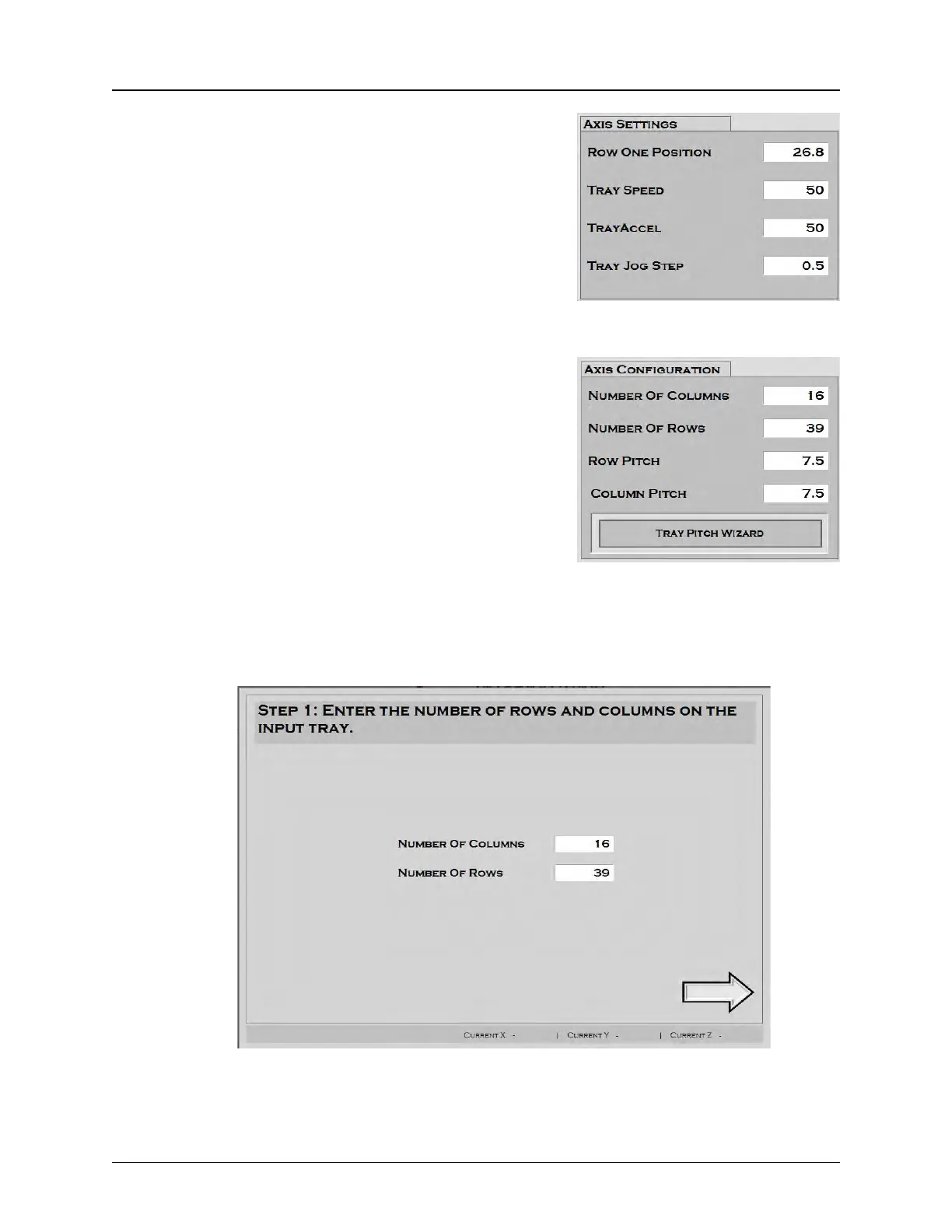
4. Enter Axis Settings: Position the tray and
head so the nozzle is centered over the
desired first pocket, then drag the current Y
position into the Row One Position field.
This value may also be entered manually by
clicking to activate the keypad.
Adjust Tray Speed, Tray Acceleration and
Tray Jog Step as desired.
5. Teach Tray Pitch: Enter the number of
columns and rows in each tray.
Row Pitch is the distance between tray rows
in millimeters. Column Pitch is the distance
between tray columns. If the row pitch or
column pitch values are already known,
enter the correct information in each field.
Proceed to the next step.
If row and column pitch are not known, it
can be automatically calculated using the
Tray Pitch Wizard.
Press the Tray Pitch Wizard button and follow the prompts.:



 To Next Page