EasyManua.ls Logo

Valleylab CUSA EXcel-8 - Remove the Suction Pump Controller Card

Valleylab CUSA EXcel-8
239 pages
Print Icon
To Next Page IconTo Next Page
To Previous Page IconTo Previous Page
Loading...
Suction
Pump
and
Controller
Card
Remove
the
Suction
Pump
Controller
Card
Disconnect
the
controller
card
from
the
ultrasonics
board
at
J15:
1.
Table
11-6.
The
suction
pump
controller
card
Connector
Wire
Color
cable
to
the
ultrasonics
PCB
4-pin
red,
black,
orange,
brown
>
πο.
nico
The
cables
in
the
cable
clamps
2.
Remove
the
two
cable
clamps
on
the
bottom
of
the
controller
card
sometimes
tangle.
When
you
pull
bracket, then
separate
the
controller
card
cable
from
other
cables
in
the
the
controller
card
cable
away
clamps.
from
the
console,
be
careful
to
3.
Remove
the
suction
pump
controller
card
from
the
motor
control
avoid
pulling
other
cables
with
it.
bracket
by
removing
four
screws
(M4
Phillips),
four lock
washers
(M4),
and
four
flat
washers
(M4).
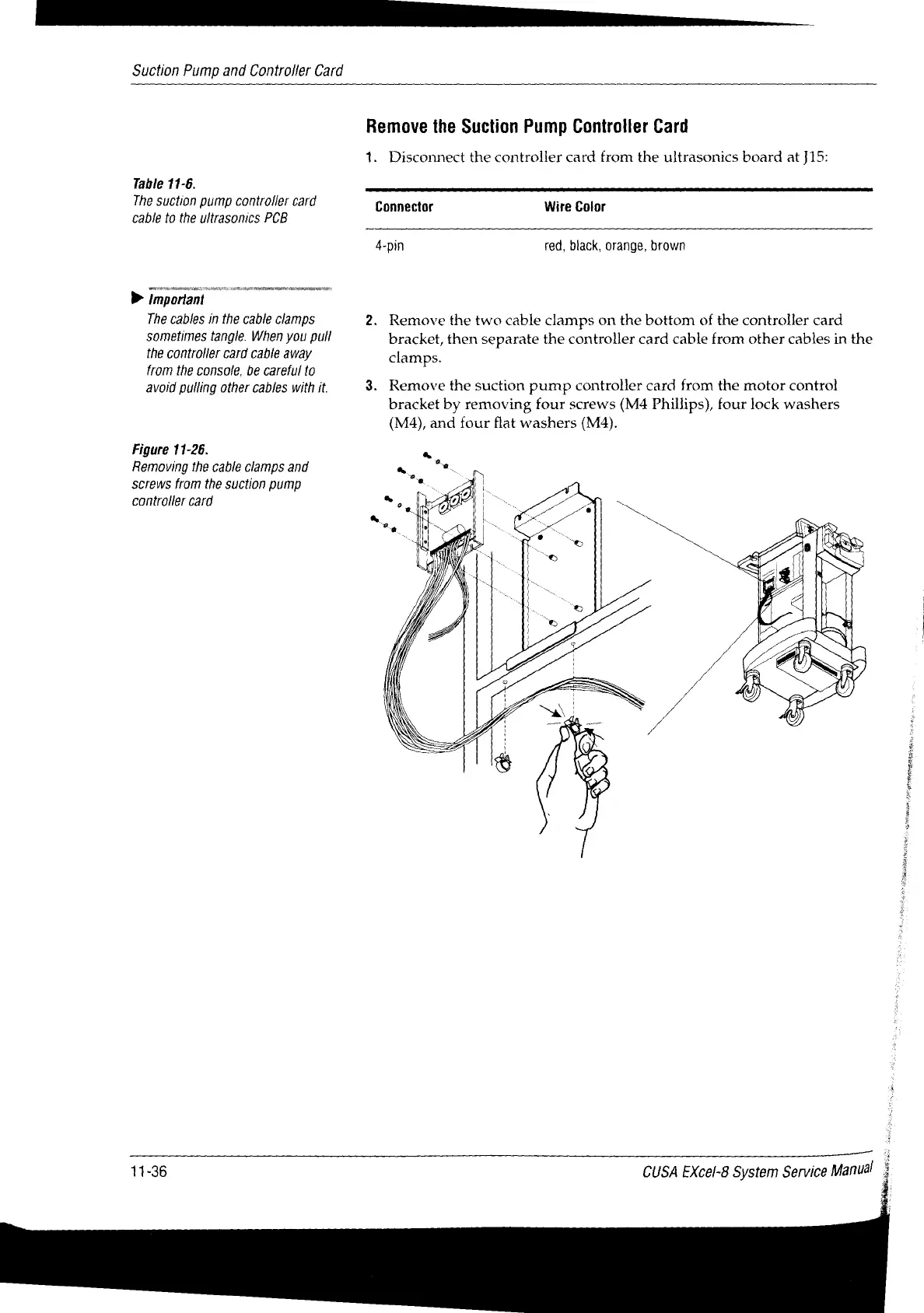
Figure
11-26.
Removing
the
cable
clamps
and
screws
from
the
suction
pump
controller
card
é
3
A
11-36
CUSA
EXcel-8
System
Service
Manual
3

Table of Contents

Related product manuals