EasyManua.ls Logo

Valleylab CUSA EXcel-8 - Install the Suction Control Valve

Valleylab CUSA EXcel-8
239 pages
Print Icon
To Next Page IconTo Next Page
To Previous Page IconTo Previous Page
Loading...
Suction
Control
Valve
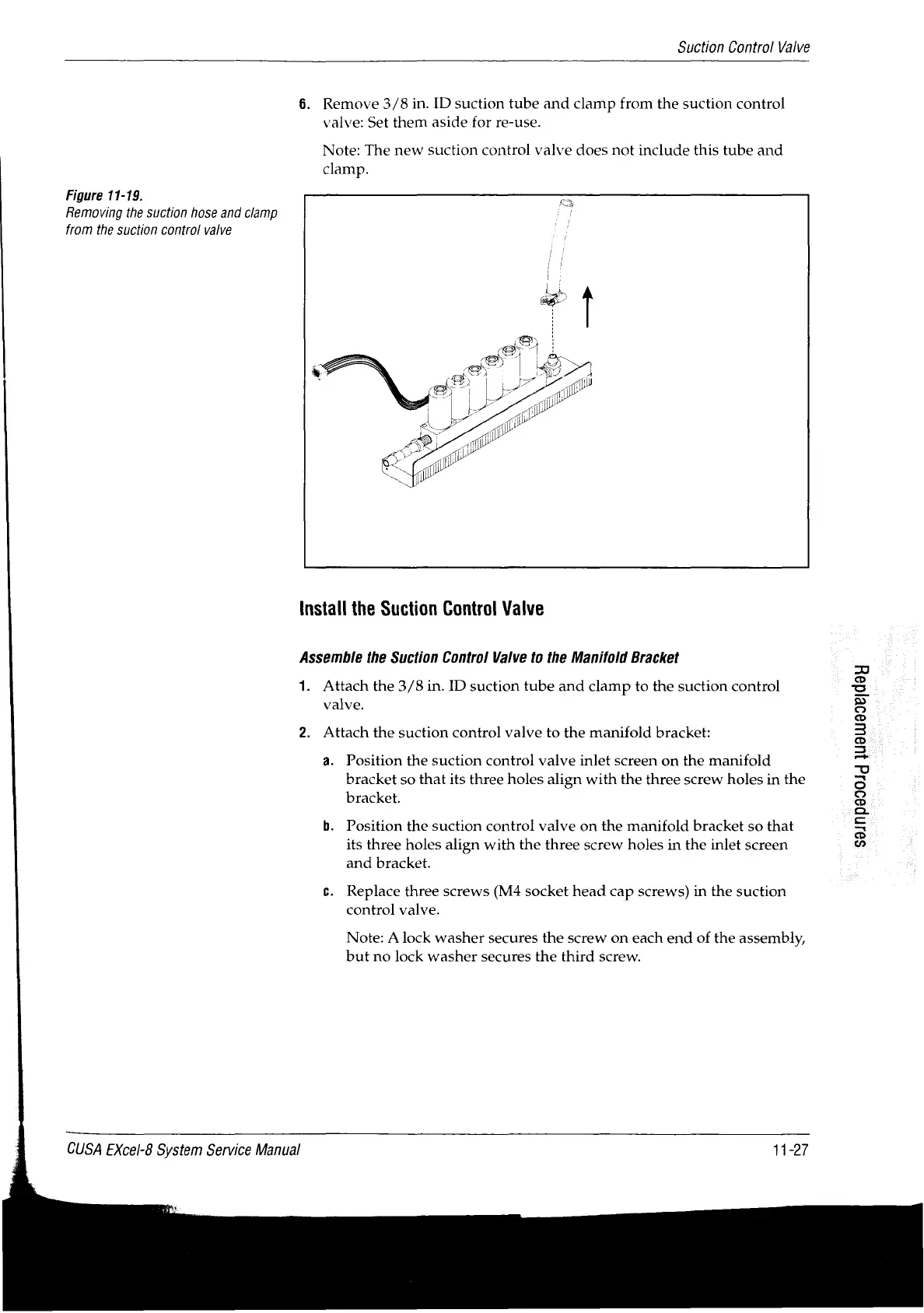
Figure
11-19.
Removing
the
suction
hose
and
clamp
from
the
suction
control
valve
6.
Remove
3/8
in.
ID
suction
tube
and
clamp
from
the
suction
control
valve:
Set
them
aside
for
re-use.
Note:
The
new
suction
control
valve
does
not
include
this
tube
and
clamp.
Install
the
Suction
Control
Valve
Assemble
the
Suction
Control
Valve
to
the
Manifold
Bracket
1.
Attach
the
3/8
in.
ID
suction
tube
and
clamp
to
the
suction
control
valve.
2.
Attach
the
suction
control
valve
to
the
manifold
bracket:
a.
Position
the
suction
control
valve
inlet
screen
on
the
manifold
bracket
so
that
its
three
holes
align
with
the
three
screw
holes
in
the
bracket.
b.
Position
the
suction
control
valve
on
the
manifold
bracket
so
that
its
three
holes
align
with
the
three
screw
holes
in
the
inlet
screen
and
bracket.
с.
Replace
three
screws
(M4
socket
head
cap
screws)
in
the
suction
control
valve.
Note:
A
lock
washer
secures
the
screw
on
each
end
of
the
assembly,
but
no
lock
washer
secures
the
third
screw.
CUSA
EXcel-8
System
Service
Manual
11-27
S9Jnp990Jd
jiueuu99eldod

Table of Contents

Related product manuals