EasyManua.ls Logo

Valleylab CUSA EXcel-8 - Filling the Cooling Water Reservoir; Other Features; Raising;Lowering the Arm

Valleylab CUSA EXcel-8
239 pages
Print Icon
To Next Page IconTo Next Page
To Previous Page IconTo Previous Page
Loading...
Other
Features
Other
Features
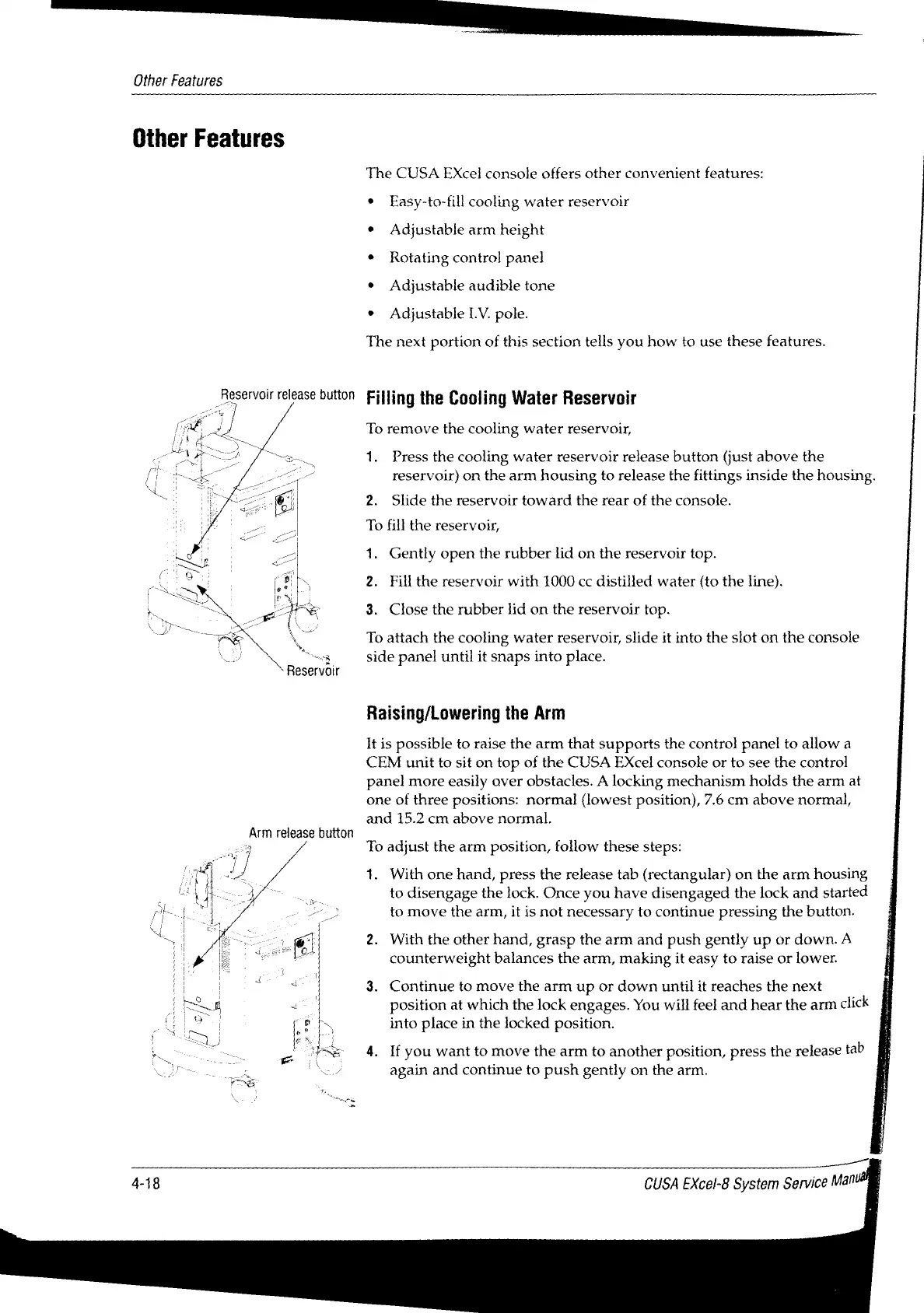
Reservoir
release
button
Arm
release
button
vv
The
CUSA
EXcel
console
offers
other
convenient
features:
*
Easy-to-fill
cooling
water
reservoir
*
Adjustable
arm
height
+
Rotating
control
panel
*
Adjustable
audible
tone
»
Adjustable
LV.
pole.
The
next
portion
of
this
section
tells
you
how
to
use
these
features.
Filling
the
Cooling
Water
Reservoir
To
remove
the
cooling
water
reservoir,
1.
Press
the
cooling
water
reservoir
release
button
(just
above
the
reservoir)
on
the
arm
housing
to
release
the
fittings
inside
the
housing.
2.
Slide
the
reservoir
toward
the
rear
of
the
console.
To
fill
the
reservoir,
1.
Gently
open
the
rubber
lid
on
the
reservoir
top.
2.
Fill
the
reservoir
with
1000
cc
distilled
water
(to
the
line).
3.
Close
the
rubber
lid
on
the
reservoir
top.
To
attach
the
cooling
water
reservoir,
slide
it
into
the
slot
on
the
console
side
panel
until
it
snaps
into
place.
Raising/Lowering
the
Arm
It
is
possible
to
raise
the
arm
that
supports
the
control
panel
to
allow
a
CEM
unit
to
sit
on
top
of
the
CUSA
EXcel
console
or
to
see
the
control
panel
more
easily
over
obstacles.
A
locking
mechanism
holds
the
arm
at
one
of
three
positions:
normal
(lowest
position),
7.6
cm
above
normal,
and
15.2
cm
above
normal.
To
adjust
the
arm
position,
follow
these
steps:
1.
With
one
hand,
press
the
release
tab
(rectangular)
on
the
arm
housing
to
disengage
the
lock.
Once
you
have
disengaged
the
lock
and
started
to
move
the
arm,
it
is
not
necessary
to
continue pressing
the
button.
2.
With
the
other
hand,
grasp
the
arm
and
push
gently
up
or
down.
A
counterweight
balances
the
arm,
making
it
easy
to
raise
or
lower.
3.
Continue
to
move
the
arm
up
or
down
until
it
reaches
the
next
position
at
which
the
lock
engages.
You
will
feel
and
hear
the
arm
click
into
place
in
the
locked
position.
4.
If
you
want
to
move
the
arm
to
another
position,
press
the
release
tab
again
and
continue
to
push
gently
on
the
arm.
4-18
CUSA
EXcel-8
System
Service
Mal

Table of Contents

Related product manuals