EasyManua.ls Logo

Valleylab CUSA EXcel-8 - Remove the Irrigation Pump Gear Motor

Valleylab CUSA EXcel-8
239 pages
Print Icon
To Next Page IconTo Next Page
To Previous Page IconTo Previous Page
Loading...
Irrigation
Pump
Head
and
Gear
Motor
Remove
the
Irrigation
Pump
Gear
Motor
Removing
the
gear
motor
requires
removing
the
left
side
cover and
the
irrigation
pump
bezel,
but
not
the
pump
head.
1.
Remove
the
four
screws
and
four
lock
washers
(M5
Phillips)
that
hold
the
panel
to
the
console.
2.
Pull
the
panel
forward
and
lay
it
on
top
of
the
console.
It
is
not
necessary
to
remove
the
suction
pinch
valve
or
the
irrigation
pump
head.
3.
Remove
the
four
hex
nuts
(M4),
four
washers
(M4),
and
four
lock
washers
(M4)
from
the
motor
control
card
bracket.
4.
Pull
the
control
card
bracket
far
enough
from
the
frame
to
disconnect
the
irrigation
gear
motor
from
the
control
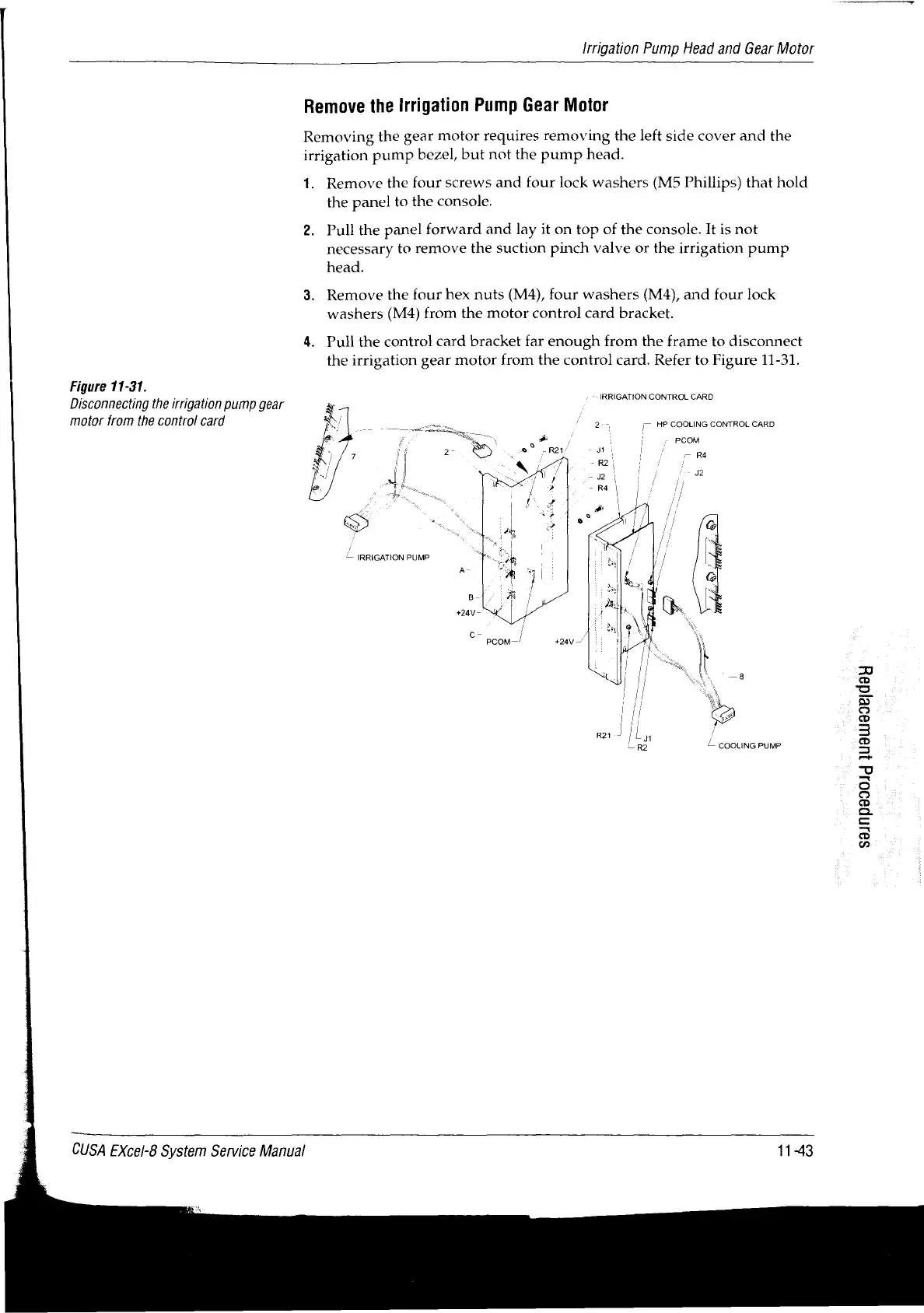
card.
Refer
to
Figure
11-31.
Figure
11-31.
Disconnecting
the
irrigation
pump
gear
motor
from
the
control
card
-
IRRIGATION
CONTROL
CARD
2 a
г
HP
COOLING
CONTROL
CARD
|
+
PCOM
и
ui
r
R4
J2
c-
/
/
PCOM—
+28
|!
É
COOLING
PUMP
CUSA
EXcel-8
System
Service
Manual
11-43
S9JMP39014
]ueuu99eld9H

Table of Contents

Related product manuals