EasyManua.ls Logo

Valleylab CUSA EXcel-8 - Page 176

Valleylab CUSA EXcel-8
239 pages
Print Icon
To Next Page IconTo Next Page
To Previous Page IconTo Previous Page
Loading...
Irrigation
Pump
Head
and
Gear
Motor
5.
Disconnect
the
gear
motor
ground
wire
from
the
frame.
6.
After
disconnecting
the
gear
motor
from
the
contro]
card,
push
the
bracket back
in
the
frame
and
secure
it
with
a
minimum
of
one
M4
hex
nut.
7.
Remove
the
four
screws
and
four
lock
washers
(M5
Phillips)
that
attach
the
gear
motor
bracket
to
the
console
frame.
8.
Pull
the
gear
motor
and
its
bracket
forward
and
remove
them
from
the
frame.
9.
Remove
the
four
screws
(10
-
32
Phillips)
that
attach
the
gear
motor
to
the
bracket.
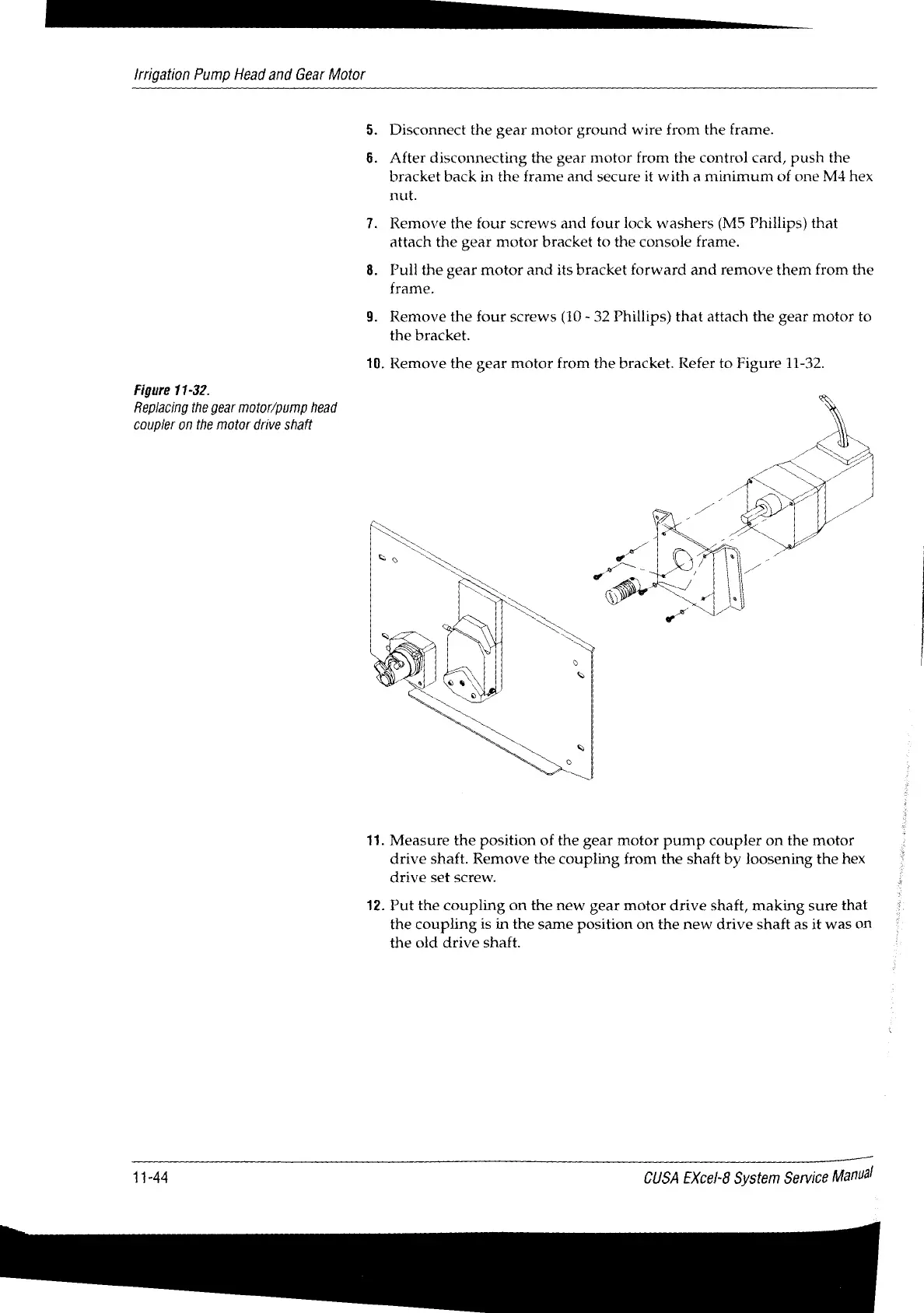
10.
Remove
the
gear
motor
from
the
bracket.
Refer
to
Figure
11-32.
Figure
11-32.
Replacing
the
gear
motor/pump
head
coupler
on
the
motor
drive
shaft
11.
Measure
the
position
of
the
gear
motor
pump
coupler
on
the
motor
drive
shaft.
Remove
the
coupling
from
the
shaft by
loosening
the
hex
drive
set
screw.
12.
Put
the
coupling
on
the
new
gear
motor
drive
shaft,
making
sure
that
the
coupling
is
in
the
same
position
on
the
new
drive
shaft
as
it
was
on
the
old
drive
shaft.
11-44
CUSA
EXcel-8
System
Service
Manual

Table of Contents

Related product manuals