EasyManua.ls Logo

Valleylab CUSA EXcel-8 - Install the Irrigation Pump Head; Remove the Irrigation Pump Head

Valleylab CUSA EXcel-8
239 pages
Print Icon
To Next Page IconTo Next Page
To Previous Page IconTo Previous Page
Loading...
Irrigation
Pump
Head
and
Gear
Motor
Remove
the
Irrigation
Pump
Head
1.
Remove
two
screws
(8
-
32
buttonhead)
from
the
front
of
the
irrigation
pump.
These
screws
fasten
the
pump
head
to
a
flat
panel.
2.
Pull
the
pump
forward
to
remove
it
from
the
panel.
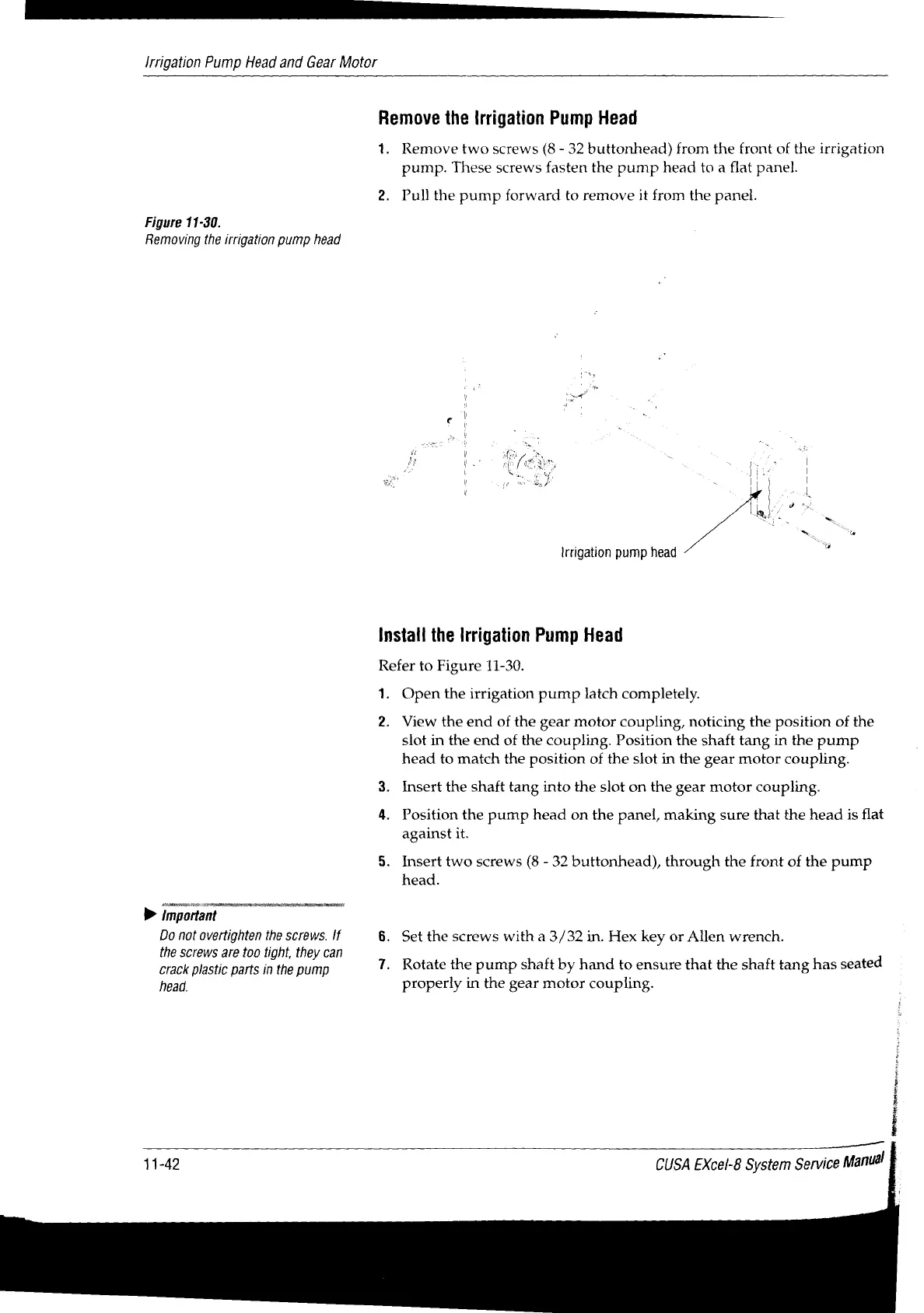
Figure
11-30.
Removing
the
irrigation
pump
head
Irrigation
pump
head
Install
the
Irrigation
Pump
Head
Refer
to
Figure
11-30.
1.
Open
the
irrigation
pump
latch
completely.
2.
View
the
end
of
the
gear
motor
coupling,
noticing
the
position
of
the
slot
in
the
end
of
the
coupling.
Position
the
shaft
tang
in
the
pump
head
to
match
the
position
of
the
slot
in
the
gear
motor
coupling.
3.
Insert
the
shaft
tang
into
the
slot
on
the
gear
motor
coupling.
4.
Position
the
pump
head
on
the
panel,
making
sure
that
the
head
is
flat
against
it.
5.
Insert
two
screws
(8
-
32
buttonhead),
through
the
front
of
the
pump
head.
important
SS
Do
not
overtighten
the
screws.
If
6.
Set
the
screws
with
a
3/32
in.
Hex
key
or
Allen
wrench.
the
screws
are
too
tight,
they
can
d
crack
plastic
parts
in
the
pump
7.
Rotate
the
pump
shaft
by
hand
to
ensure
that
the
shaft
tang
has
seate
head.
properly
in
the
gear
motor
coupling.
11-42
CUSA
EXcel-8
System
Service
Manual

Table of Contents

Related product manuals