EasyManua.ls Logo

Valleylab CUSA EXcel-8 - Install Tubing and Re-Assemble the Cooling Water Pump Head

Valleylab CUSA EXcel-8
239 pages
Print Icon
To Next Page IconTo Next Page
To Previous Page IconTo Previous Page
Loading...
Cooling
Water
Pump
Tubing
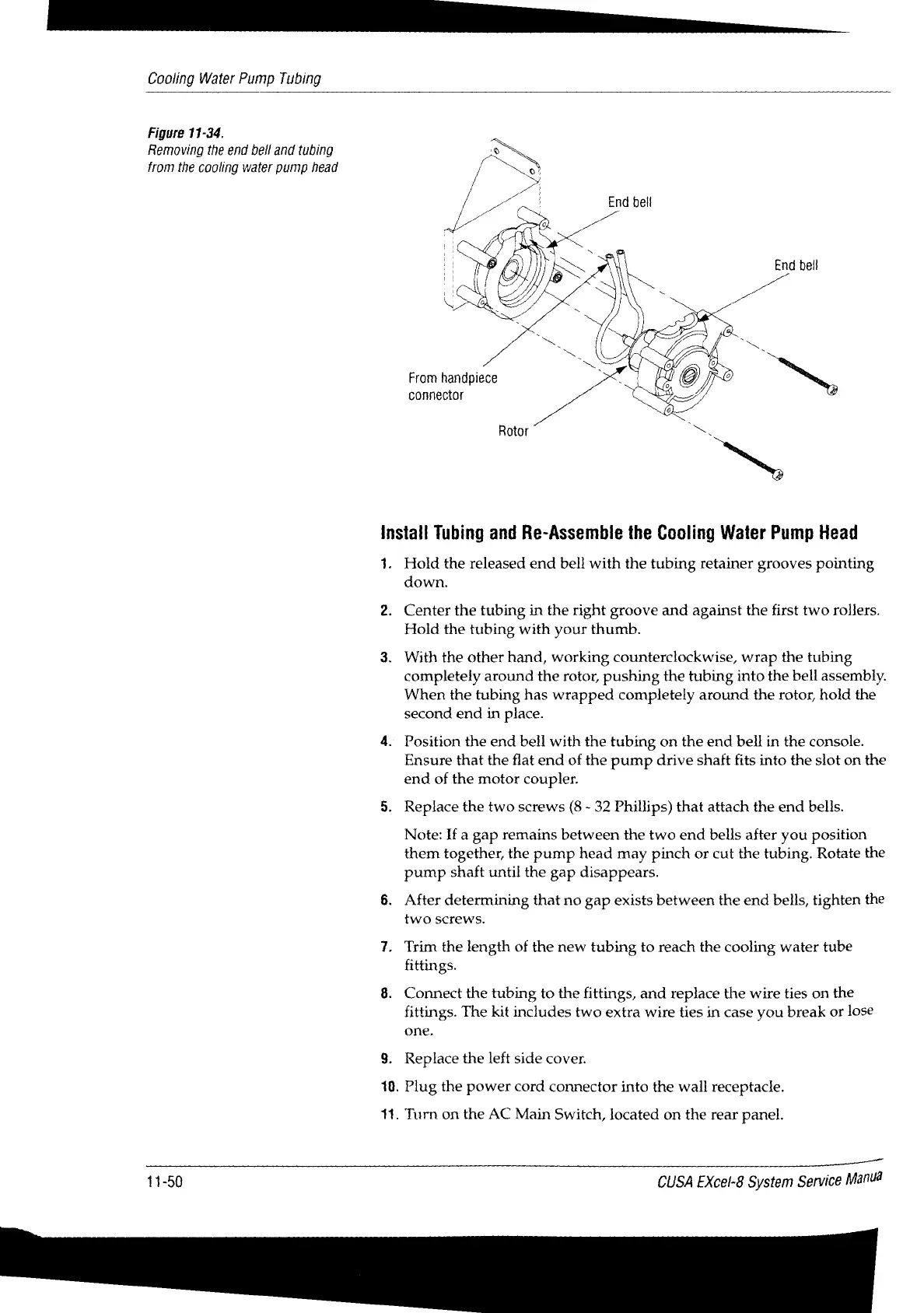
Figure
11-34.
Removing
the
end
bell
and
tubing
=
from
the
cooling
water
pump
head
End
bell
From
handpiece
connector
Rotor
=.
Install
Tubing
and
Re-Assemble
the
Cooling
Water
Pump
Head
1.
Hold
the
released
end
bell
with
the
tubing
retainer
grooves
pointing
down.
2.
Center
the
tubing
in
the
right
groove
and
against
the
first
two
rollers.
Hold
the
tubing
with
your
thumb.
3.
With
the
other
hand,
working
counterclockwise,
wrap
the
tubing
completely
around
the
rotor,
pushing
the
tubing
into
the
bell
assembly.
When
the
tubing
has
wrapped
completely
around
the
rotor,
hold
the
second
end
in
place.
4.
Position
the
end
bell
with
the
tubing
on
the
end
bell
in
the
console.
Ensure
that
the
flat
end
of
the
pump
drive
shaft
fits
into
the
slot
on
the
end
of
the
motor
coupler.
5.
Replace
the
two
screws
(8
-
32
Phillips)
that
attach
the
end
bells.
Note:
If
a
gap
remains
between
the
two
end
bells
after
you
position
them
together,
the
pump
head
may
pinch
or
cut
the
tubing.
Rotate
the
pump
shaft
until
the
gap
disappears.
6.
After
determining
that
no
gap
exists
between
the
end
bells,
tighten
the
two
screws.
7.
Trim
the
length
of
the
new
tubing
to
reach
the
cooling
water
tube
fittings.
8.
Connect
the
tubing
to
the
fittings,
and
replace
the
wire
ties
on
the
fittings.
The
kit
includes two
extra
wire
ties
in
case
you
break
or
lose
one.
9.
Replace
the
left
side
cover.
10.
Plug
the
power
cord
connector
into
the
wall
receptacle.
11.
Turn
on
the
AC
Main
Switch,
located
on
the
rear
panel.
11-50
CUSA
EXcel-8
System
Service
Manuá

Table of Contents

Related product manuals