EasyManua.ls Logo

Valleylab CUSA EXcel-8 - Replacing the Power Connector

Valleylab CUSA EXcel-8
239 pages
Print Icon
To Next Page IconTo Next Page
To Previous Page IconTo Previous Page
Loading...
Preparing
the
CUSA
EXcel
Console
for
Use
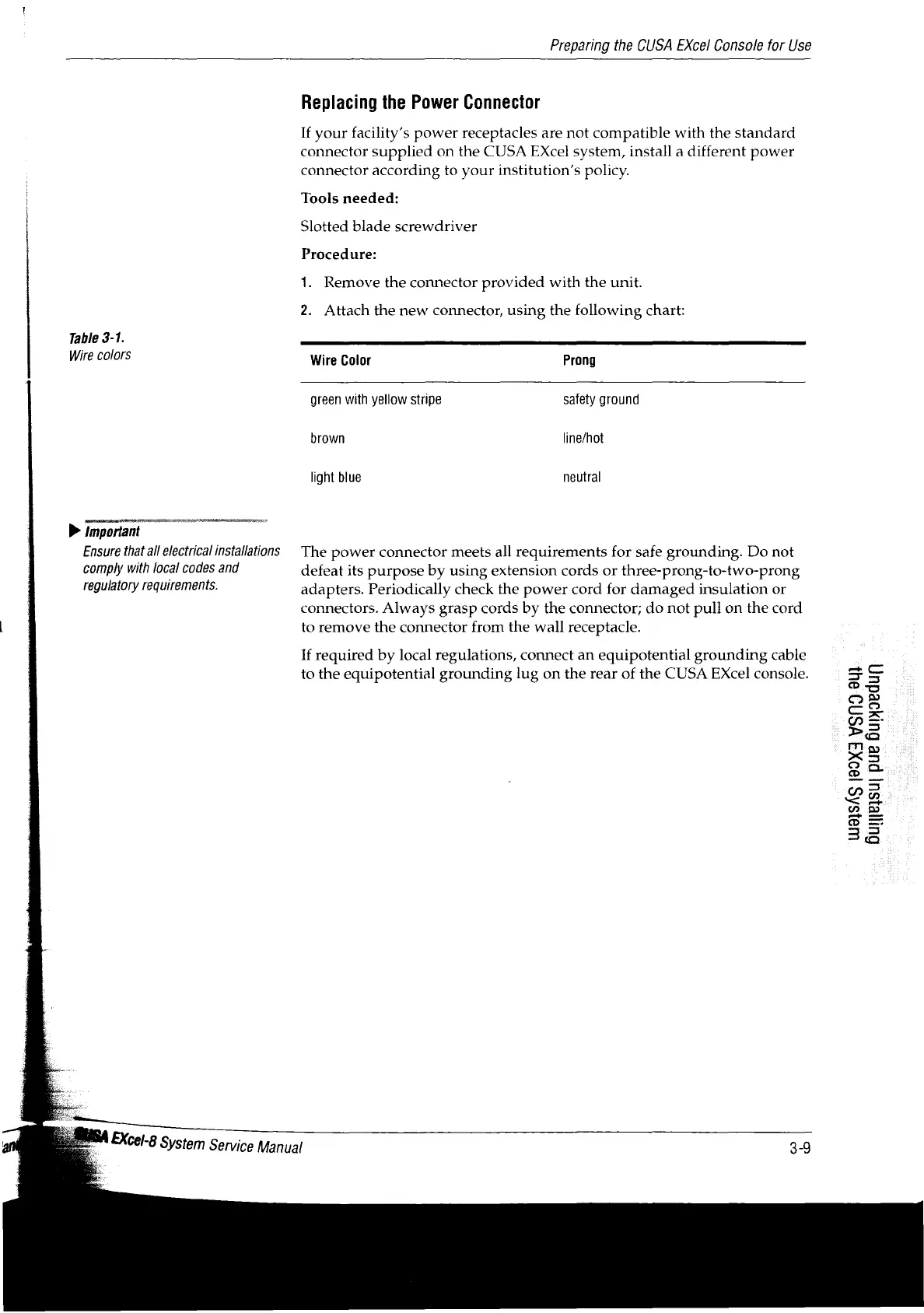
Table
3-1.
Wire
colors
D
important
Ensure
that
all
electrical
installations
comply
with
local
codes
and
regulatory
requirements.
Replacing
the
Power
Connector
If
your
facility’s
power
receptacles
are
not
compatible
with
the
standard
connector
supplied
on
the
CUSA
EXcel
system,
install
a
different
power
connector
according
to
your
institution’s
policy.
Tools
needed:
Slotted
blade
screwdriver
Procedure:
1.
Remove
the
connector
provided
with
the
unit.
2.
Attach
the
new
connector,
using
the
following
chart:
Wire
Color
Prong
green
with
yellow
stripe
safety
ground
brown
line/hot
light
blue
neutral
The
power
connector
meets
all
requirements
for
safe
grounding.
Do
not
defeat
its
purpose
by
using
extension
cords
or
three-prong-to-two-prong
adapters.
Periodically
check
the
power
cord
for
damaged
insulation
or
connectors.
Always
grasp
cords
by
the
connector;
do not
pull
on
the
cord
to
remove
the
connector
from
the
wall
receptacle.
If
required
by
local
regulations,
connect
an
equipotential
grounding
cable
to
the
equipotential
grounding
lug
on
the
rear
of
the
CUSA
EXcel
console.
EXcel-8
System
Service
Manual
UslSAS
199XI
YSNO
SU
Guyasu
pue
Bupjoedun

Table of Contents

Related product manuals