EasyManua.ls Logo

Valleylab CUSA EXcel-8 - Adjusting the I.V. Pole

Valleylab CUSA EXcel-8
239 pages
Print Icon
To Next Page IconTo Next Page
To Previous Page IconTo Previous Page
Loading...
Other
Features
e
ИН
D
important
Do
not
try
to
raise
the
pole
from
Position
A.
Do
not
try
to
rotate
the
pole
when
it
is
in
the
upper
ο.
Adjusting
the
1.V.
Pole
The
LV.
pole,
located
at
the
top
rear
of
the
arm
housing,
adjusts
to
two
locking
positions:
down
or
up.
A
spring-loaded
locking
pin
slides
into
a
recessed
area
on
the
pole
to
serve
as
a
lock
on
the
pole’s
up/down
motion.
A
button,
located
just
under
the
opening
in
which
the
pole
rests
in
the
arm
housing,
releases
the
locking
pin.
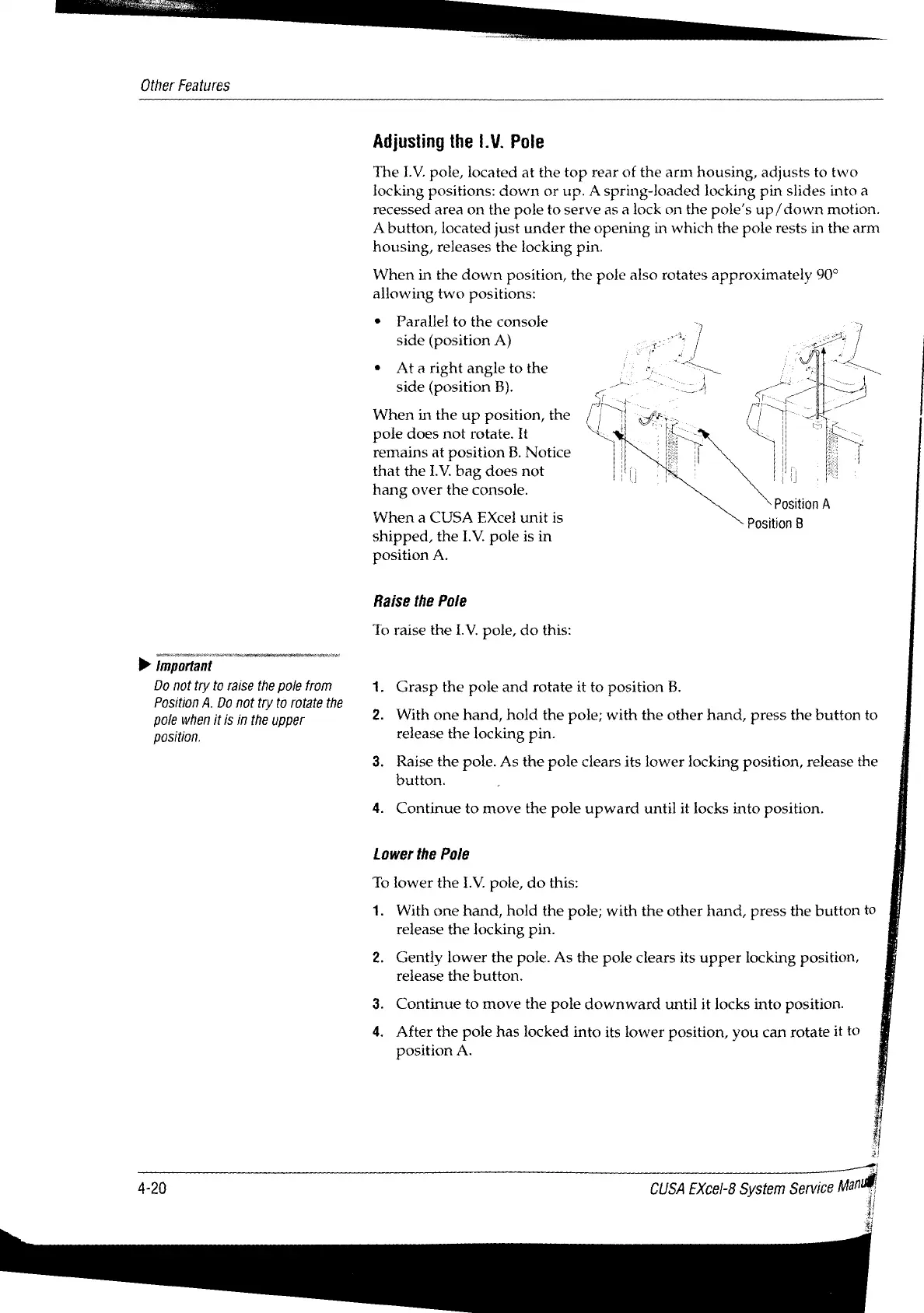
When
in
the
down
position,
the
pole
also
rotates
approximately
90°
allowing
two
positions:
Parallel
to
the
console
side
(position
A)
:
*
Ata
right
angle
to
the
n
side
(position
B).
0
When
in
the
up
position,
the
[5
pole
does
not
rotate.
It
:
remains
at
position
B.
Notice
that
the LV.
bag
does
not
|
hang
over
the
console.
Position
A
When
a
CUSA
EXcel
unit
is
Position
B
shipped,
the
LV.
pole
is
in
position
A.
Raise
the
Pole
To
raise
the
LV.
pole,
do
this:
~
2.
With
one
hand,
hold
the
pole;
with
the
other
hand,
press
the
button
to
Grasp
the
pole
and
rotate
it
to
position
B.
position.
release
the
locking
pin.
3.
Raise
the
pole.
As
the
pole
clears
its
lower
locking
position,
release
the
button.
4.
Continue
to
move
the
pole
upward
until
it
locks
into
position.
Lower
the
Pole
To
lower
the LV.
pole,
do
this:
1.
With
one
hand,
hold
the
pole;
with
the
other
hand,
press
the
button
to
release
the
locking
pin.
2,
Gently
lower
the
pole.
As
the
pole
clears
its
upper
locking
position,
E
release
the
button.
4
3.
Continue
to
move
the
pole
downward
until
it
locks
into
position.
i
4.
After
the
pole
has
locked
into
its
lower
position,
you
can
rotate
it
to
à
position
A.
Я
i
A
4-20
CUSA
EXcel-8
System
Service
Man

Table of Contents

Related product manuals