EasyManua.ls Logo

Valleylab CUSA EXcel-8 - Adjusting the Tone Volume; Rotating the Control Panel

Valleylab CUSA EXcel-8
239 pages
Print Icon
To Next Page IconTo Next Page
To Previous Page IconTo Previous Page
Loading...
Other
Features
=
|
/
te
/
j
/
=
ji
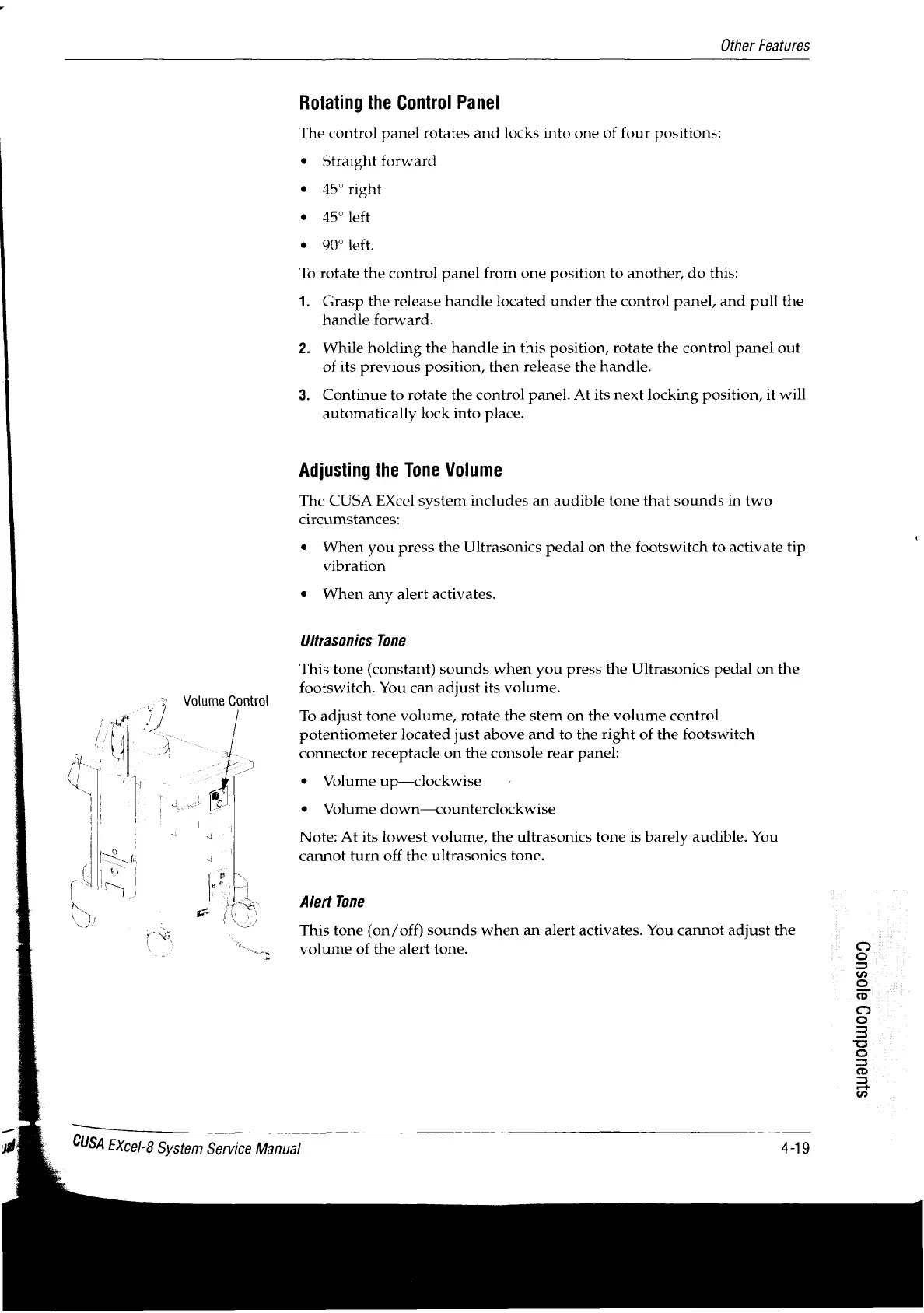
Volume
Control
Jj
e
S
~
iL.
|
=-
(|
|
poços
|
[Mai
ML
Rotating
the
Control
Panel
The
control
panel
rotates
and
locks
into
one
of
four
positions:
*
Straight
forward
e
45º
right
»
45°
left
+
90°
left.
To
rotate
the
control
panel
from
one
position
to
another,
do
this:
1.
Grasp
the
release
handle
located
under
the
control panel,
and
pull
the
handle
forward.
2.
While
holding
the
handle
in
this
position,
rotate
the
control
panel
out
of
its
previous
position, then
release
the
handle.
3.
Continue
to
rotate
the
contro!
panel.
At
its
next
locking
position,
it
will
automatically
lock
into
place.
Adjusting
the
Tone
Volume
The
CUSA
EXcel
system
includes
an
audible
tone
that
sounds
in
two
circumstances:
*
When
you
press
the
Ultrasonics
pedal
on
the
footswitch
to
activate
tip
vibration
e
When
any
alert
activates.
Ultrasonics
Tone
This
tone
(constant)
sounds
when
you
press
the
Ultrasonics
pedal
on
the
footswitch.
You
can
adjust
its
volume.
To
adjust
tone
volume,
rotate
the
stem
on
the
volume
control
potentiometer
located
just
above
and
to
the
right
of
the
footswitch
connector
receptacle
on
the
console
rear
panel:
*
Volume
up—clockwise
9
Volume
down—counterclockwise
Note:
At
its
lowest
volume,
the
ultrasonics
tone
is
barely
audible.
You
cannot
turn
off
the
ultrasonics
tone.
Alert
Tone
This
tone
(on/off)
sounds
when
an
alert
activates.
You
cannot
adjust
the
volume
of
the
alert
tone.
S1U9UOdUU09
9|0SU09
CUSA
Excel-8
System
Service
Manual
4-19

Table of Contents

Related product manuals