EasyManua.ls Logo

Valleylab CUSA EXcel-8 - Install the Suction Pump Controller Card

Valleylab CUSA EXcel-8
239 pages
Print Icon
To Next Page IconTo Next Page
To Previous Page IconTo Previous Page
Loading...
Suction
Pump
and
Controller
Card
Install
the
Suction
Pump
Controller
Card
Notice
To
avoid
product
damage,
when
handling
the
suction
pump
controller
card,
do
not
turn
the
three
white
adjustment
dials
designated
as
current
limit
(R13),
max
speed
(R12),
and
min
speed
(R11).
1.
Attach
the
new
suction
pump
controller
card
to
the
motor
control
bracket
using
four
screws
(M4
Phillips),
four
lock
washers
(M4),
and
four
flat
washers
(M4).
2.
Replace
the
two
cable
clamps
on
the
bottom
of
the
controller
card
bracket.
3.
Connect
the
controller
card
cables:
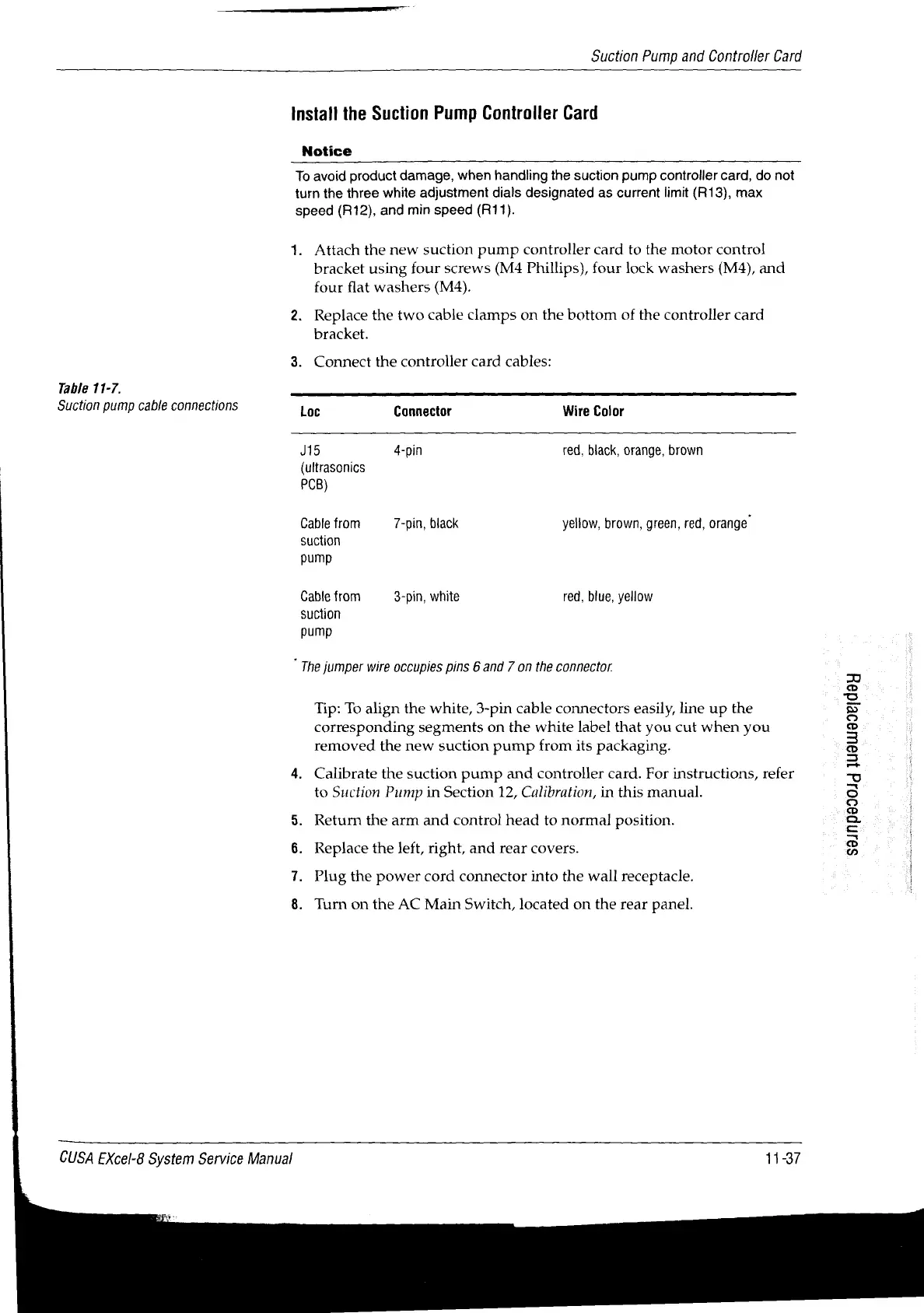
Table
11-7.
Suction
pump
cable
connections
Loc
Connector
Wire
Color
J15
4-pin
red,
black,
orange,
brown
(ultrasonics
PCB)
Cable
from
7-pin,
black
yellow,
brown,
green,
red,
orange“
suction
pump
Cable
from
3-pin,
white
red,
blue,
yellow
suction
pump
“The
jumper
wire
occupies
pins
6
and
7
on
the
connector.
Tip:
To
align
the
white,
3-pin cable
connectors
easily,
line
up
the
corresponding
segments
on
the
white
label
that
you
cut
when
you
removed
the
new
suction
pump
from
its
packaging.
4.
Calibrate
the
suction
pump
and
controller
card.
For
instructions,
refer
to
Suction
Pump
in
Section
12,
Calibration,
in
this
manual.
Return
the
arm
and
control
head
to
normal!
position.
661ΠΡΘΟΟΙά
119ιΙθοΡΙά9Η
Replace
the
left,
right,
and
rear
covers.
Plug
the
power
cord
connector
into
the
wall
receptacle.
|
on
©
a
Turn
on
the
AC
Main
Switch,
located
on
the
rear
panel.
CUSA
EXcel-8
System
Service
Manual
11-37

Table of Contents

Related product manuals