INITIATE REMOTE ALARM TEST
This command simulates an alarm to test alarm notification setup for the service phone number
1=INITIATE REMOTE ALARM TEST
2=RETURN TO SETUP SYSTEM INFO MENU
3=RETURN TO SETUP MENU
4=RETURN TO MAIN MENU
SELECT A NUMBER:1
• At the Simulate An Alarm Condition prompt, enter Y if you wish to proceed or N if you want to
cancel the alarm simulation.
>SIMULATE AN ALARM CONDITION-YES(Y) OR NO(N)?
>[N]
>[
>COMMAND SUCCESSFUL
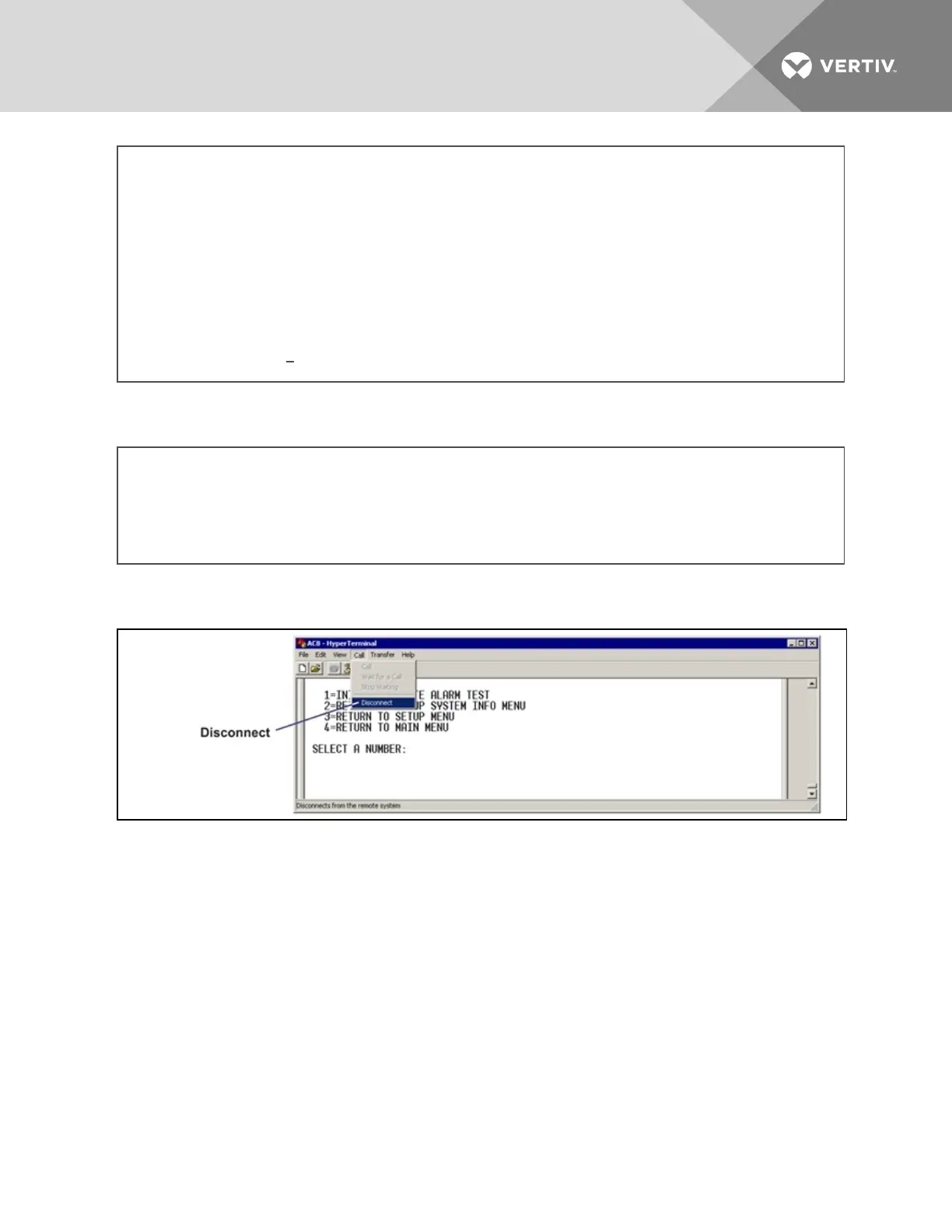
• After the “Command Successful” message appears, disconnect from the modem—at the top of
the HyperTerminal window, click on Call, then on Disconnect, as shown below.
• Wait for the Liebert AC8 to dial out to send a test message.
• To verify whether the test was successful, check the Event Log (see View Event Log on
page39) for one of these two messages: Dial out test passed or Dial out test failed.
NOTE: Also verify that a message was received at the Service Phone Number.
If the test is NOT successful, check the following:
• Modem configuration (see Modem Setup - Initialization String on page73)
• Pager configuration (see Pager Setup - Pager Number and PIN on page78)
Vertiv | Liebert® AC8 User Manual | 94



 To Next Page