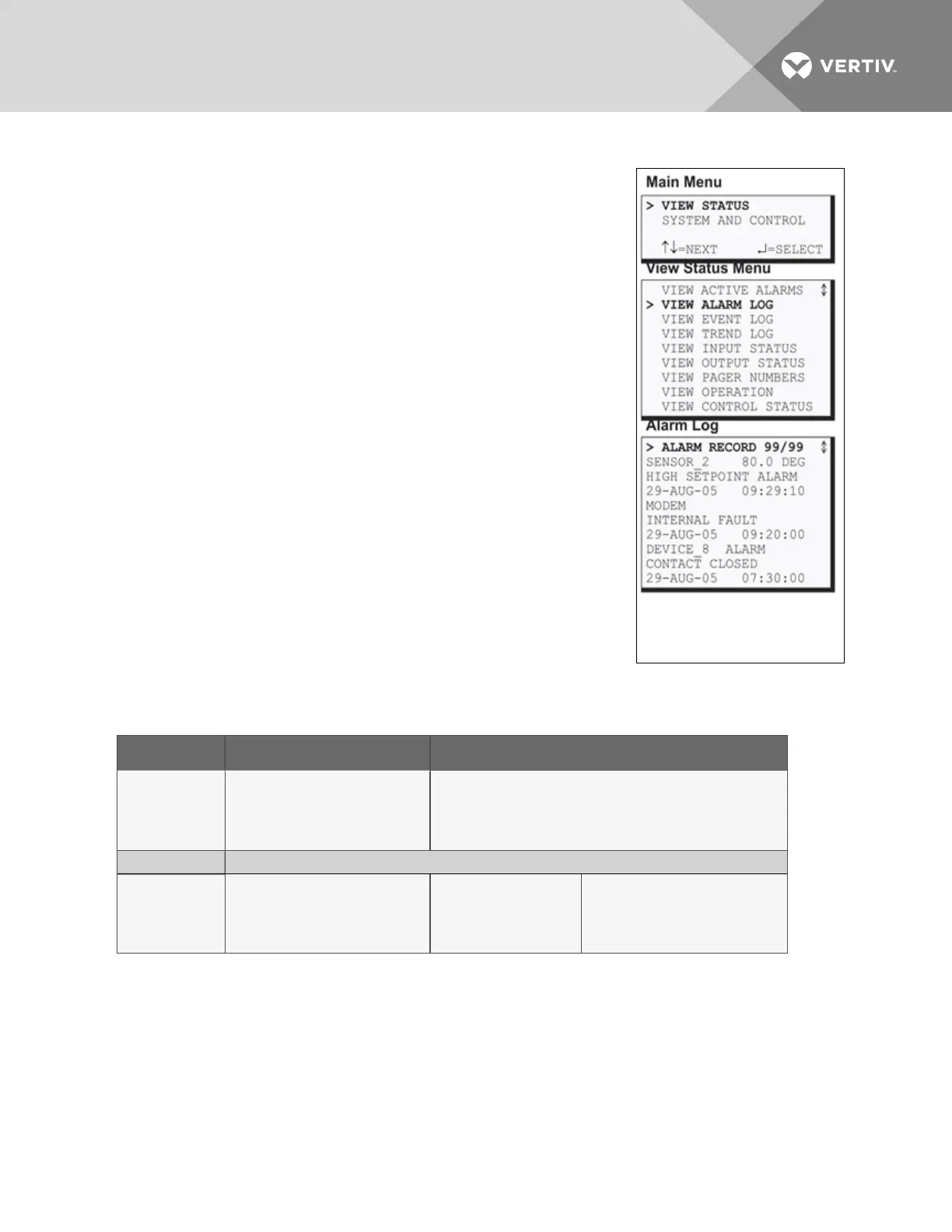
5.2 View Alarm Log
The Alarm Log contains up to 99records of alarms that have occurred.
Records are added to this log as alarms occur.
To view the Alarm Log:
• From the Main Menu, use the arrows to choose View Status, then
press Enter.
• From the View Status Menu, use the arrows to choose View
Alarm Log, then press Enter.
5.2.1 Alarm Log
The Alarm Log screen displays up to 99 records showing alarm data,
including input alarms and other conditions, such as loss of power or low
battery. If the log contains any alarm records, the Alarm Log screen
displays details for each alarm:
• the source of the alarm (for example, SENSOR_2 or MODEM)
• the status of an input or output (80.0 DEG)
• a brief description of the problem (HIGH SETPOINT ALARM or
INTERNAL FAULT)
• the date and time the alarm occurred
Table 5.1 below shows conditions that the alarm log records for digital
inputs and analog inputs and in the panel itself.
SOURCE Digital Input Analog Input
CONDITIONS
RECORDED
ALARM
NORMAL
HIGH SETPOINT ALARM
LOW SETPOINT ALARM
RETURN TO NORMAL
SENSOR PROBLEM (denoted by dashes ------)
SOURCE Panel
CONDITIONS
RECORDED
LOSS OF POWER
LOW BATTERY
CHECK BATTERY
BATTERY UNPLUGGED
ALARMS CLEARED
ALARM SILENCED
MODEM INTERNAL
FAULT
NO STANDBY AVAILABLE
STANDBY DEVICE FAILED
NO RESTART AVAILABLE
EMERGENCY PWR ALARM
Table 5.1
Alarm log conditions
If there are no alarms in the log, the screen displays the message:
NO ALARMS
Viewing Additional Screens
There may be up to 99 records of alarm data.
• To view additional records, use the arrows¯.
• To return to the previous screen, press the ESC key.
Vertiv | Liebert® AC8 User Manual | 38



 To Next Page