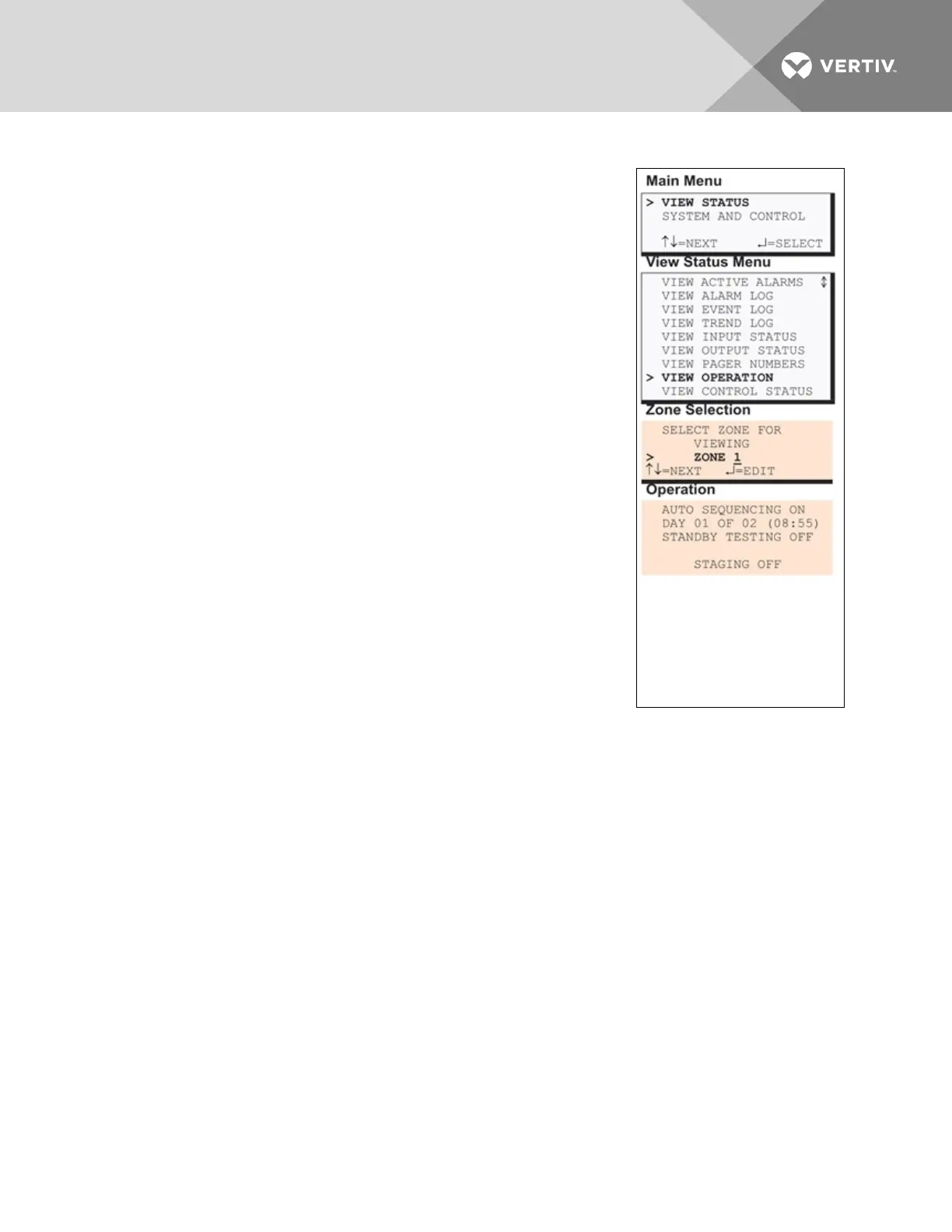
5.8 View Operation
The Operation option allows you to view the current settings for Auto
Sequencing, Standby Testing and Staging in each zone.
Use the following steps to select a zone and view the status of these
features.
5.8.1 Select a Zone
To select a zone:
1. From the Main Menu, use the arrows to choose View Status,
then press Enter.
2. From the View Status Menu, use the arrows to choose View
Operation, then press Enter.
3. From the Zone Selection screen, use the arrows to choose the
zone you want to view—Zone 1 in the example at right—and
press Enter.
5.8.2 View Operation
The Operation screen displays the following details for each feature:
• the name of the feature (for example, AUTO SEQUENCING)
• the status (ON or OFF)
• the date and time when Auto Sequencing or Standby Testing is
scheduled to occur (for example, DAY 01 OF 02 (08:55). The
time appears in the format HH:MM (hours and minutes in
military time)
OR
• the target setpoint and sensitivity level that will initiate Staging
To change these settings, see the following sections in Setup Operation on page95:
• Turn Automatic Sequencing On or Off on page96
• Turn Standby Testing On or Off on page97
• Press ESC to return to the Zone Selection Menu.
Vertiv | Liebert® AC8 User Manual | 46



 To Next Page