Feature Default Other Options
CONNECTED* N (Not connected)* Y (Connected)**
LABEL
SENSOR_1
Any name (up to eight characters)
UNITS
DEG
Any units (up to three characters)
4 mA
+045.0
Can define up to two decimal places—for example, -99.99
20 mA
+096.0
Can define up to two decimal places—for example, +99.99
OFFSET
+000.0
Can define up to two decimal places—for example, +00.00
ALARM/EVENT AL (Alarmable) EV (Event)
LATCHED N (Unlatched) Y (Latched)
LOW SETPT
+0050.0
Can define up to two decimal places—for example, -999.99
HIGH SETPT
+0090.0
Can define up to two decimal places—for example, +999.99
SENSOR DELAY 00:01 (1 second) Any time (in minutes and seconds) from 00:00 to 99:59
* If a sensor is configured as N (Not connected), the display will show an empty reading (blank spaces).
** If a sensor is configured as Y (Connected) and is functioning properly, the display will show a reading.
If the connected sensor is not functioning properly, the display will show dashes (------) indicating a problem.
Table 7.4
Default settings - analog sensor inputs
7.5.1 Identify the Sensor as Connected
To make use of an analog sensor, you must specify it as Connected (Y). By
default, analog sensors are Not connected (N).
Disconnecting a sensor will turn off staging for that sensor’s zone if staging
has been turned on for the zone (see Specify Staging on page100 for
details on staging).
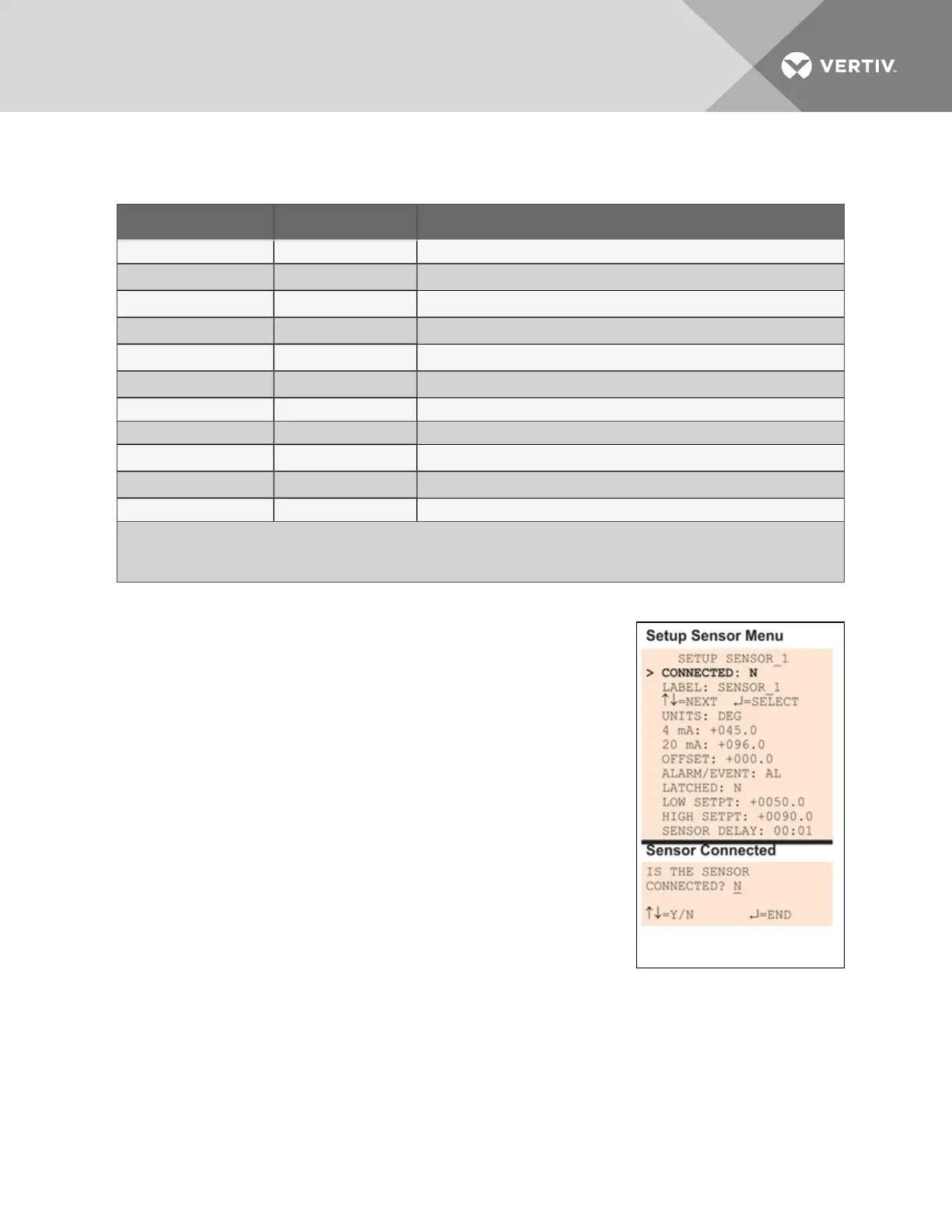
• From the Setup Sensor Menu, choose Connected, as shown at
right, and press Enter.
• To change this feature, use the arrows to choose Y (Yes -
Connected) or N (No - Not connected), then press Enter.
Vertiv | Liebert® AC8 User Manual | 62



 To Next Page