• NU (Not Used)
• Press Enter.
7.7.3 Enable or Disable an Output Device in Alarm Status
You may choose whether to Enable or Disable an output when the
connected device is in alarm status. The default setting for all output
points is Enabled. If Enabled, the device stays enabled when in alarm status.
If Disabled, the device is disabled when it goes into alarm.
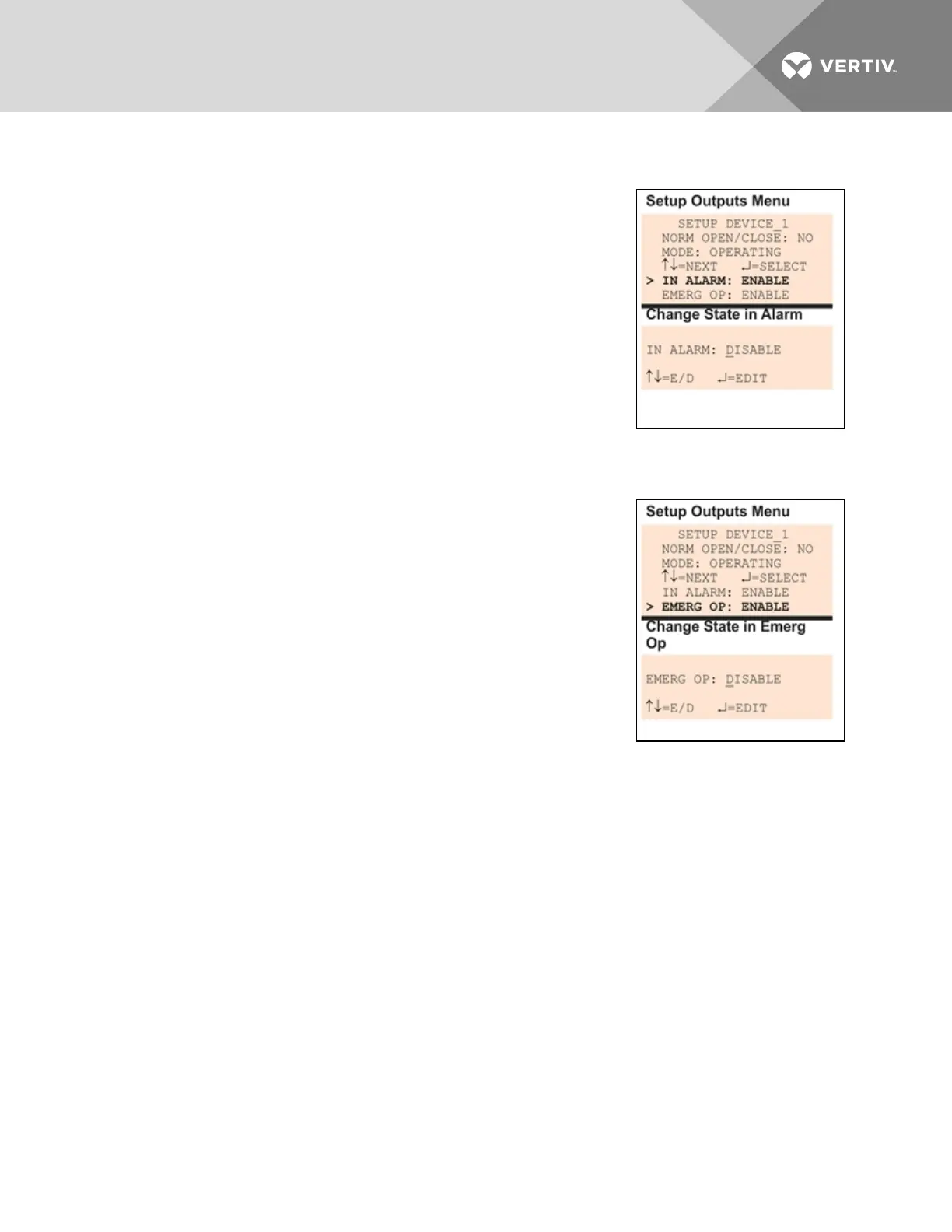
• From the Setup Outputs Menu, choose In Alarm, as shown at
right, and press Enter.
• To make a change, use the arrows to choose Enable or Disable
to determine what happens when an alarm is detected in the
device.
• Press Enter.
7.7.4 Enable or Disable a Device during Emergency Power Operation
You may choose whether to Enable or Disable an output when the Liebert
AC8 is in emergency power operation. The default setting for all output
points is Enabled.
• From the Setup Outputs Menu, choose Emerg Op, as shown at
right, and press Enter.
• To make a change, use the arrows to choose Enable or Disable
to specify what occurs in emergency power operation.
• Press Enter.
7.7.5 Configure Output for Loss of Power (“Fail-Safe”)
Each output has an associated jumper that can help prevent undesired
effects when the controller board loses power. For example, without the proper fail-safe jumper setting, a
loss of power might close a switch that is Normally Open (NO)—perhaps shutting off an environmental
unit or a fan or closing a valve.
This fail-safe jumper setting is unrelated to configuring an output as Normally Open (NO) or Normally
Closed (NC), as described in Define Output as Normally Open or Normally Closed on the previous page.
To configure a digital output jumper for a loss of power:
• Set the jumper in the “OFF” position (factory default) to make the output Normally Open(NO).
• Set the jumper in the “ON” position to make the output Normally Closed(NC).
For more information, see Setting the Digital Output Jumpers on page21.
7.8 Setup System - Setup Modem & Pagers
To use the modem and pager features, be sure to connect the phone line connector to a telephone wall
jack using an RJ11 cord, as described in Phone Line Connector on page28.
Vertiv | Liebert® AC8 User Manual | 72



 To Next Page