• For minutes (MIN), press and hold one of the arrow keys scroll through the numbers
00-99.
• Press Enter to advance to seconds (SEC).
• For seconds (SEC), press and hold one of the arrow keys scroll through the numbers
00-59.
• When finished, press Enter again.
7.4 Setup System - Setup Common Alarm
The audible alarm sounds after the Liebert AC8 detects an alarm condition in any input that has been
defined as alarmable, including digital and analog sensor inputs. Once the alarm is silenced, there are two
options:
• By default, the common alarm remains energized until the input alarm is cleared.
• You may change this setting to de-energize the common alarm automatically once the alarm is
silenced.
You might want to reset the common alarm with silence if an external alarm—for example, a horn—is
connected to the common alarm output contacts.
You might not want to reset the common alarm contacts (let contacts reflect/track alarms) and simply
silence the audible horn.
To change the common alarm setting:
Log In and Choose Setup System
• From the Main Menu, use the arrows to choose System and
Control, then press Enter (see Login on page53 for help).
• Enter your password at the Login screen.
• From the System and Control Menu, use the arrows to choose
Setup System, then press Enter.
Change to Reset (Y) or Not Reset (N)
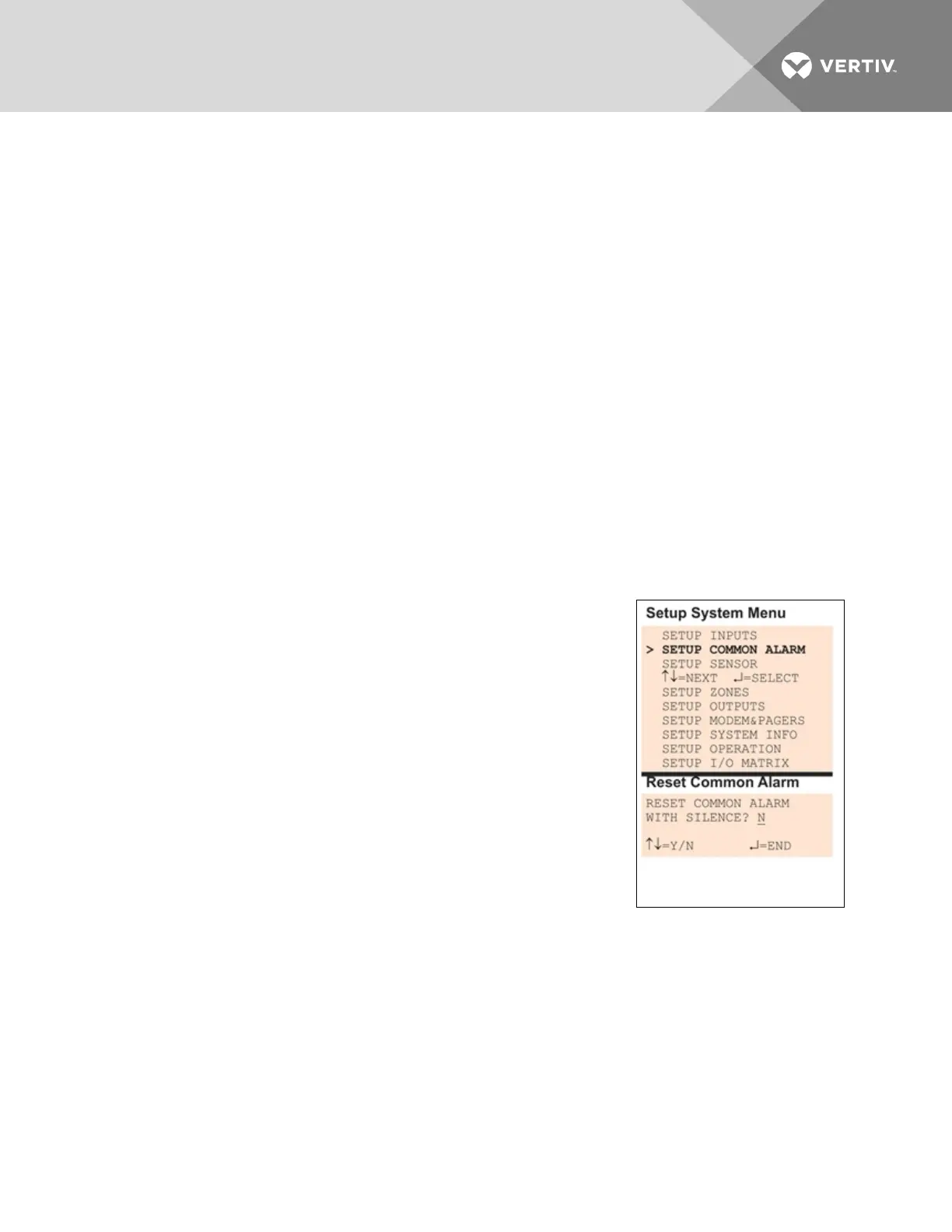
• From the Setup System Menu, shown at right, use the arrows to
choose Setup Common Alarm and press Enter.
• By default, the common alarm is set up not to reset automatically
when the alarm is silenced (N). To change this setting, use the
arrows to choose Y (Yes - reset with silence) or N (No - not
reset), then press Enter.
7.5 Setup System - Setup Sensor
The Liebert AC8 has four analog sensor input points that may be configured individually. The panel
monitors connected equipment for any 4-20 mA input—for example, temperature and humidity. Each
sensor input is dedicated to a specific zone:
• Sensor_1 is for Zone 1
• Sensor_2 is for Zone 2
Vertiv | Liebert® AC8 User Manual | 60



 To Next Page