Device type Required entries Example
Numeric
pager
The first character must be “N”. N18005551212
Alphanumeric
pager
The first character must be “A”. A18005551212
Remote
modem
The first character must be “M”. M18005551212
Device type Optional entries Example
All types
of devices
Use “9” if needed to access an outside
line—place after first character (N, A or M).
A918005551212
Use “W” to wait for a second dial tone
before dialing if the phone system has two
dial tones (initial tone and a second tone
for outside line)—place after “9” (before the
number to be dialed).
A9W18005551212
Use “,” (comma) to pause two seconds. N1,8005551212
Numeric
pager
Use “#” as the last character to terminate page string
if required by paging company.
N18005551212
,,,,1234567#
Table 7.11
Guidelines for dialing pagers
Enter a Pager PIN Number
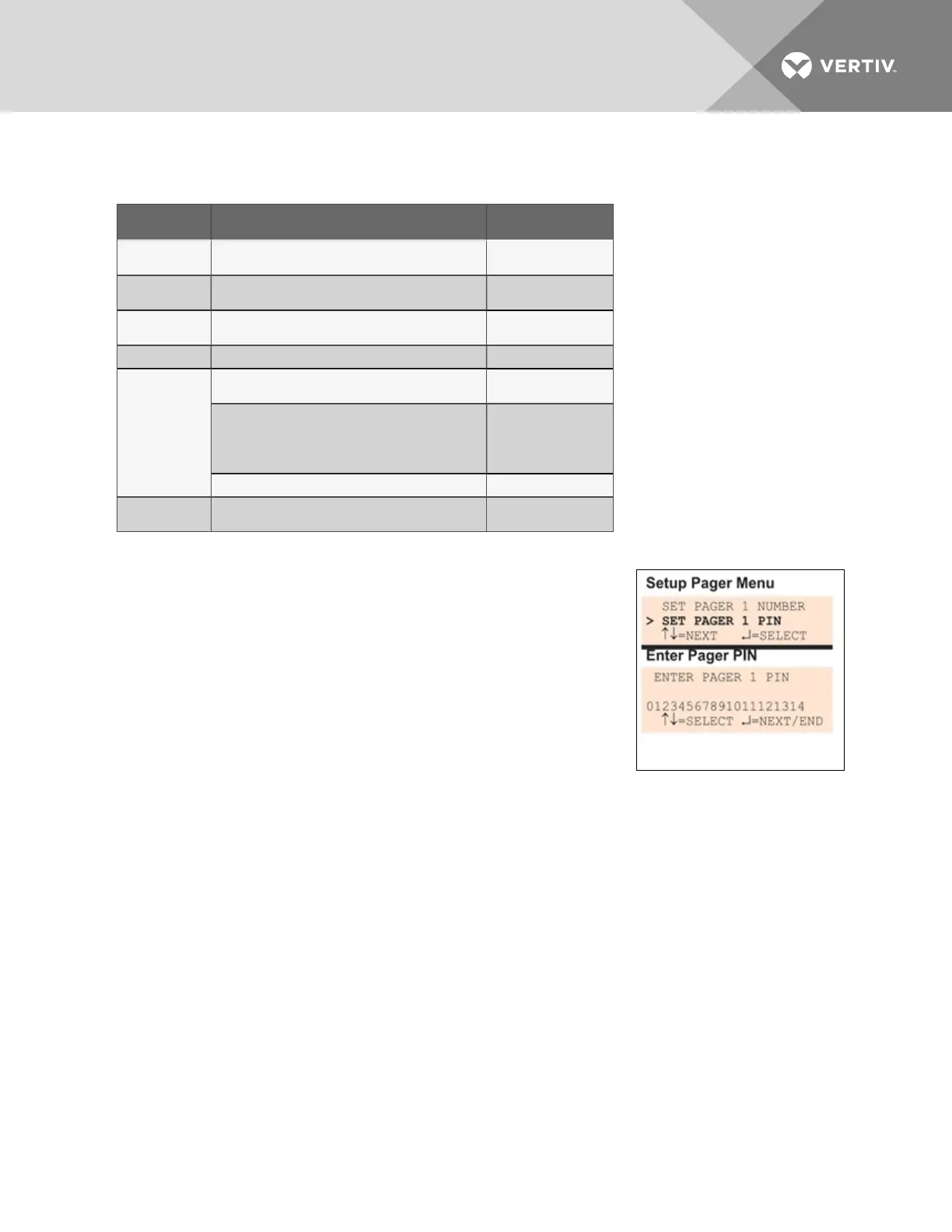
• From the Setup Pager Menu, choose Setup Pager PIN, as shown
for Pager Number 1 in the example at right, and press Enter.
• To enter the pager PIN, which may consist of up to 20
characters (see Table 7.1 on page53 for valid characters):
• Use the arrows to choose a character.
• Press Enter to advance to the next character position.
• When finished, press Enter again.
NOTE: For international dialing, you might need to add country codes in
the modem initialization string. See Modem Setup - Initialization String on
page73.
7.8.4 Pager Setup - Communications Check
(Service Terminal Interface only)
The Service Terminal Interface offers two additional options for pager setup, which are not available
through the LCD interface:
• Enable communications check
• Enter time to perform communications check
To access these options:
• Connect to the Liebert AC8 either from a remote computer or through the RS232 port (see
Connecting to the Service Terminal Interface on page111).
• At the Main Menu, enter 0 (zero—Setup System - Login Required).
• At the Login Menu, enter your password, then press the Enter key.
• At the Setup Menu, enter 6 (Setup Modem&Pagers).
• At the Setup Modem & Pagers menu, shown below, enter a number (1-4) to select a pager.
Vertiv | Liebert® AC8 User Manual | 80



 To Next Page