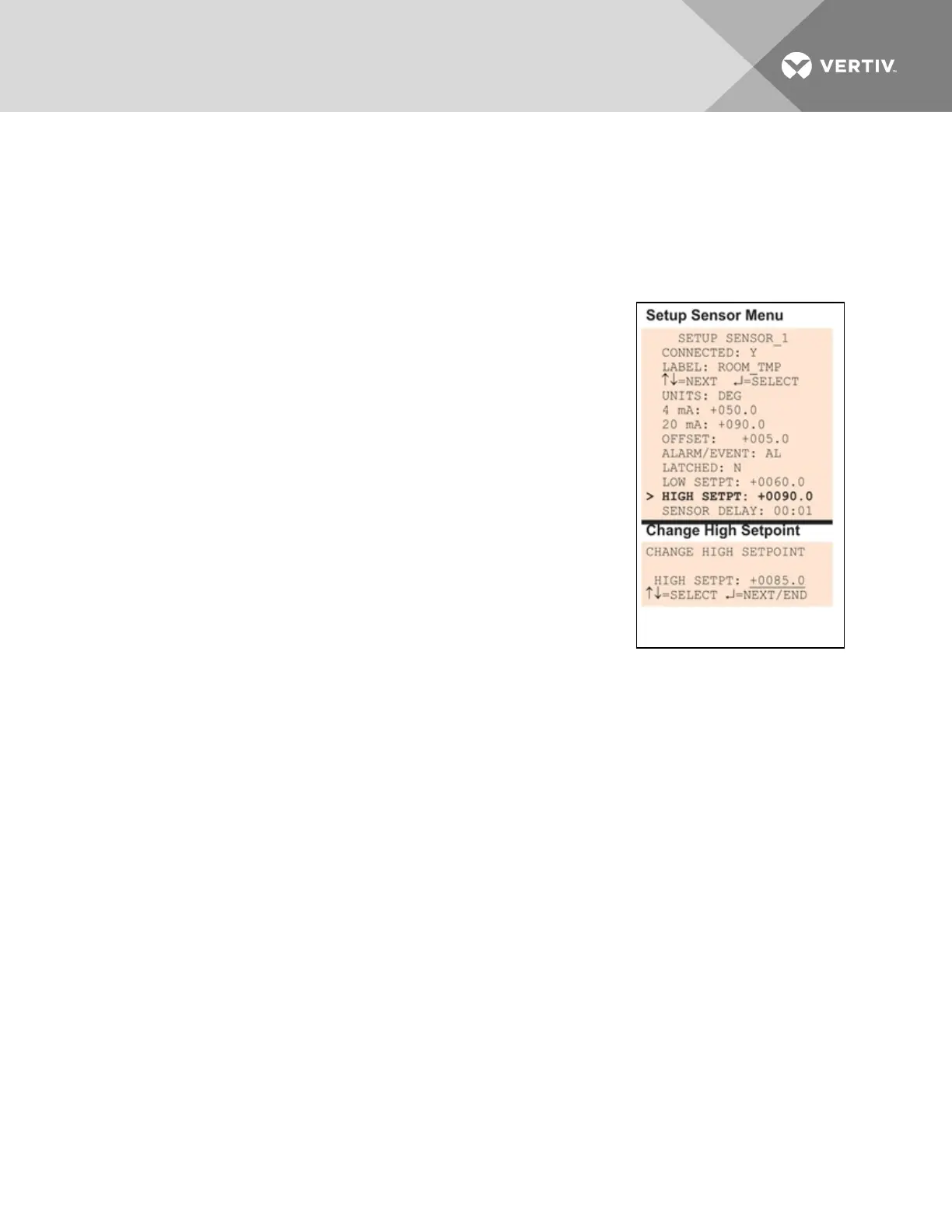
• From the Setup Sensor Menu, choose Low Setpt for the selected sensor and press Enter.
• To change the Low Setpoint:
• Use the arrows to choose a character.
• Press Enter to advance to the next character position.
• When finished, press Enter again.
7.5.10 Change High Setpoint
When the sensor detects a condition above the High Setpoint value, an
alarm or event will occur, depending on the sensor configuration.
The High Setpoint value must not be set above the sensor’s 20mA value
plus the offset value. For example, if the 20mA value is 90°F and the Offset
value is 5°F, the High Setpoint must be 95°F or lower.
The default High Setpoint for each sensor is +0090.0. Values that can be
entered range from:
• the 4mA value + the Offset value (in the example, 50+5=55)
to
• the 20mA value + the Offset value (in the example, 90+5=95)
To view or change these values, see Change 4 mA Value on page64,
Change 20 mA Value on page64 and Change Offset Value on page65.
To enter a new value:
• From the Setup Sensor Menu, choose High Setpt for the selected sensor and press Enter.
• To change the High Setpoint:
• Use the arrows to choose a character.
• Press Enter to advance to the next character position.
• When finished, press Enter again.
Vertiv | Liebert® AC8 User Manual | 67



 To Next Page