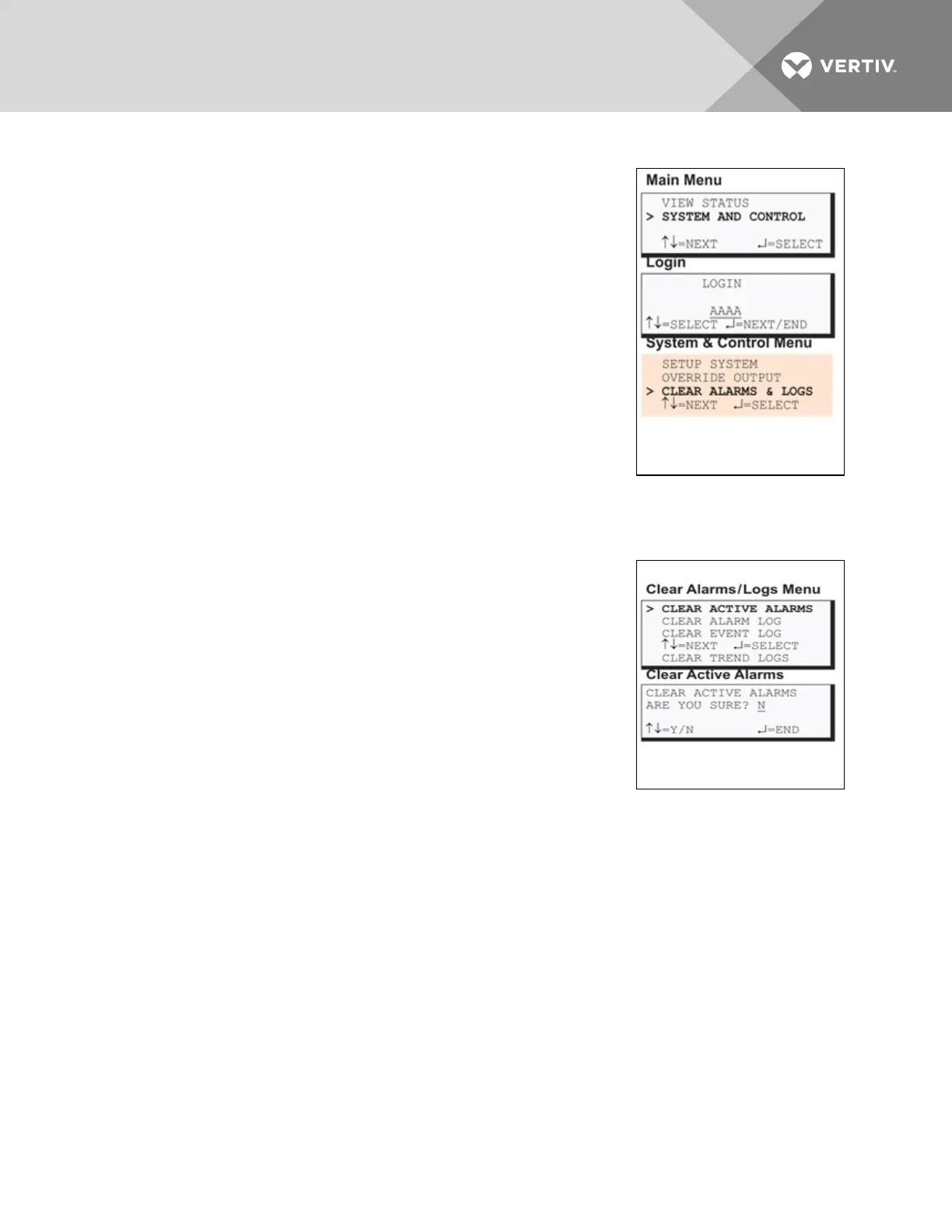
7.13 Clear Alarms & Logs
The Clear Alarms & Logs menu allows you to clear active alarms or delete all
records from any of the Liebert AC8’s three logs: alarm, event and trend
logs.
To clear alarms or logs:
Log In and Choose Clear Alarms & Logs
• From the Main Menu, use the arrows to choose System and
Control, then press Enter (see Login on page53 for help).
• Enter your password at the Login screen.
• From the System and Control Menu, use the arrows to choose
Clear Alarms & Logs, then press Enter.
• Use the following steps to clear alarms or delete log records.
7.13.1 Clear Active Alarms
To clear all active alarms:
• From the Clear Alarms/Logs Menu, use the arrows to choose
Clear Active Alarms, then press Enter.
• Use the arrows to choose Y (Yes - clear all active alarms) or N
(No - do not clear alarms), then press Enter.
Clearing active alarms is the only means to reset latched alarms. This step
is required to return latched points to their normal state. To set up a digital
input or an analog sensor input as latched, see:
• Set Up Alarmable Inputs in Latched or Unlatched Mode on
page59
• Set Up Alarmable Sensors in Latched or Unlatched Mode on
page66
7.13.2 Clear the Alarm Log
The alarm log contains up to 99 records of alarms that have occurred. You may want to clear the log after
backing up the file or simply to free up space.
NOTE: Before deleting the records in the alarm log, you may want to back up the file to a remote
computer using the Service Terminal Interface, as described in Back Up Log Files (Service Terminal
Interface only) on page50.
Vertiv | Liebert® AC8 User Manual | 105



 To Next Page