5.2.2 Backing Up the Alarm Log
(Service Terminal Interface only)
The alarm log is stored as a file in the Liebert AC8; it can hold no more than 99 records. When the log is
full, the oldest records are deleted from the end of the file as new alarm records are added at the
beginning.
You may back up the alarm log file to a remote computer using the Service Terminal Interface, as
described in Back Up Log Files (Service Terminal Interface only) on page50.
To delete all records in the alarm log, see Clear Alarms & Logs on page105.
5.3 View Event Log
In addition to alarms, the Liebert AC8 tracks other changes in the Event
Log to assist users with verifying operational and troubleshooting
problems. Events reflect changes in the status of an input that is defined as
an event or the change of state of an output (i.e., manually forced ON or
OFF). Other events may be informational, such as a user login or an
unsuccessful page attempt. The Event Log contains up to 99records of
events, which are added as they occur.
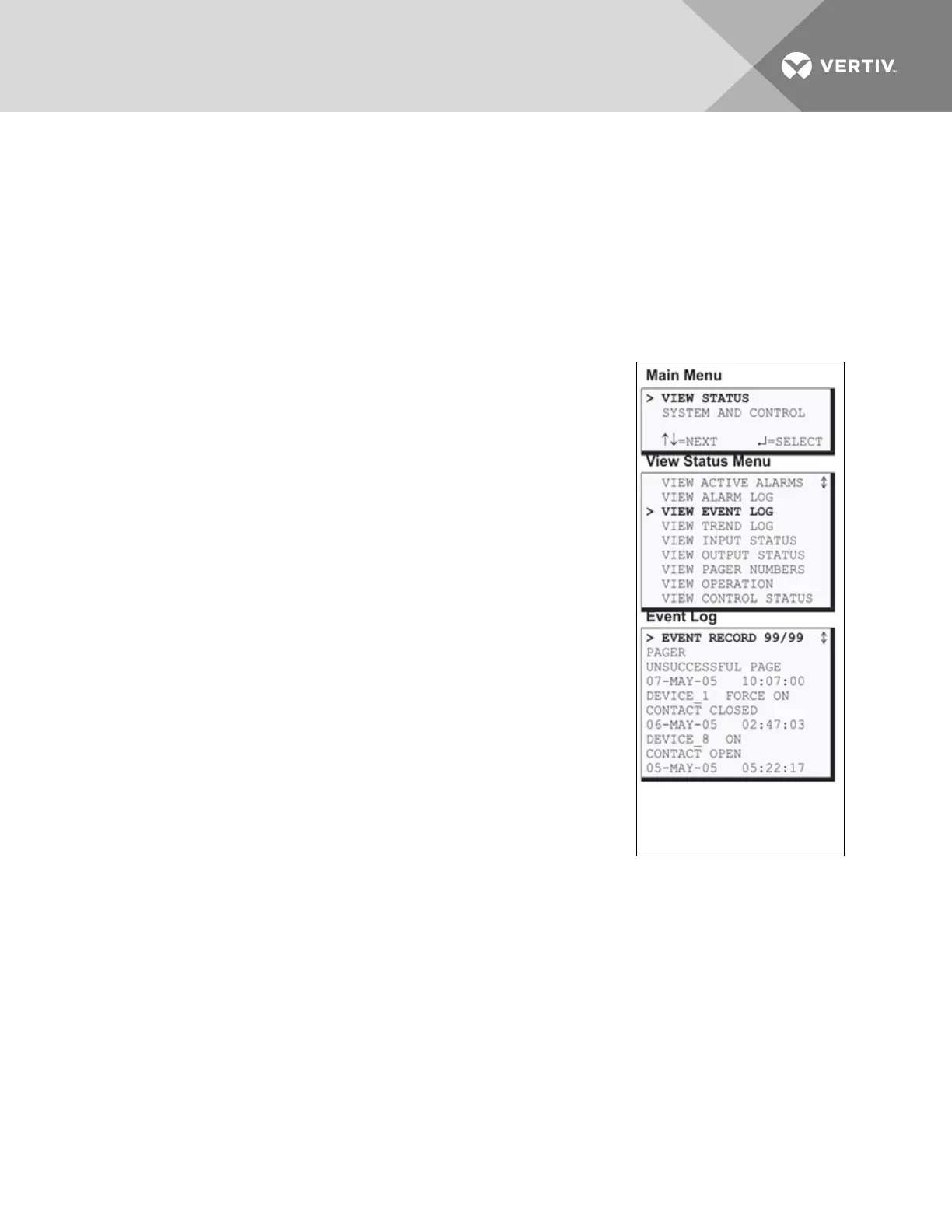
To view the Event Log:
• From the Main Menu, use the arrows to choose View Status, then
press Enter.
• From the View Status Menu, use the arrows to choose View
Event Log, then press Enter.
5.3.1 Event Log
The Event Log screen displays up to 99 recent events. If the log contains
any event records, the Event Log screen displays details for each event:
• the event source (for example, PAGER or DEVICE_1)
• the status of an input or output (FORCE ON)
• a brief description of the event (UNSUCCESSFUL PAGE or CONTACT
CLOSED)
• the date and time the event occurred
Table 5.2 on the next page shows conditions that the event log records for
inputs and outputs and in the panel itself.
Vertiv | Liebert® AC8 User Manual | 39



 To Next Page