Feature Default Other Options
LABEL
DEVICE_1
Any name (up to eight characters)
NORM OPEN/CLOSE NO (Normally Open) NC (Normally Closed)
ALARM/EVENT AL (Alarmable) EV (Event)
LATCHED L (Latched) / Y (Yes)* NL (Unlatched) / N (No)*
DELAY 00:01 (1 second) Any time (in minutes and seconds) from 00:00 to 99:59
Table 7.2
Default settings - digital inputs
* NOTE: Different abbreviations are used to designate a digital input as Latched or Unlatched as shown below.
Settings - Select Input
Menu (see Setup System -
Setup Inputs on the
previous page)
When configuring an input
(see Set Up Alarmable Inputs in Latched or Unlatched Mode on page59)
Unlatched NL (Not Latched) N (No, not latched)
Latched L (Latched) Y (Yes, latched)
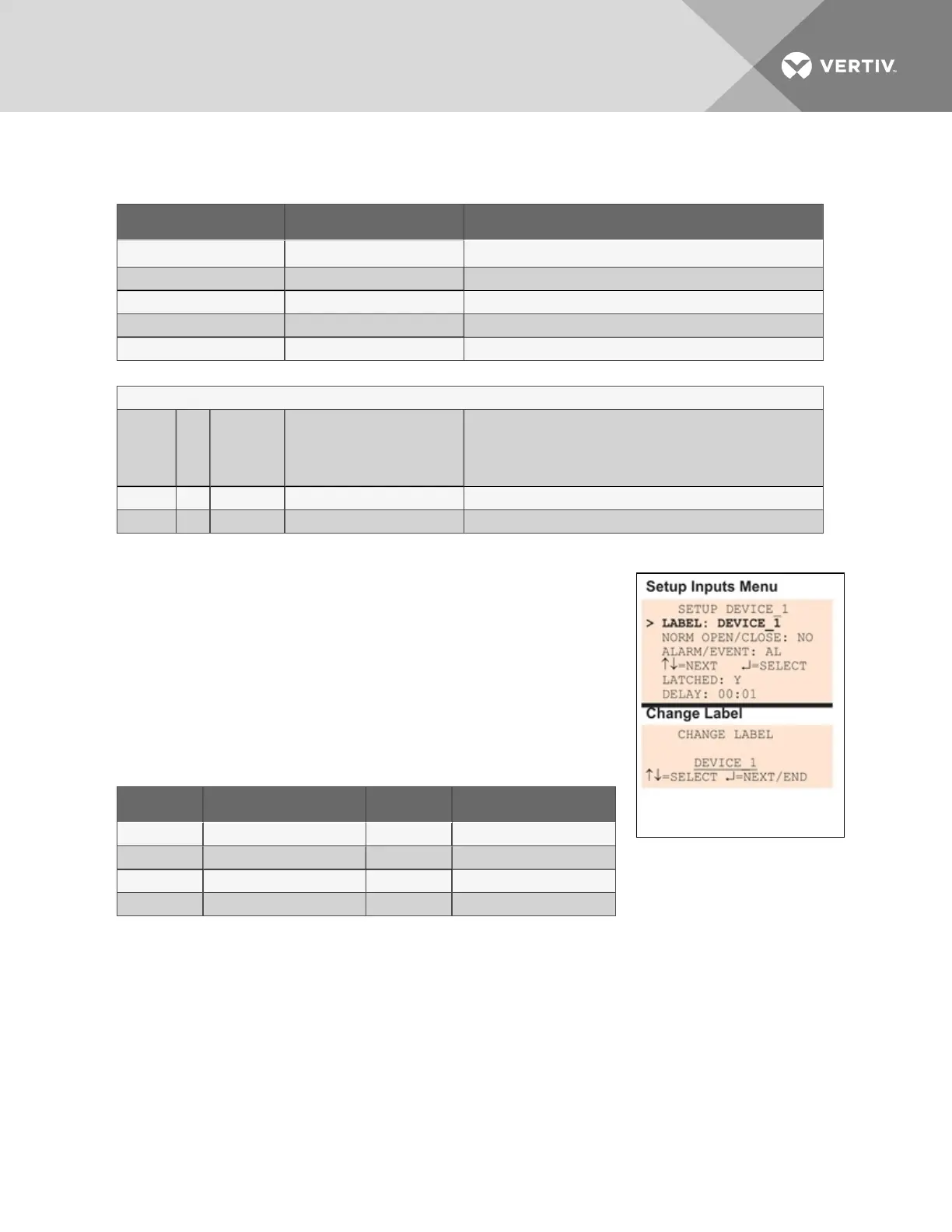
7.3.1 Change Label (Name of Input)
Each input has a default label (Device_1, Device_2, etc.) that you may
change to a more descriptive name for ease in recognizing alarms and
events associated with the input. The label may consist of up to eight
characters (see Table 7.1 on page53 for valid characters).
The device name assigned through this menu is also displayed for the
corresponding output.
Label Applies to: Label Applies to:
Device_1 Input 1 and Output 1 Device_5 Input 5 and Output 5
Device_2 Input 2 and Output 2 Device_6 Input 6 and Output 6
Device_3 Input 3 and Output 3 Device_7 Input 7 and Output 7
Device_4 Input 4 and Output 4 Device_8 Input 8 and Output 8
Table 7.3
Input and output labels
If the input label is changed, the output will change also.
• From the Setup Inputs Menu, choose Label for the selected input—Label: Device_1 in the
example above right—and press Enter.
• To change the input’s label, which may consist of up to eight characters:
• Use the arrows to choose a character.
• Press Enter to advance to the next character position.
• When finished, press Enter again.
Vertiv | Liebert® AC8 User Manual | 57



 To Next Page