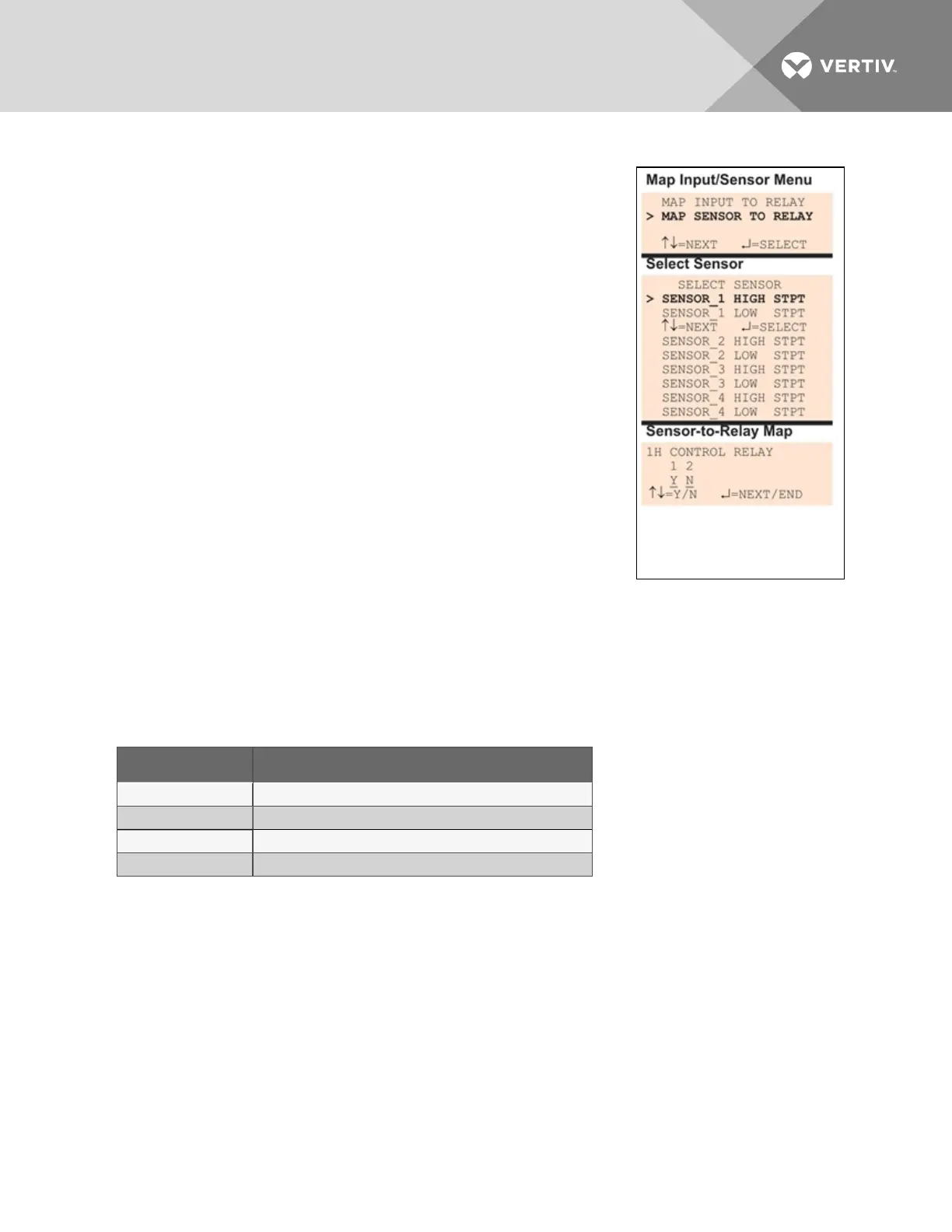
7.11.2 Set Up Mapping for an Analog Sensor Input
• Use the arrows to choose Map Sensor To Relay from the Map
Input/Sensor Menu, and press Enter.
• From the Select Sensor Menu, choose the input you want—for
example, Sensor_1 High Stpt—and press Enter.
Map Sensor to Control Relay
• On the Sensor-to-Relay Map screen, you may map the selected
sensor to either or both of the control relays (1-2). The example
at right shows Sensor_1 High Stpt mapped to Control Relay1.
To make changes to the mapping:
• If needed, press Enter to advance to the position directly
below the relay.
• Use the arrows to choose Y (Yes - Mapped to this relay) or
N (No - Not mapped), then press Enter.
• Press Enter to advance to the next position where you
want to make a change.
• Use the arrows to choose Y (Yes - Mapped to this relay) or
N (No - Not mapped), then press Enter.
• When finished, press Enter again.
Default Mappings - Analog Inputs to Control Relays
By default, analog inputs are not mapped to any control relay, as shown in Table 7.18 below.
Analog input By default, mapped to control relay:
Sensor_1 (none)
Sensor_2 (none)
Sensor_3 (none)
Sensor_4 (none)
Table 7.18
Default mapping of analog inputs to relays
7.12 Override Output
The Override Output feature allows you to manually change the state of any digital output to ON or OFF,
overriding automatic control by the Liebert AC8 (the default setting for all outputs). This menu also
allows you to release the manual override, returning any output to automatic control.
There are two ways to override automatic control of outputs:
• Use the Override Output menu, as described in this section, to turn any output ON or OFF.
• Use the hardware switch on the Liebert AC8 circuit board to force all eight outputs ON at the
same time (see Controller Board Overview on page4).
Vertiv | Liebert® AC8 User Manual | 103



 To Next Page