• At the Enter Time To Perform Communications Check prompt, enter the time to initiate the
communications check, using the format HH:MM (hours and minutes in military time), ranging
from 00:00 for midnight to 23:59 for 11:59 p.m. The current setting appears in brackets—
[00:00] in the following example.
>ENTER TIME TO PERFORM COMMUNICATIONS CHECK(HH:MM).
>[00:00]
>[
>COMMAND SUCCESSFUL
• Press Enter to proceed, or Escape to cancel the entry. If you make a change, a confirmation
message appears: “Command Successful.”
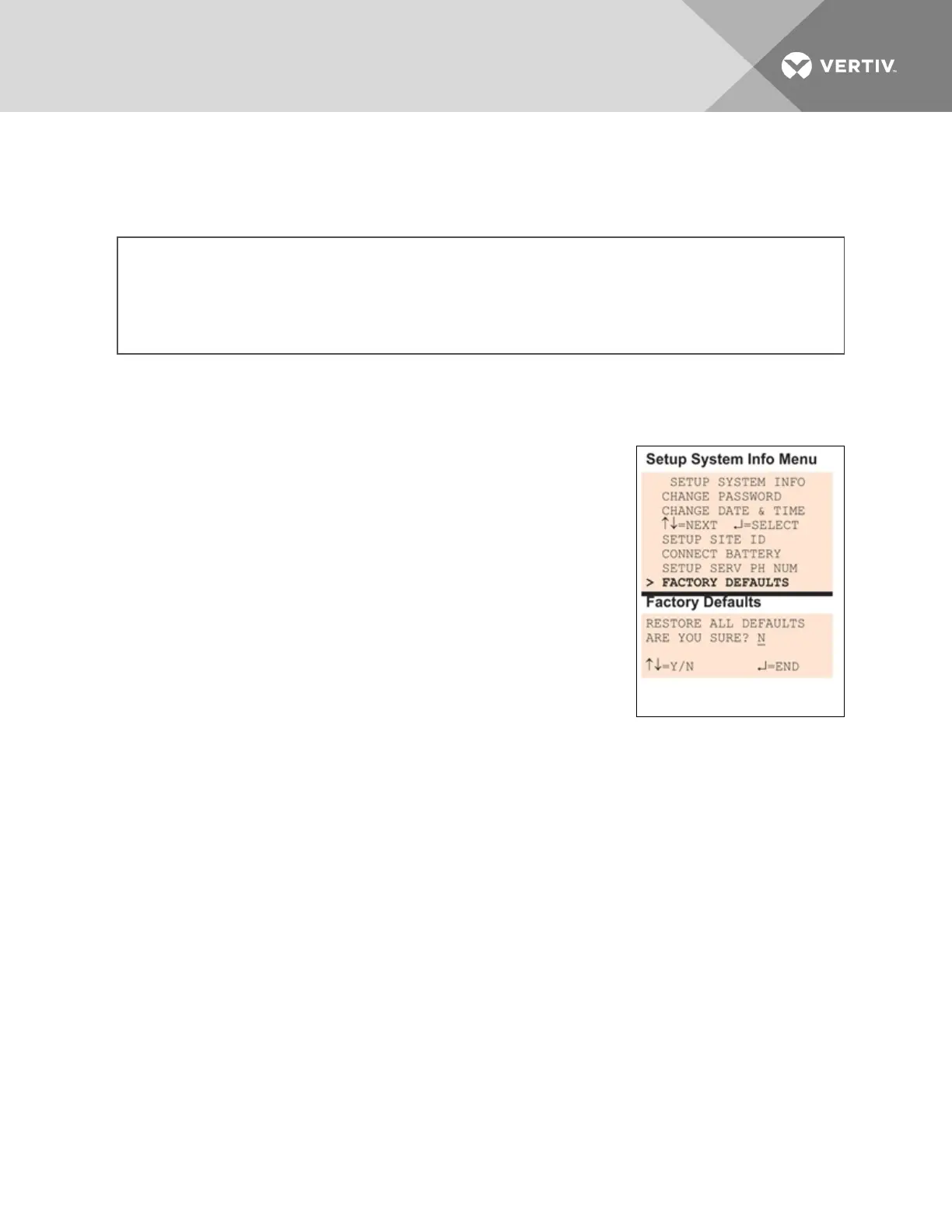
7.9.8 Factory Defaults
At any time, you may restore all default values for settings in the Liebert
AC8 as it was shipped.
NOTE: This action will overwrite any configuration settings. You may
want to back up your settings before restoring the factory defaults. See
Backup and Upload Configuration File (Service Terminal Interface only) in
Setup System Info for details on backing up settings using the Service
Terminal Interface.
The password is the sole exception when reverting to the factory default
settings. The password can be reset to the factory default of AAAA only
through the DIP switches. For details, see Change Password on page83.
7.9.9 Perform Firmware Update
(Service Terminal Interface
only)
This function, which may be performed only through the Service Terminal Interface, upgrades the Liebert
AC8’s firmware to the newest version.
NOTE: This action will overwrite any configuration settings. You may want to back up your settings
before restoring the factory defaults. See Backup and Upload Configuration File (Service Terminal
Interface only) in Setup System Info for details on backing up settings using the Service Terminal
Interface.
• Connect to the Liebert AC8 either from a remote computer or through the RS232 port (see
Connecting to the Service Terminal Interface on page111).
• At the Main Menu, enter 0 (zero—Setup System - Login Required).
• At the Login Menu, enter your password, then press the Enter key.
• At the Setup Menu, enter 7 (Setup System Information).
• At the Setup System Info menu, enter 8 (Perform Firmware Update).
• At the Perform Firmware Update menu, shown below, enter 1 to proceed with an update.
Firmware Update
Vertiv | Liebert® AC8 User Manual | 91



 To Next Page