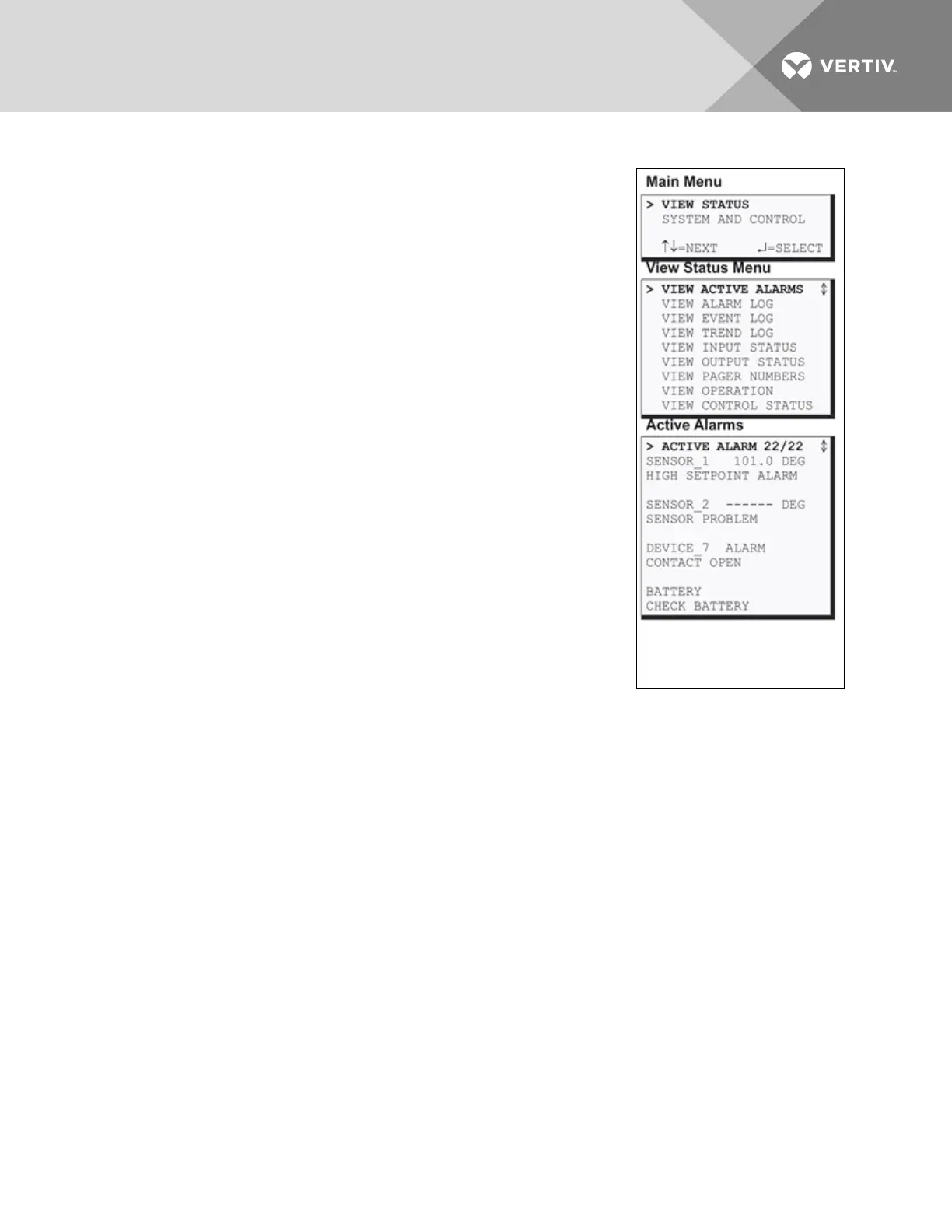
5.1 View Active Alarms
The Active Alarm screen displays all alarms that are occurring, up to a
maximum of 22.
A Current Alarm screen appears automatically whenever an alarm occurs—
except during setup. This screen can display only the two most recent
active alarms. To view any other active alarms, use the View Active Alarms
feature.
You may view active alarms at any time by using the following steps:
• From the Main Menu, use the arrows to choose View Status, as
shown at right, and then press Enter.
• From the View Status Menu, use the arrows to choose View
Active Alarms and press Enter.
5.1.1 Active Alarms
The Active Alarms screen displays up to 22 records; it shows any active
alarm and any Latched alarm that has not been cleared. Examples of
alarms include inputs in alarm status, a low battery condition and a loss of
connection to an analog input. When any alarms are present, the Active
Alarms screen shows descriptive details for each alarm:
• the source of the alarm (for example, SENSOR_1 or BATTERY)
• the status of an input or output (101.0 DEG)
• a brief description of the problem (HIGH SETPOINT ALARM or
CHECK BATTERY)
If there are no active alarms, the screen displays the message:
NO ALARMS PRESENT
Viewing Additional Screens
There may be up to 22 records of alarm data.
• To view additional records, use the arrows¯.
• To return to the previous screen, press the ESC key.
Clearing Active Alarms
To clear all active alarms, see Clear Alarms & Logs on page105. Alarm records are stored in the Alarm Log.
Vertiv | Liebert® AC8 User Manual | 37



 To Next Page