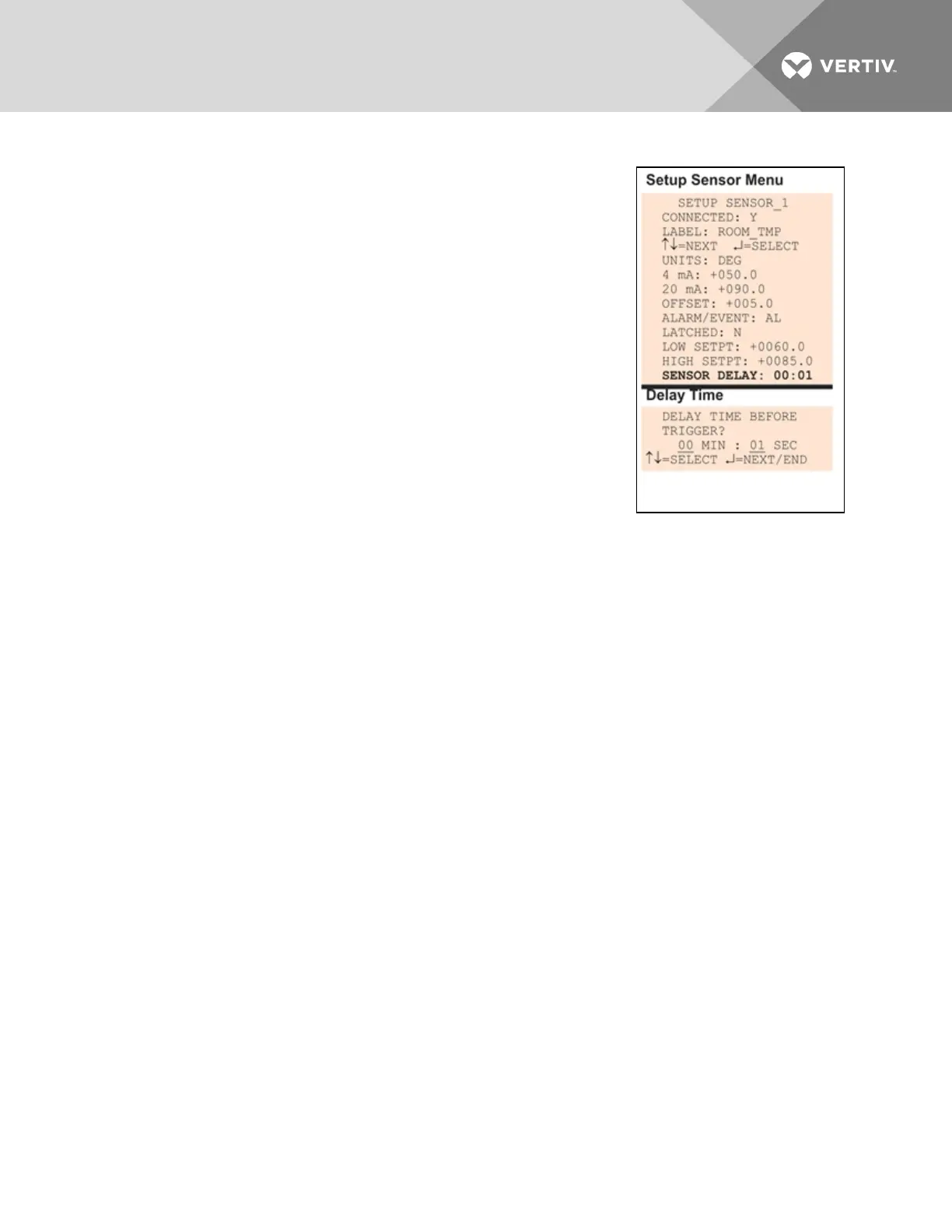
7.5.11 Set Up Delay Time
Each sensor may be set up with a specified time delay between the
triggering of a high or low setpoint—a monitored sensor crosses the high or
low setpoint threshold—and any response by the Liebert AC8. This feature
can prevent transient conditions from prompting unnecessary responses.
This delay is the amount of time that must elapse before the Liebert AC8
acknowledges the change in the monitored sensor and takes any further
action, such as dialing configured pagers. The default time delay is 1
second (displayed as 00 MIN : 01 SEC).
The time delay applies to the triggering of a high or low setpoint and also
after the monitored sensor returns to its normal state. When the monitored
device returns to its normal state, the specified time delay must elapse
before the Liebert AC8 acknowledges the return-to-normal condition.
• From the Setup Sensor Menu, choose Sensor Delay, as shown at
right, and press Enter.
• To change the time delay in minutes and seconds (in the range
of 00:00 to 99:59):
• For minutes (MIN), press and hold one of the arrow keys scroll through the numbers
00-99.
• Press Enter to advance to seconds (SEC).
• For seconds (SEC), press and hold one of the arrow keys scroll through the numbers
00-59.
7.6 Setup System - Setup Zones
The Liebert AC8 has four zones that may be used to define different areas—rooms or sections of a room. If
set up with four zones, the Liebert AC8 effectively performs as four separate units, controlling each zone
separately, for example, using a different rotation sequence for devices in each zone.
Vertiv | Liebert® AC8 User Manual | 68



 To Next Page