• To view additional records, use the arrows¯.
• To return to the previous screen, press the ESC key.
5.4.3 Backing Up the Trend Log
(Service Terminal Interface only)
The four trend logs are stored as files in the Liebert AC8, with a maximum of 100 records per sensor. When
a log is full, the oldest records are deleted from the end of the file as new trend records are added at the
beginning.
You may back up each trend log file to a remote computer using the Service Terminal Interface, as
described in Back Up Log Files (Service Terminal Interface only) on page50.
To delete all records in the trend logs, see Clear Alarms & Logs on page105.
5.5 View Input Status
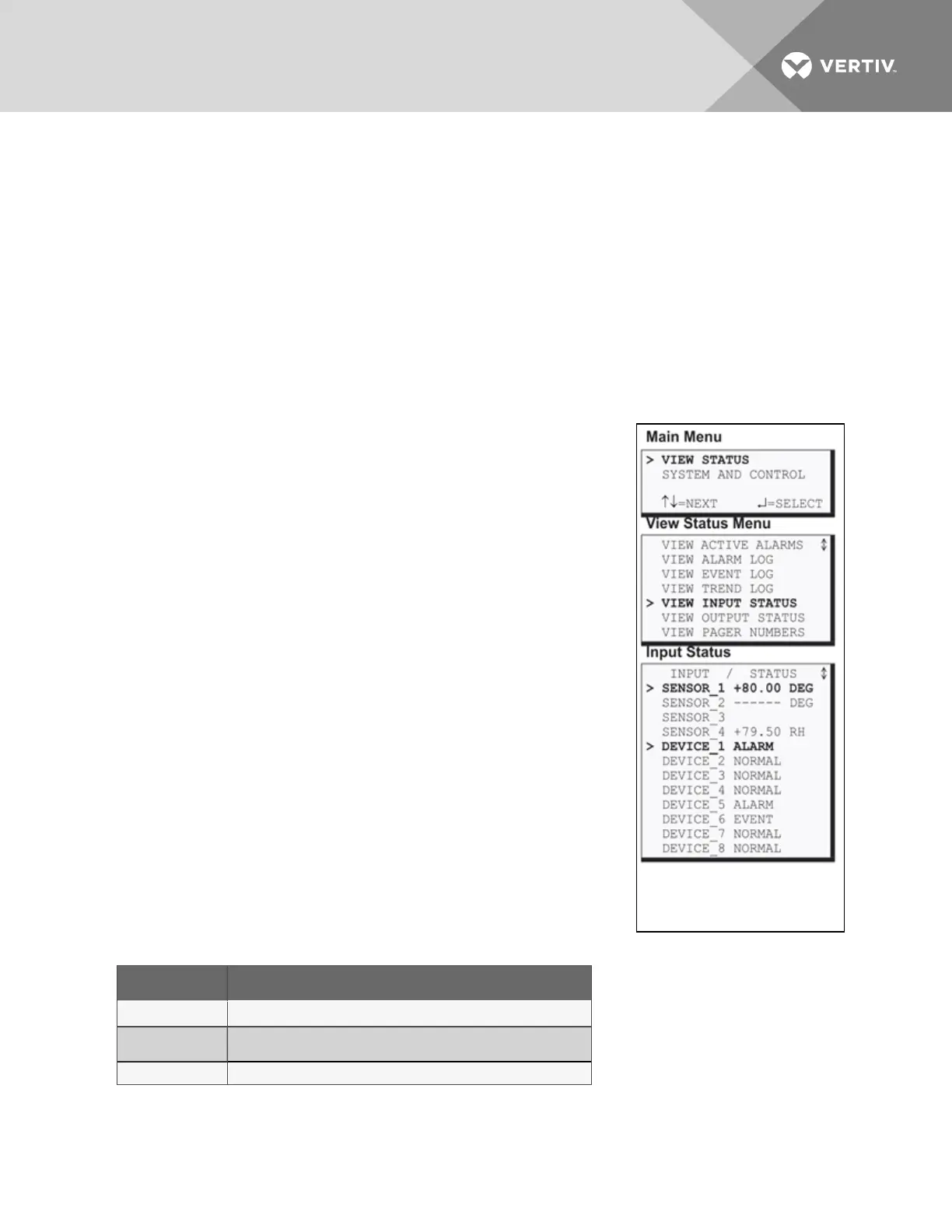
The Input Status option allows you to view the current status of all inputs:
the four analog sensor inputs and the eight digital inputs.
To view the Input Status:
• From the Main Menu, use the arrows to choose View Status, then
press Enter.
• From the View Status Menu, use the arrows to choose View
Input Status, then press Enter.
5.5.1 Input Status
The Input Status screen displays the status of each analog sensor and
digital input.
Analog Sensor Inputs
The following details are displayed for analog sensor inputs:
• the name of the analog sensor input (for example, SENSOR_1)
• the current reading (+80.00 DEG)—values are updated
constantly while being viewed
There are three possible states for an analog input, as shown in Table 5.4
below.
State Description
Functional
Reading—-for example, +80.00 DEG or +79.50 RH
Problem with
connection
Dashes (------)
Not configured Blank
Table 5.4
Analog input states
NOTE: If the status displays dashes (------), the Liebert AC8 was unable to take a reading. There may
be a connection problem. If the status is blank, the sensor is not configured as being connected.
Vertiv | Liebert® AC8 User Manual | 42



 To Next Page