1. Find the black EPOP jumper on the circuit board, as shown at right. The jumper is at the
bottom right corner of the board just below the EPOP contact input (see Controller Board
Overview on page4).
2. Decide whether your configuration requires the jumper to be enabled or disabled.
3. Set the jumper as needed:
• To enable EPOP, place the black jumper on the middle and right pins. The right side of
the jumper is labeled EN for Enabled.
NOTE: When the EPOP jumper is set to Enabled, a Normally Closed contact must be attached or an
alarm will be generated and the outputs will default to the EPOP operation setting.
• To disable EPOP, place the black jumper on the middle and left pins. The left side of the
jumper is labeled DIS for Disabled.
3.3 Connecting Analog Inputs
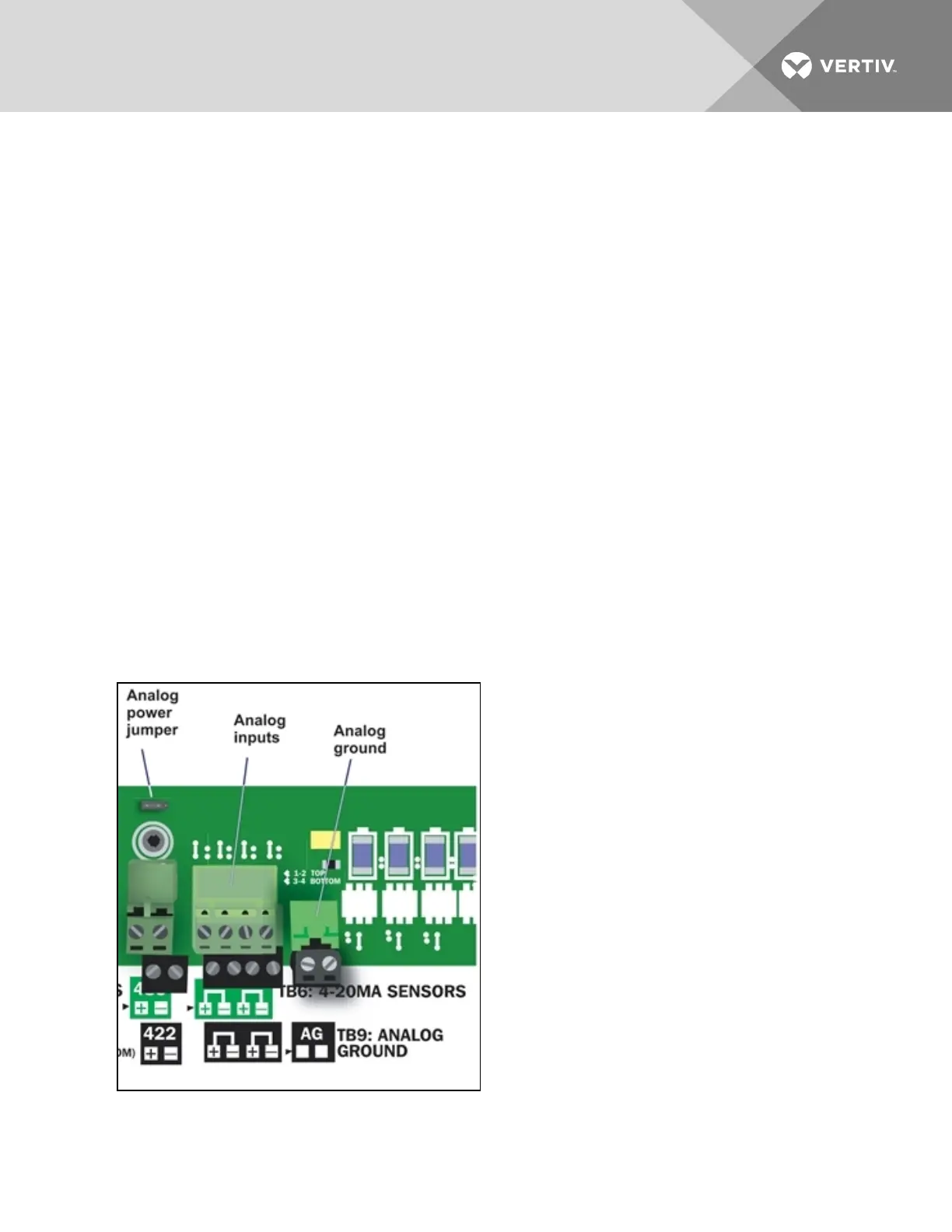
The analog input connector blocks are at the bottom center of the Liebert AC8 printed circuit board, as
shown below right. The blocks are two-part assemblies to permit easier connections. To determine the
proper wire size, see Wiring and Connections on page17.
To connect an input:
1. Turn OFF electrical power to the Liebert AC8.
2. If necessary, remove a conduit knockout to permit wire entry into the Liebert AC8 enclosure.
3. Bring the wire(s) into the Liebert AC8 enclosure through a conduit knockout or access slot.
4. Loosen the appropriate screw and slip the stripped end of the wire into the terminal block.
5. Tighten the screw until it holds the wire snugly.
Vertiv | Liebert® AC8 User Manual | 25



 To Next Page