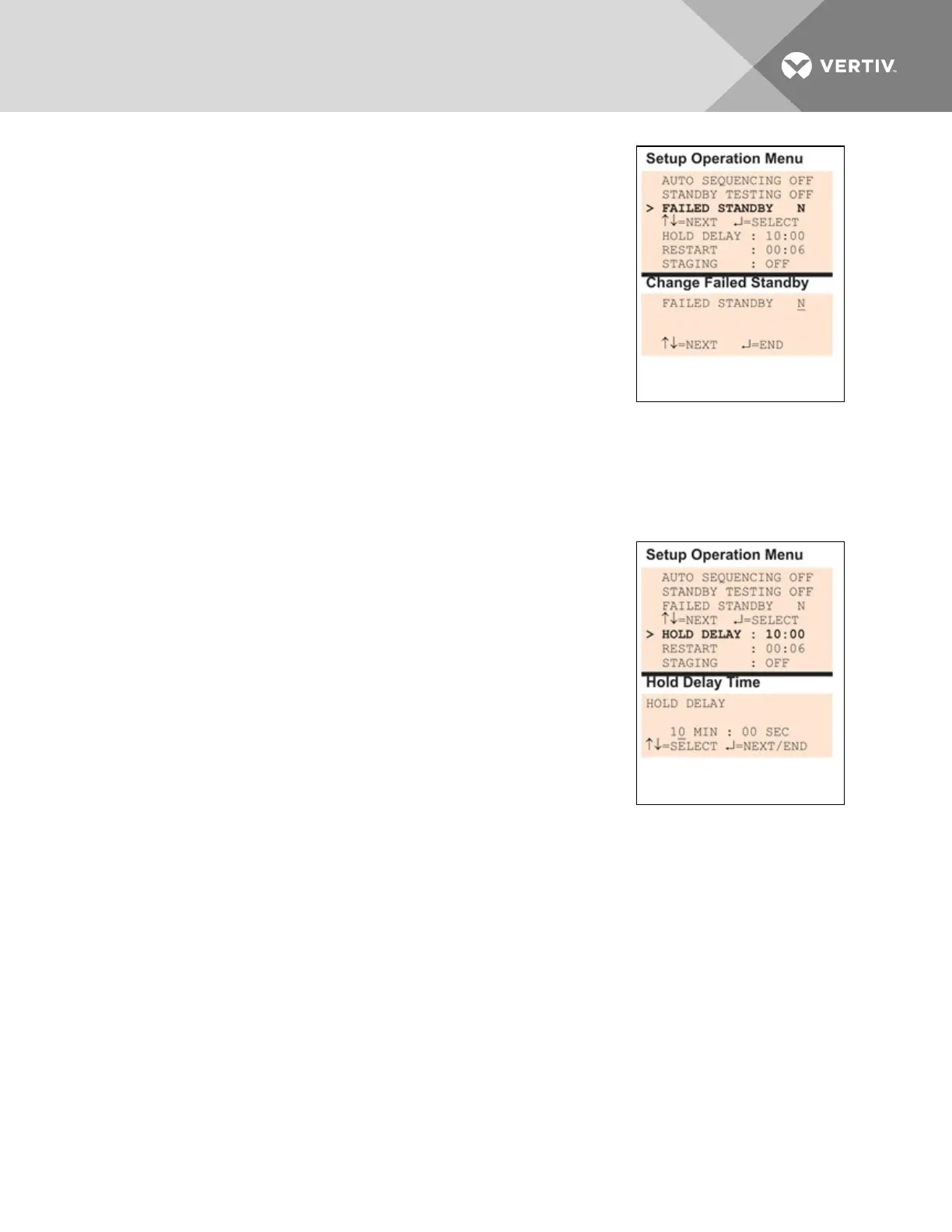
To change the Failed Standby settings:
• From the Setup System Operation Menu, use the arrows to
choose Failed Standby, then press Enter.
• In the Change Failed Standby screen, press use the arrows to
choose Y to activate or N to deactivate the feature.
• Press Enter.
7.10.4 Specify Hold Delay Time
After an output changes state, the hold delay timer directs the Liebert AC8
to ignore all inputs in the same zone for the specified time.
This delay is the amount of time that must elapse before the Liebert AC8
acknowledges a change of state in any input. The default is 10minutes
(displayed as 10 MIN : 00 SEC).
The time delay applies only when a monitored output device changes from its normal state—for example,
the Liebert AC8 detects a closed contact that is defined as Normally Open.
When the output device returns to its normal state, the Liebert AC8 acknowledges any input change of
state immediately.
The hold delay timer also takes effect when the Liebert AC8 is powered up.
All alarms are ignored until the hold delay time expires.
To change the Hold Delay Time settings:
• From the Setup Operation Menu, choose Hold Delay, as shown at
right, and press Enter.
• To change the time delay in minutes and seconds (in the range
of 00:00 to 99:59):
• For minutes (MIN), press and hold one of the arrow keys to
scroll through the numbers 00-99.
• Press Enter to advance to seconds (SEC).
• For seconds (SEC), press and hold one of the arrow keys to
scroll through the numbers 00-59.
• When finished, press Enter again.
7.10.5 Specify Restart Time
The restart delay timer directs the Liebert AC8 to wait a specified time before changing the state of an
output. This feature can prevent needless responses to transient conditions.
Vertiv | Liebert® AC8 User Manual | 99



 To Next Page