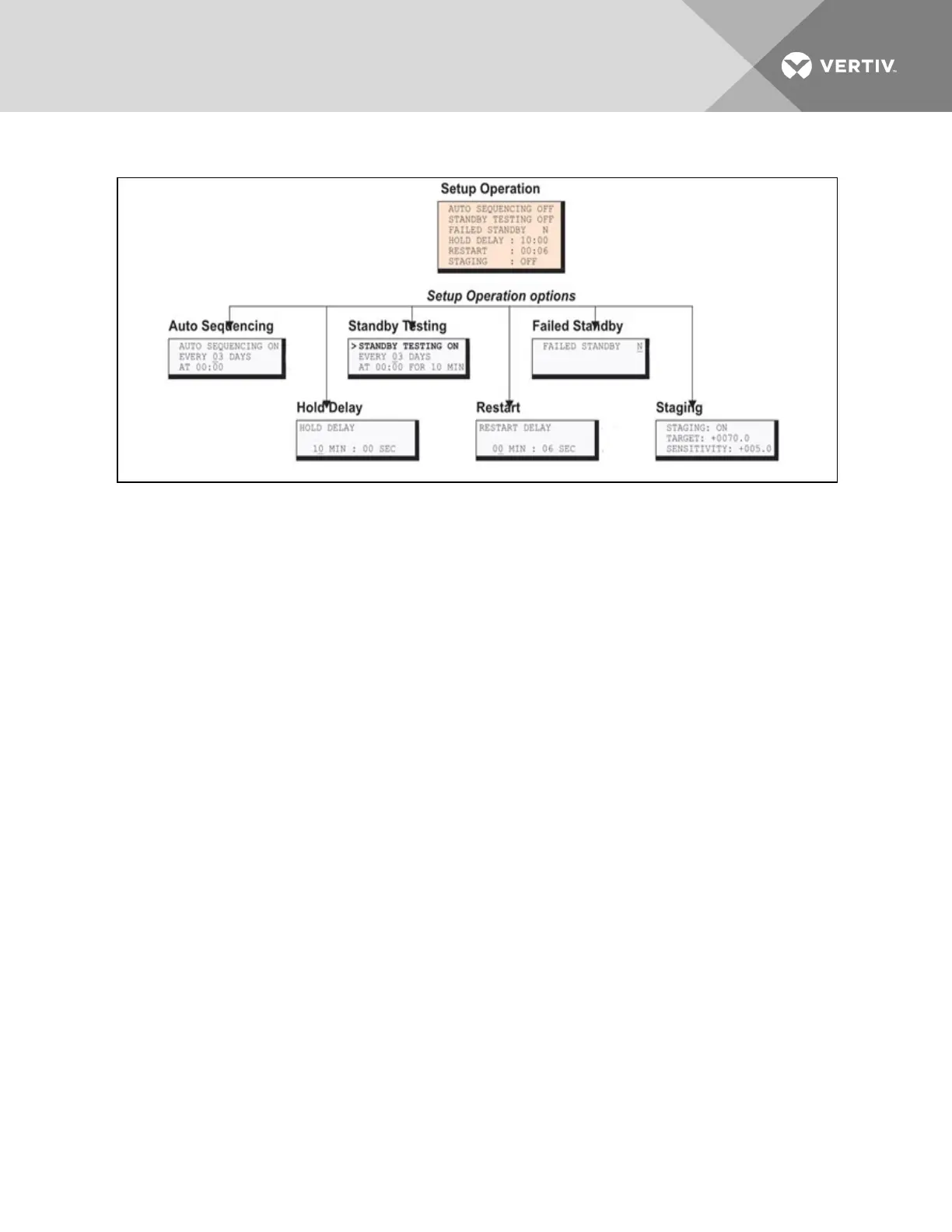
Figure 7.3 Menu overview - Setup Operation menu
7.10.1 Turn Automatic Sequencing On or Off
Use automatic sequencing to set up a schedule for rotation of redundant devices. For example, three
devices might be in operating mode while a fourth device is in standby mode. Every two days, the Liebert
AC8 returns the standby device to operating mode and places one of the operating devices on standby.
When zones are used, the Liebert AC8 manages the rotation sequence for each zone separately, so each
zone might have one device in operating mode and one in standby mode.
NOTE: Auto sequencing will not function in a zone with any devices defined as Not Used. All outputs in
the zone must be defined as Operating or Standby (see Setup System - Setup Outputs on page70).
Auto sequencing is OFF (deactivated) by default. When auto sequencing is activated (ON or 12h, for a 12-
hour interval), the Liebert AC8 cycles devices at the specified interval and time of day as follows:
• An output device in Standby mode is returned to Operating mode.
• An output device that is Operating is put in Standby mode.
When more than one device is in Standby mode or turned On, the Liebert AC8 performs the operations in
a sequence that rotates the order. For example, in a sequence set up to occur every two days:
• Monday: Device 1 is placed on Standby, and Devices 2, 3 and 4 operate.
• Wednesday: Device 2 is placed on Standby, and Devices 1, 3 and 4 operate.
• Friday: Device 3 is placed on Standby, and Devices 1, 2 and 4 operate.
• Sunday: Device 4 is placed on Standby, and Devices 1, 2 and 3 operate.
NOTE: The Liebert AC8 will not cycle outputs that have been manually forced On or Off through the
Override Output Menu or the hardware switch (see Override Output on page103).
Vertiv | Liebert® AC8 User Manual | 96



 To Next Page