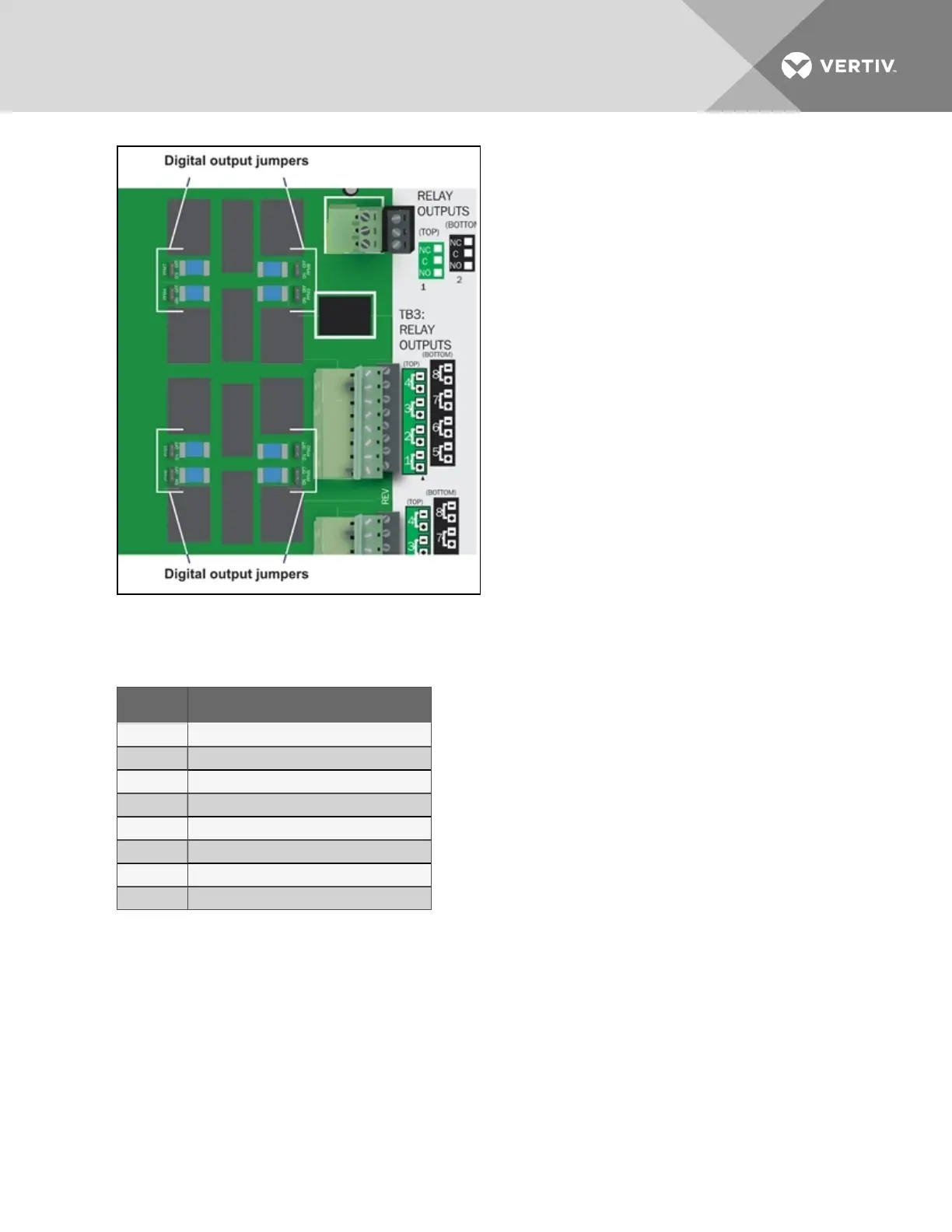
To change the output jumper setting:
1. Find the respective black output jumper on the circuit board, shown in the illustration, using
the following guide.
Jumper Associated output
PFM1 Output 1
PFM2 Output 2
PFM3 Output 3
PFM4 Output 4
PFM5 Output 5
PFM6 Output 6
PFM7 Output 7
PFM8 Output 8
2. Decide whether your configuration requires the jumper to be OFF or ON.
3. Set the jumper as needed:
• Set the jumper to OFF by placing the black jumper on the middle and top pins.
• Set the jumper to ON by placing the black jumper on the middle and bottom pins.
Vertiv | Liebert® AC8 User Manual | 22



 To Next Page