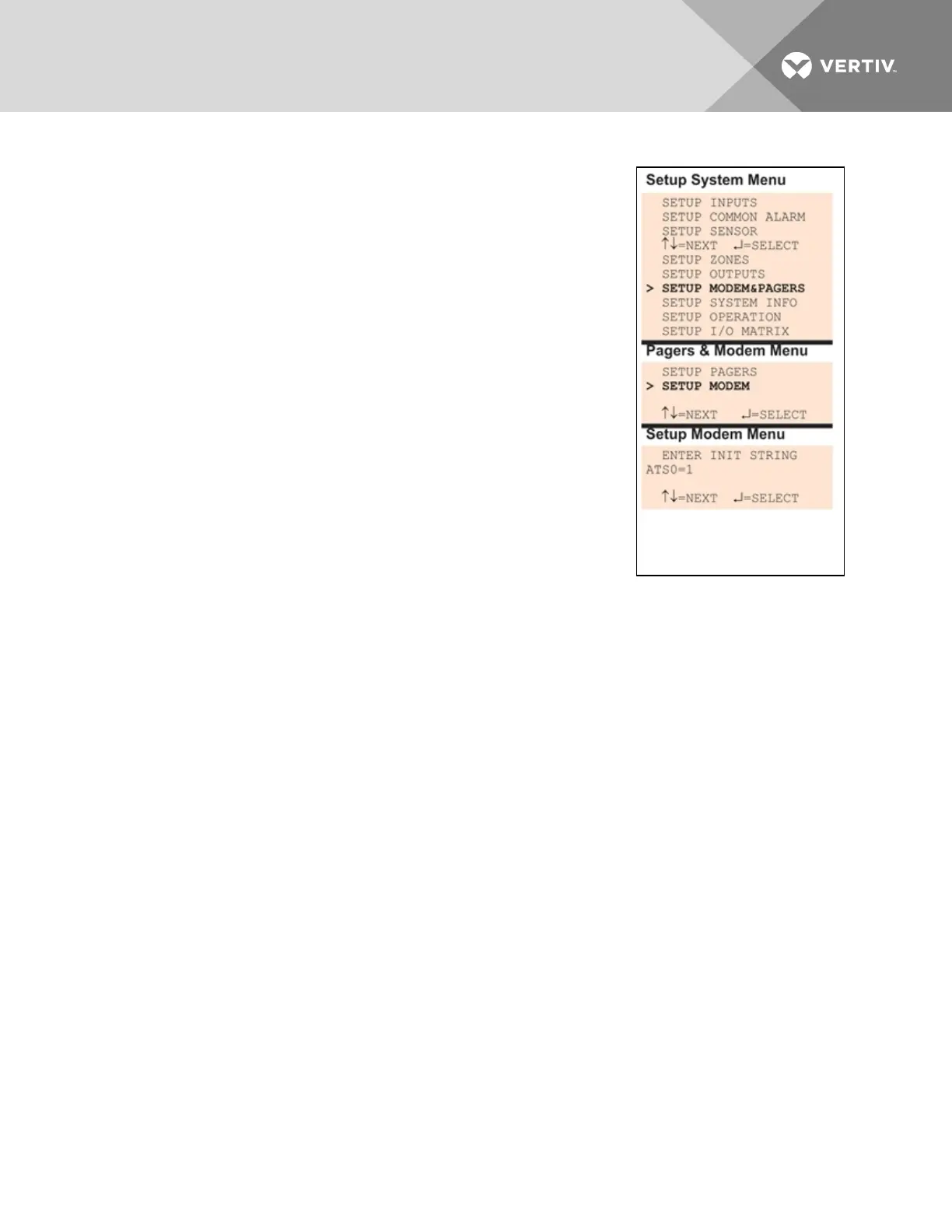
Configuring the Modem
To configure the modem:
Log In and Choose Setup System
1. From the Main Menu, use the arrows to choose System and
Control, then press Enter (see Login on page53 for help).
2. Enter your password at the Login screen.
3. From the System and Control Menu, use the arrows to choose
Setup System, then press Enter.
Select Modem Setup
1. From the Setup System Menu, shown at right, use the arrows to
choose Setup Modem&Pagers and press Enter.
2. Use the arrows to choose Setup Modem from the Pagers &
Modem Menu and press Enter.
3. The Setup Modem Menu displays the initialization string
(InitString), which may consist of up to 40 characters (see Table
7.1 on page53 for valid characters). The default Init String is
ATS0=1.
International Dialing
1. To enable international dialing involving countries that do not support country code B5 (see
Table 7.9 on the facing page), you must add the appropriate country codes to the
initialization string using the format:
+GCI=xx
where xx is the country code.
(This also requires the modem model MT5600SMI; the model number can be found on the
modem label.)
Note: For countries that support B5, there is no need to add country codes to the init string.
Vertiv | Liebert® AC8 User Manual | 74



 To Next Page